
.png?cb=2407f27eecd632bb17dfd95086a951ac)
Microsoft 365 integration
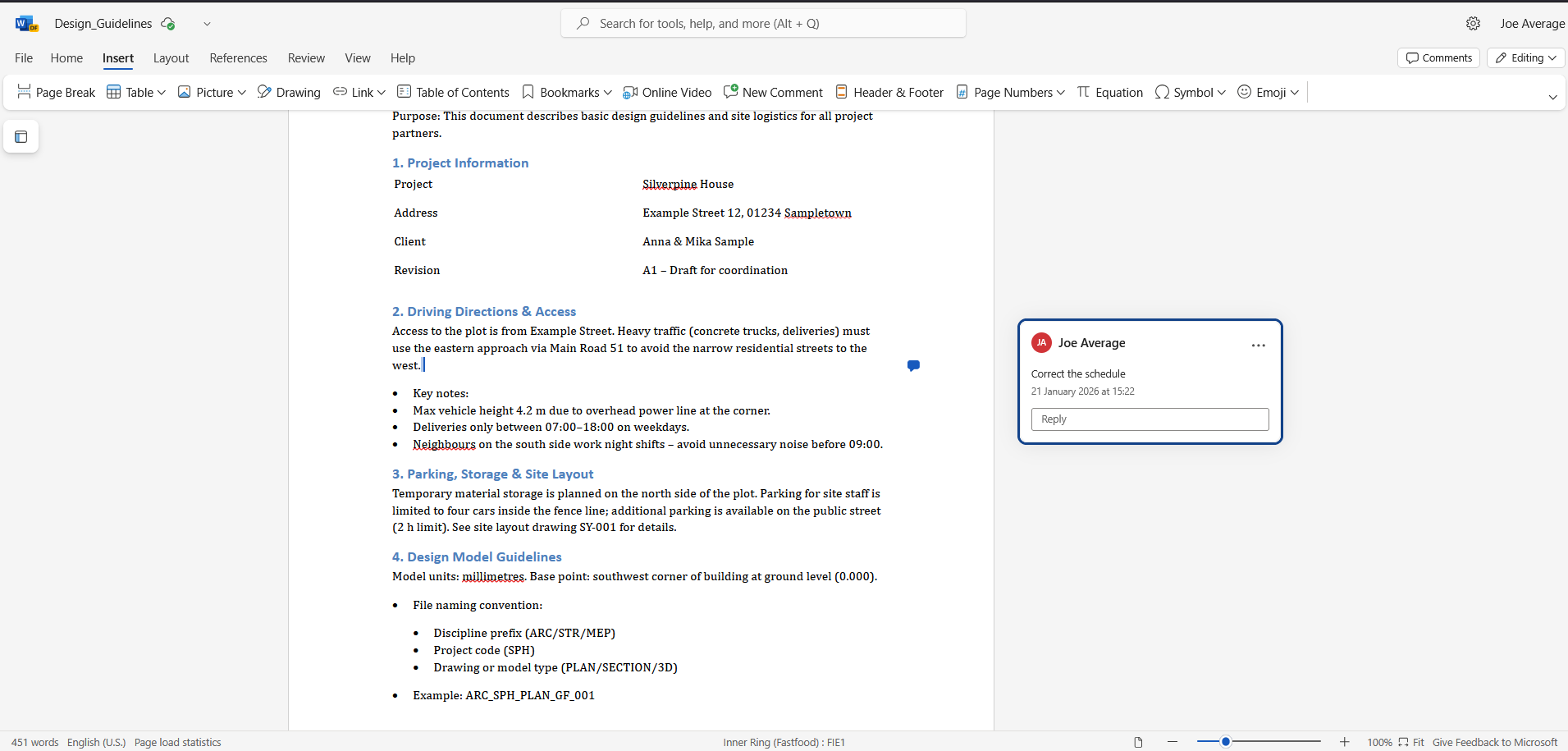
We’re excited to announce the launch of our Vertex Sync integration with Microsoft 365 — designed to make collaboration faster, smoother, and smarter across your entire project workflow. With this new integration, teams can now seamlessly work with projects documentation with familiar Microsoft 365 tools, enabling effortless document management, real‑time coordination, and improved visibility across all project stages.
Key benefits:
-
View and edit Microsoft 365 documents including Word, Excel, and PowerPoint directly in your workspace.
-
View documents instantly without a Microsoft 365 subscription.
-
Create and Edit documents when you have an active Microsoft 365 commercial license.
-
Supports multi-user coauthoring
New License Level
A new Vertex Sync license level is now available, offering more flexibility and better alignment with how different teams use Vertex Sync — from lightweight web access to Pro with full Vertex BD integration capabilities.
-
Vertex Sync License for Web‑Only Users. A focused license designed for users who work entirely in the browser.
Ideal for teams needing streamlined access to essential Sync features with an affordable, simplified setup.
-
Vertex Sync Pro for BD Users. A comprehensive Pro license tailored for Building Design users who require advanced tools, broader integrations, and high‑performance workflows.
All current Sync licenses have been automatically upgraded to Vertex Sync Pro. Please find the new licenses and prices in MyVertex store https://my.vertex.fi/store
2D Viewer for Drawings
We’re excited to introduce the brand‑new 2D Viewer in Sync — bringing faster, clearer, and more accessible drawing review directly into your workflow.
The new viewer makes it easier than ever for teams to inspect drawings, check details, and collaborate without needing external CAD tools.
-
Integrated 2D viewing
Open and review files instantly inside Sync — no additional software required. -
Basic measurement tools
Measure distances and verify dimensions directly within the viewer, helping teams validate design details on the fly. -
Hide / show layers
Toggle drawing layers to reduce clutter, highlight key elements, or focus on specific technical details.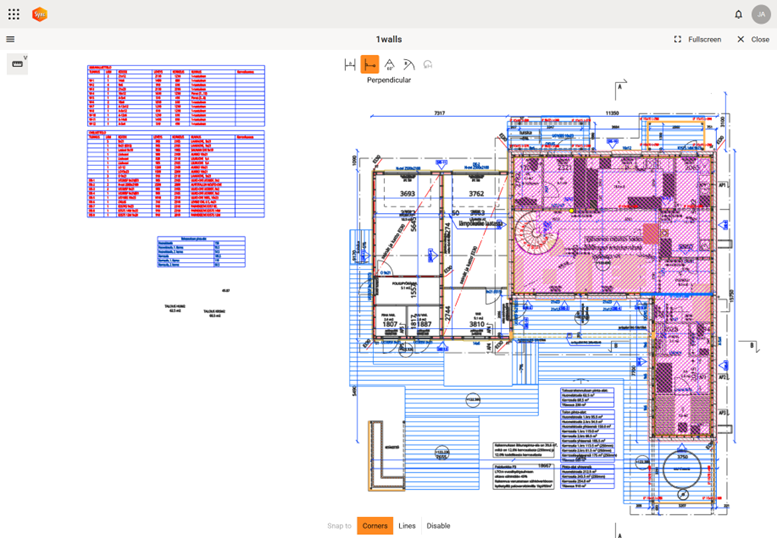
New Angle Measurement
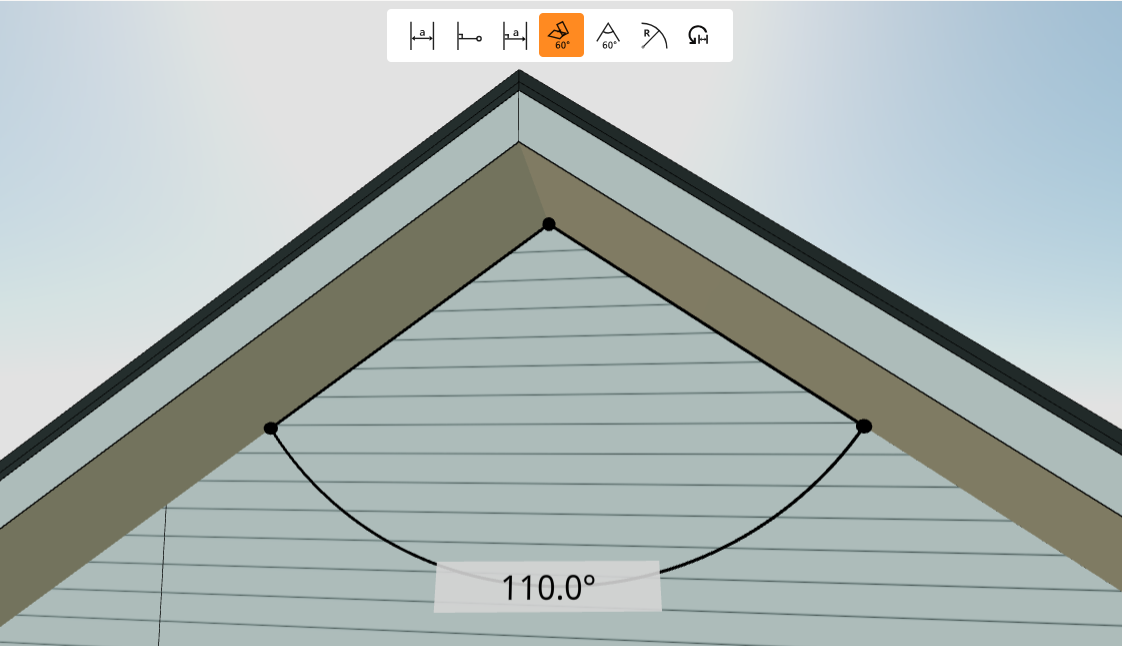
The 3D viewer now supports angle measurement between any two selected elements—these can be lines, planes, or a combination of both. Once selected, the viewer automatically calculates the angle and displays it directly in the model using a standard arc and the value in degrees.
All updates for this release
Release notes - Sync - 1.5.0
Bug
VXSYNC-2548 Unhandled error with conflicting filenames in zip download
VXSYNC-2592 Fix background plain color with postprocessing
VXSYNC-3035 Thumbnail service cannot regenerate preview from office file modifications
VXSYNC-3059 User cannot place revision lock if another user has overwrite lock
VXSYNC-3078 User is not redirected from MyVertex to the Sync organization as a query parameter
VXSYNC-3082 User without admin privileges can enter admin portal but can view only
VXSYNC-3085 Object with multiple parent should have move disabled
VXSYNC-3142 Office edit events are created even if no modifications were made
VXSYNC-3143 Wrong tip text when adding a new user from MyVertex
VXSYNC-3144 Revision comment is copied too when the building is copied
VXSYNC-3147 Fix file icon behavior in entity detail view
VXSYNC-3150 3D viewer Postprocessing does not work with edge lines
VXSYNC-3162 Component information unreadable on mobile
VXSYNC-3168 Some tabs in the sidebar require more space than the sidebar itself
VXSYNC-3171 Vertical scroll bar in Microsoft 365 marketing pop ups
VXSYNC-3188 2D measurement tool lags behind when panning around
Story
VXSYNC-2965 User can use 3D and 2D viewer with laptops' or pad keyboards' trackpad
VXSYNC-2970 As an user I want the 3D/2D zoom to zoom to the cursor direction direction, not the model centre
VXSYNC-2978 User has a simple and fast Perpendicular shortest measurement
VXSYNC-3016 Measure angle between two lines or planes
VXSYNC-3102 User can create a new M365 document clicking Plus button
VXSYNC-3111 User can see clearly measure line without dimension value interrupting it
VXSYNC-3155 While opening 2D drawing in the viewer, user needs information about the loading progress
VXSYNC-3177 User can find component in viewer tree sorted by natural sorting
VXSYNC-3178 In 2D viewer switch measurement line colour to dark when a light background is light and vice versa.
VXSYNC-3179 User can add a new photo by clicking Plus button using mobile device's camera