
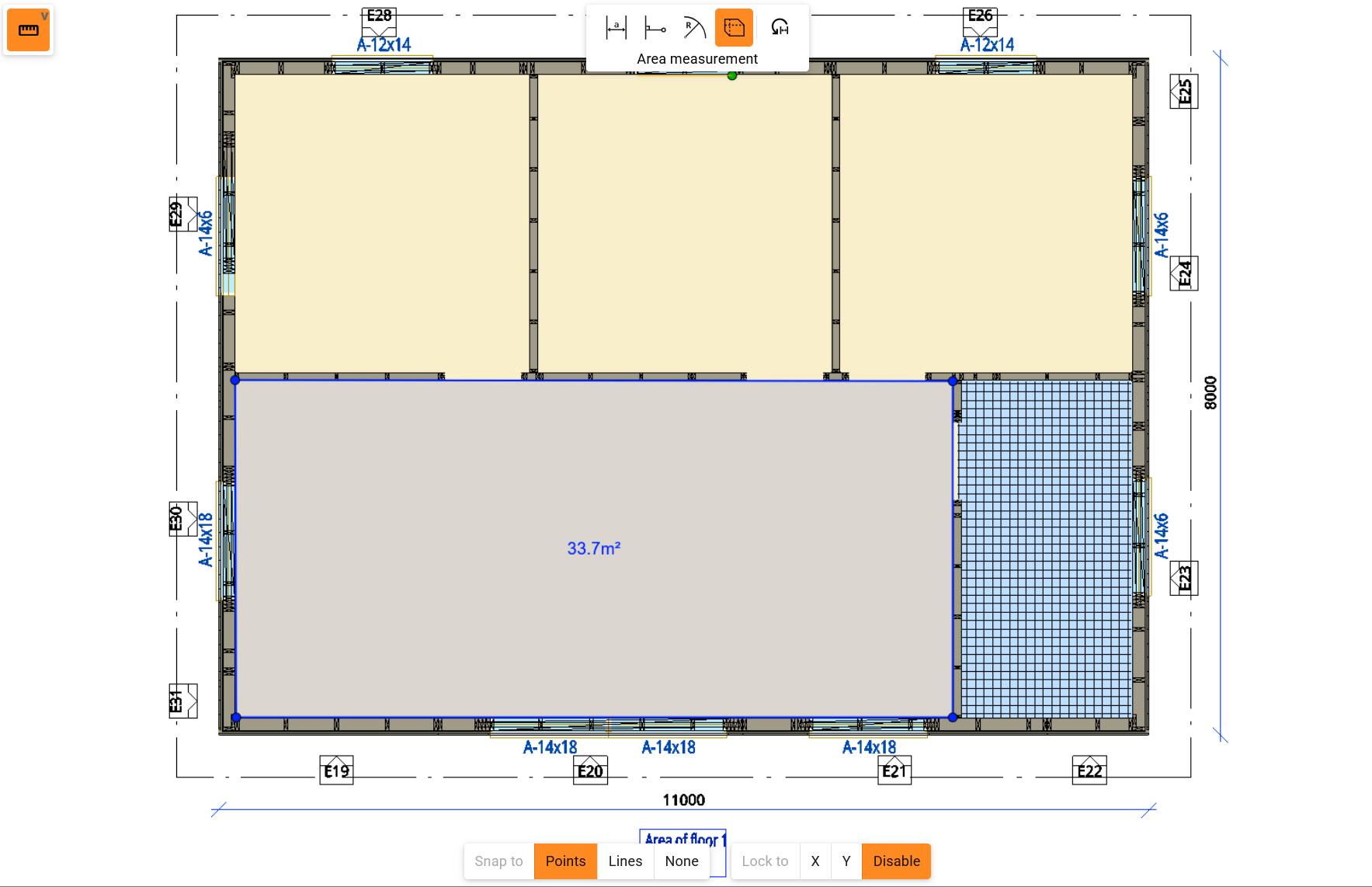
Area Measurement in 2D Viewer
You can now measure areas directly in the 2D viewer, making it easier to check and verify area sizes from 2D drawings. Whether you're confirming the size of a meeting room, warehouse section, or production area, area information is now available with just a few clicks.
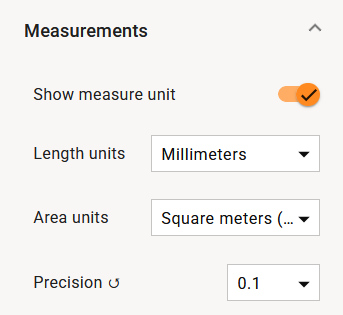
Independent Units for Length and Area Measurements
Measurement units for Length (including diameter) and Area can now be configured separately. Changing the length unit no longer affects area units, and vice versa. This makes it easier to work with common construction workflows where dimensions are shown in millimetres and areas in square metres. For example, a floor plan can display wall dimensions in mm while room areas remain in m² for space planning and reporting
All updates for this release
Release notes - Sync - 1.10.0
Bug
VXSYNC-3853 PUT tenant settings sometimes throws 500
VXSYNC-4053 Common 3D viewer fails to show special characters while Autodesk DWG TrueView can
VXSYNC-4138 Sync user interface should not show 'Open in 2D' option for non-compatible vxp files
VXSYNC-4270 Cannot create a new office file under the building
VXSYNC-4288 Fix angle measurement
VXSYNC-4299 Fix running cloud-ui in sync dev launcer
VXSYNC-4305 Adding a new user to Sync from MyVertex doesn't work
VXSYNC-4317 Bomrow status markers height varies
VXSYNC-4318 Bomrow status incorrect in the exported csv
VXSYNC-4326 Entity dashboard list view preview carousel doesn't work
VXSYNC-4329 IFC models are displayed in the wrong position in the 3D viewer
VXSYNC-4391 Support access tip text visible in Matching rules page
Story
VXSYNC-4233 User have single "show movement helpers" setting option instead of three separate ones
VXSYNC-4234 User can measure area in 2D
VXSYNC-4401 User can adjust the Measurement units separately for Length \(includes diameter\) and Area dimensions
VXSYNC-4248 Add global search