Overview
If too many trolleys are visible in your interface, you can remove them (except trolleys shared by another user).
If you do not want to remove trolleys, you can manage the number of trolleys available for selection in the interface by setting trolleys to invisible.
Trolley listing
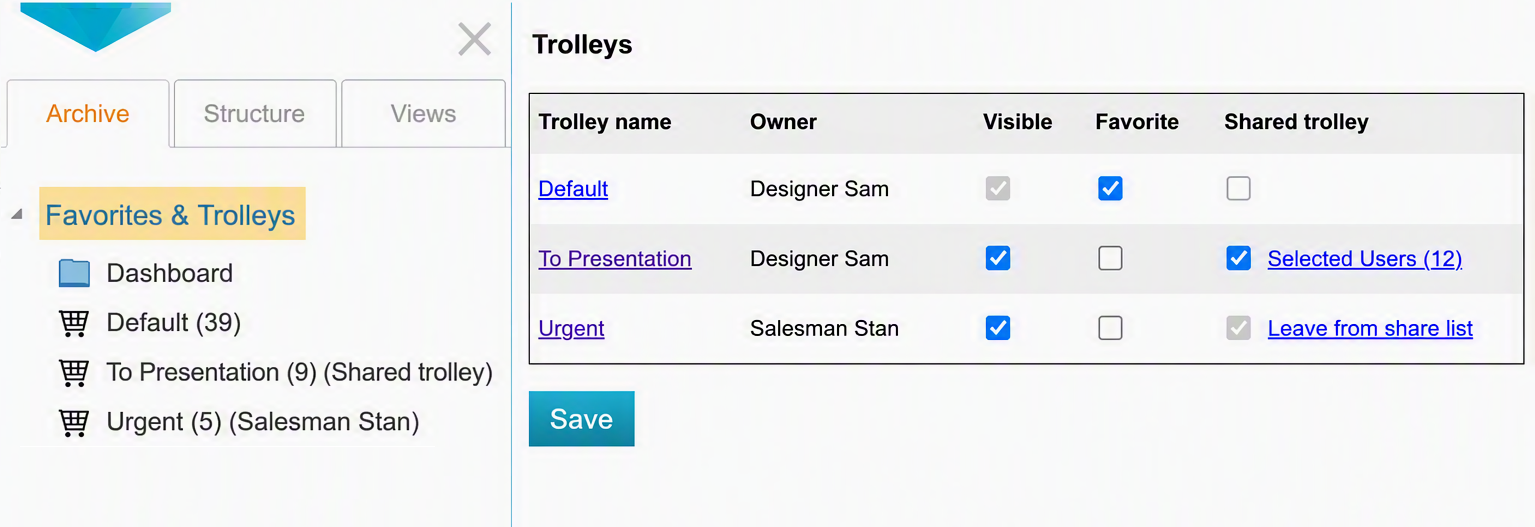
(1) Click the Favorites and Trolleys heading to open the list of trolleys available to you.
(2) In the Trolley settings view, you can see all your own trolleys and trolleys shared with you in the table.
-
In the Owner column, you can see the owner of the trolley. If you are not the owner, the trolley has been shared with you.
-
Use the Visible column to manage the trolley's visibility on the Archive tab and in action menus.
-
You cannot hide the default trolley.
-
Use the Favorite column to set your favorite trolleys.
(3) Select the Visible checkbox for the trolleys you want to see.
(4) Finally, click Save to save your changes.