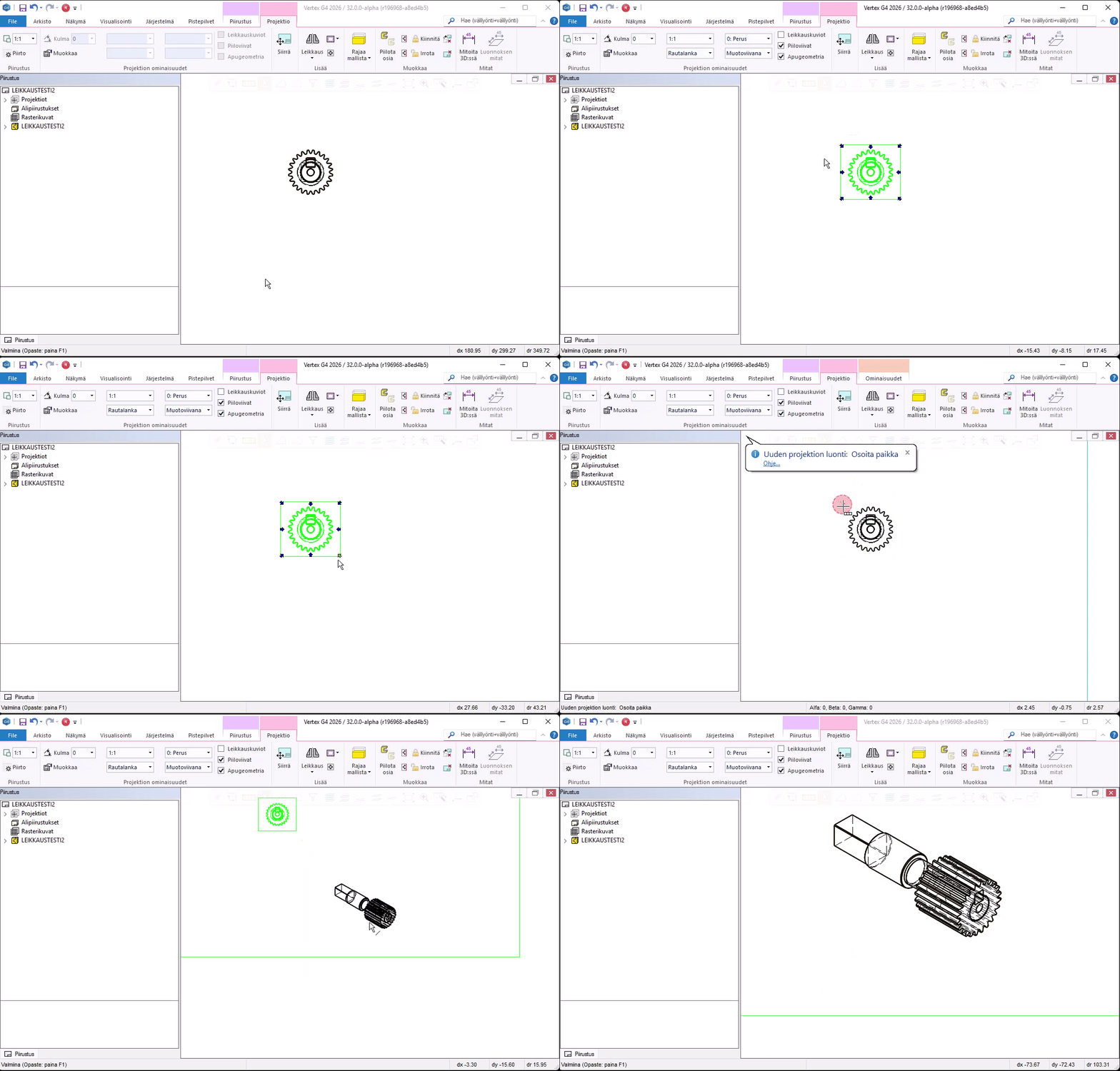
A new, more convenient way to create an isometric projection in a drawing
You can create an isometric projection by dragging from the corners of the main projection
You can create an isometric projection aligned precisely with the main projection’s view direction. Drawing creation is now faster, and projection orientations are easier to manage.
Drag the projection from the corner, just like with orthographic projections
You can grab the corners of the projection and drag the isometric view just like any other projection.