
Overview
This page explains how Vertex BD optimizes screw connections in truss engineering and how to review the results.
Optimization of screw counts - How to enable/disable the tool
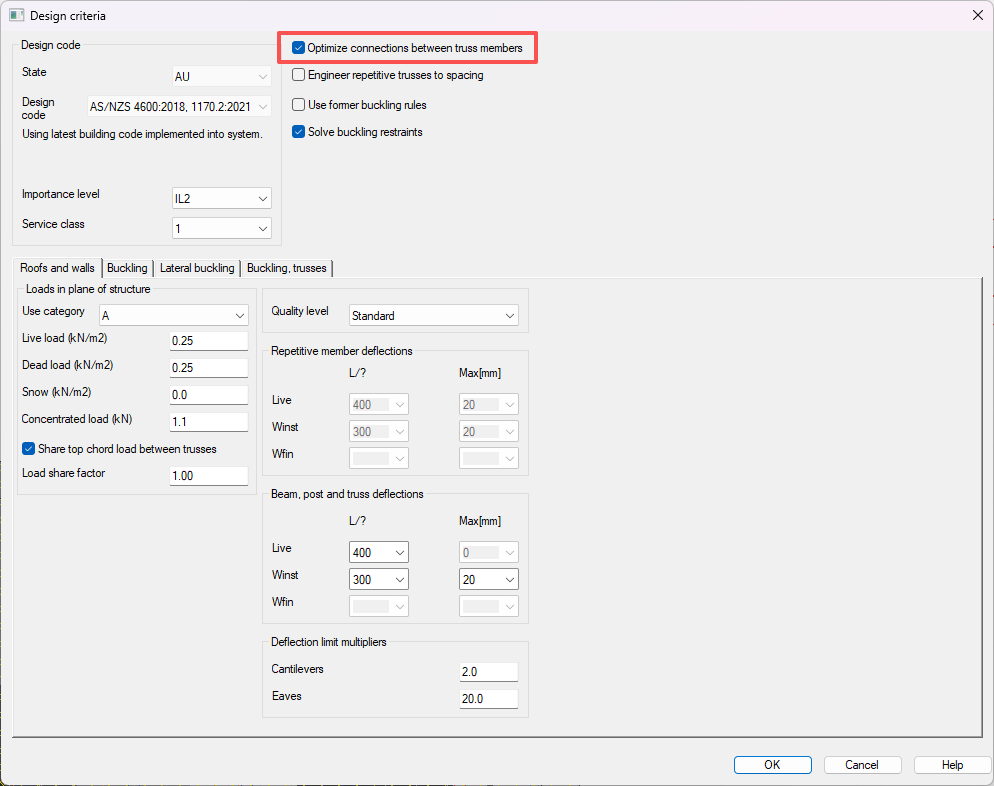
When designing trusses using truss engineering in Vertex BD, users can choose to optimize the screw quantity based on the loading conditions of the joints.
The system will compare the shear capacities of the original screw configuration with the applied shear forces on the joints. If the capacities are not sufficient, the system will automatically increase the connection quantity, from 2 x to 4 x, for example, until the capacities are large enough to accommodate the loading condition.
With the default setting, the maximum screw quantity the system allows for is 8. For in-plane trusses, that translates to 4 screws on each side of the flanges. If the capacity is still not enough with 8 screws, truss engineering will fail the capacity check and flag the joint.
Users can choose to uncheck Optimize connections between truss members; in that case, when the capacity of the original joint is not sufficient, truss engineering will fail the joint.
The placement of the screws must meet the requirements in AS/NZS 4600 in order for the screw capacities to be valid.
Truss engineering results
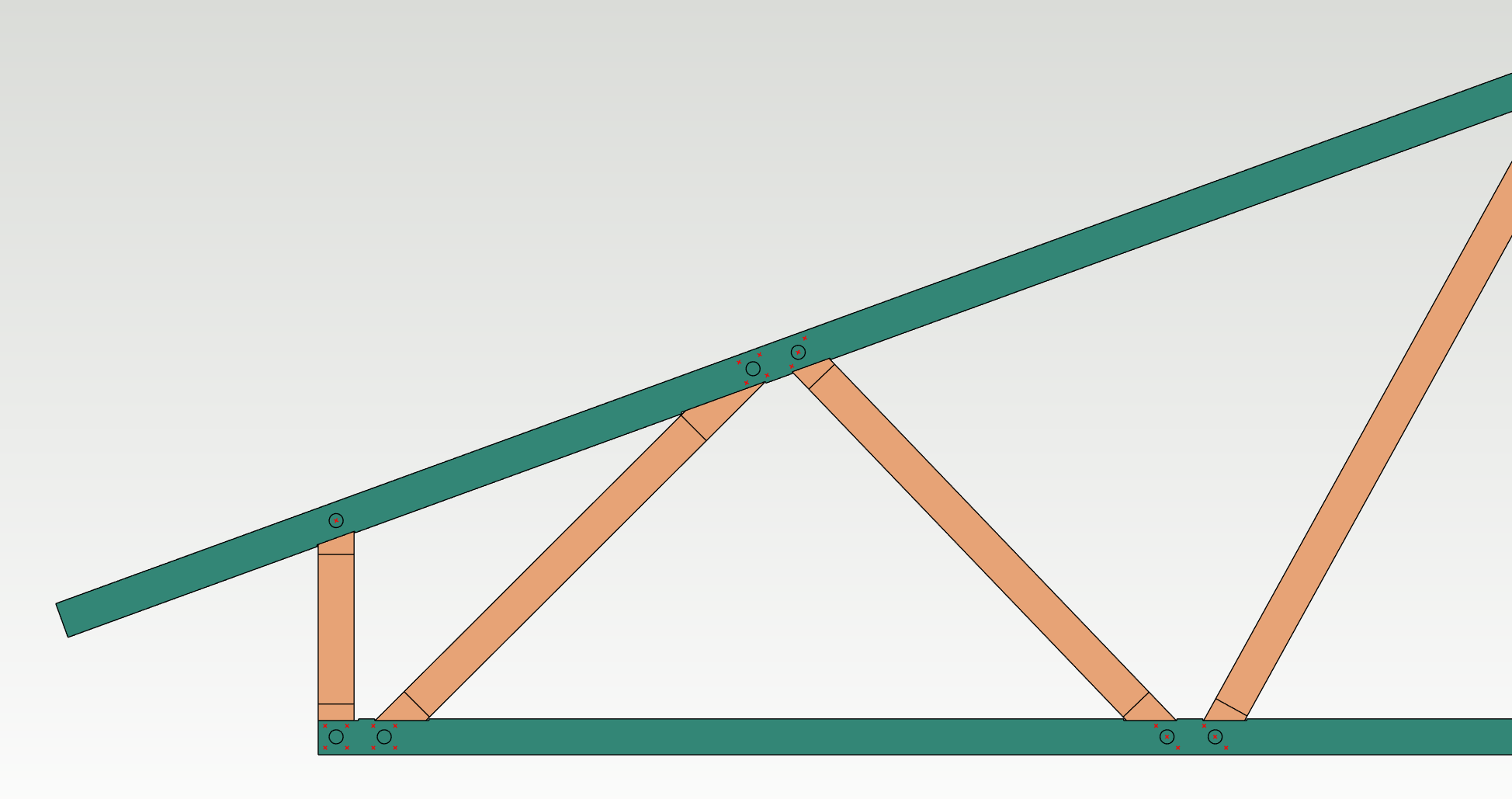
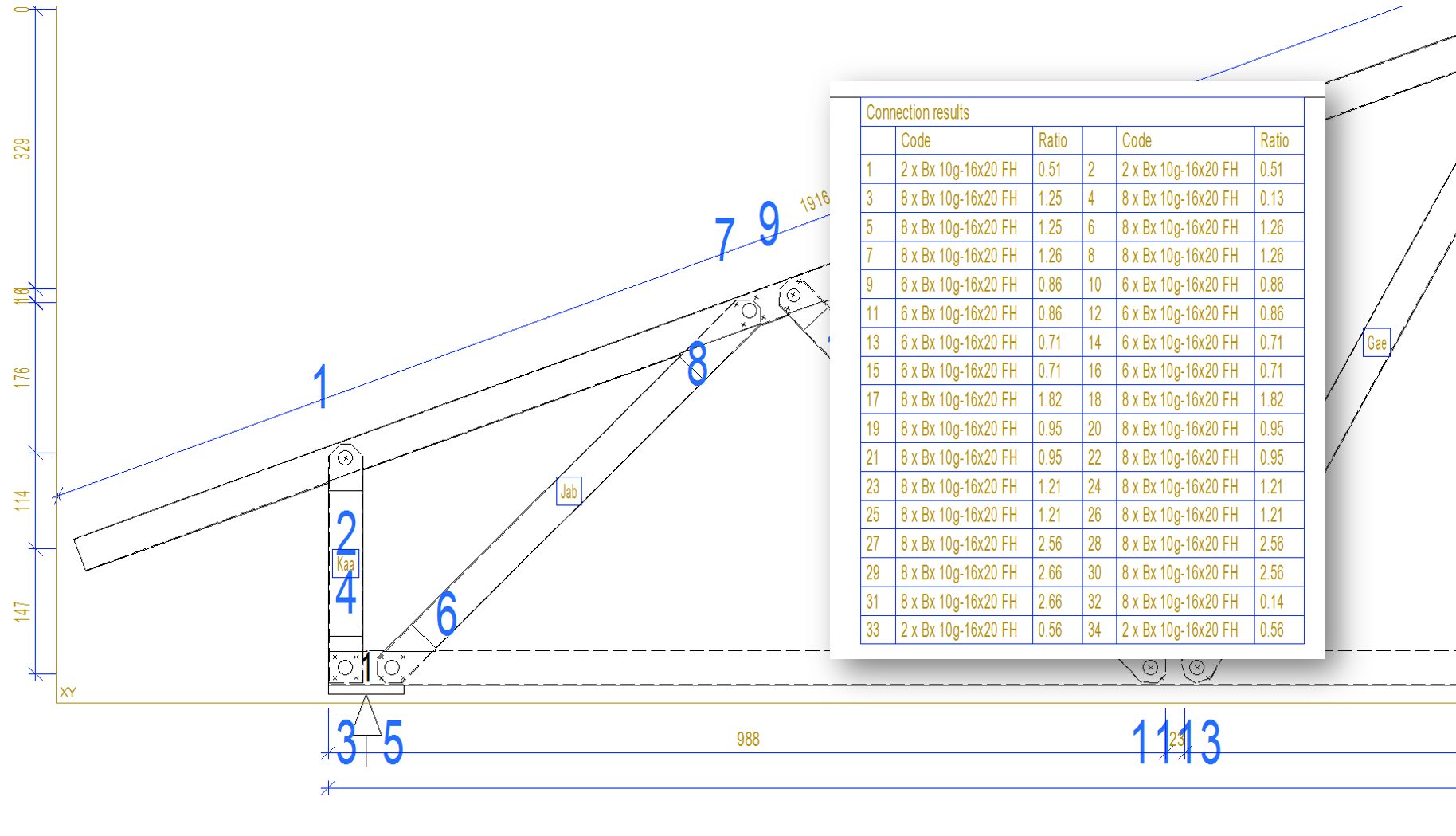
The system will update the number of screws needed for each joint as part of the truss engineering process.
Truss engineering drawing will show the capacity check results of all connections with updated screw count.
In the attached example, the trusses were under unrealistic loading conditions to showcase the connection optimization capability.
Truss drawings
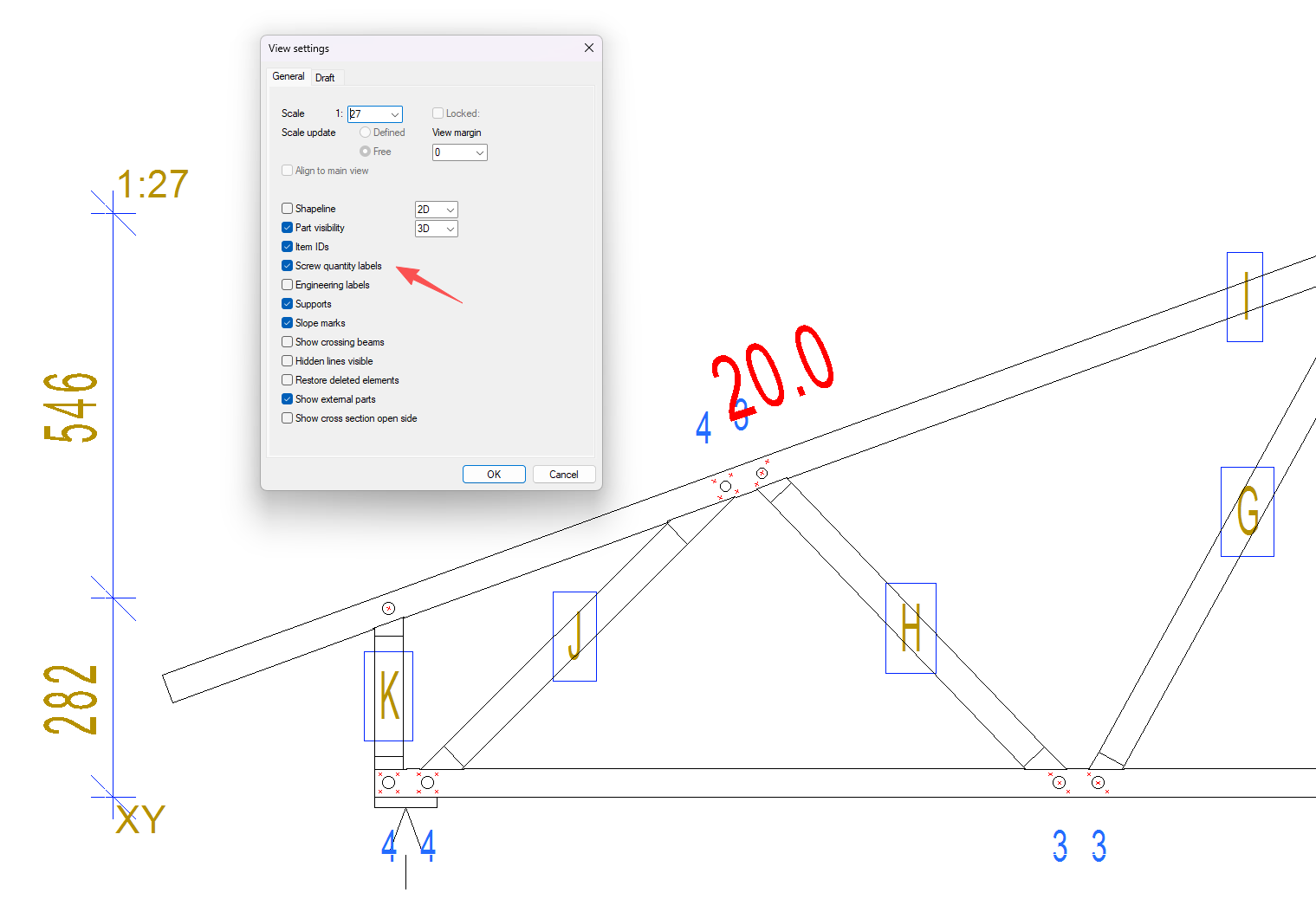
After truss engineering, users should always update truss drawings so that the screw quantity can be updated.
It is highly recommended that screw quantity labels be turned on so that the joints with updated screw counts can be labelled with the quantity of screws next to the joints. This feature will help the assembly workers allocate the correct number of screws.
Summary
-
Enable connection optimization so Vertex BD can increase screw quantities where joint shear capacity is insufficient.
-
Update truss drawings after engineering so revised screw counts are included in the drawing output.
-
Turn on screw quantity labels so updated counts are clear for checking and assembly.