
Introduction
The supporting conditions of trusses in Vertex truss engineering are determined by the structures and connections around the trusses. This mechanism ensures the boundary conditions of the truss model are realistic.
However, when a truss is being designed, users often need to test new support configurations. Previously, users had to ‘cheat’ the system, for example, to add support by creating dummy walls. Consequently, the validity of the truss engineering results would be compromised if the engineer was not well-informed of the changes made to the boundary conditions.
In the new version, a pair of support manipulating tools have been implemented to make the above-mentioned task much easier. A new warning system was also applied so that the risk of support manipulating can be included to the engineering results.
Adding and removing support
The Add Grounded Support and Suppress Support tools are in the Structural analysis folder in Connection details.
The tools are available in both regular framing model pair and single truss engineering state.
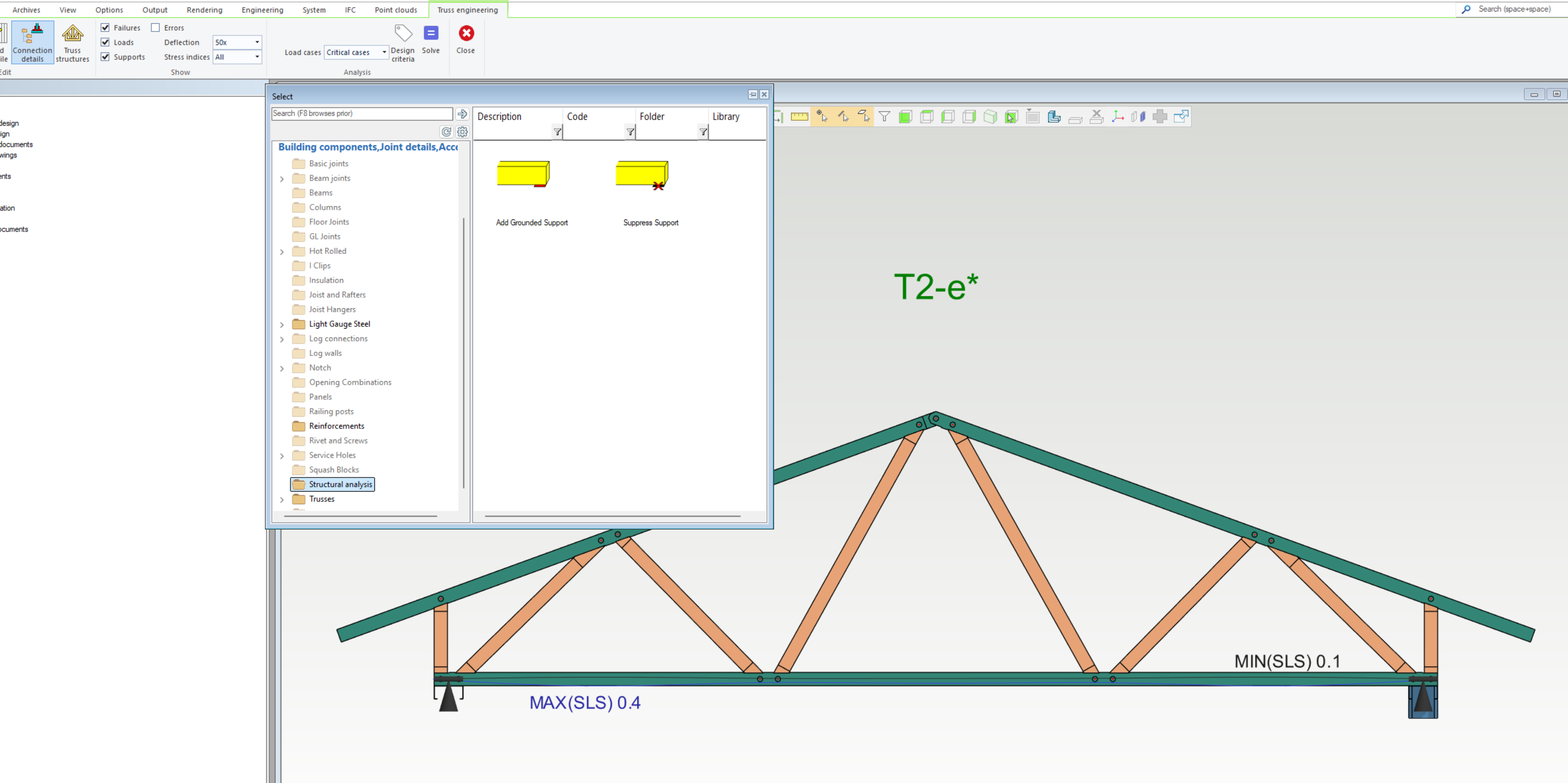
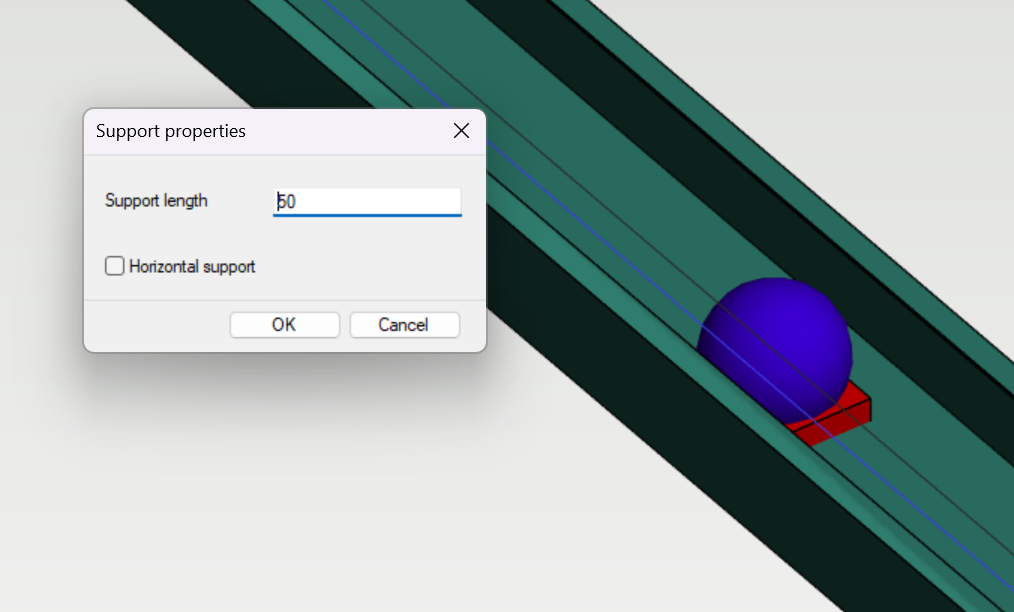
Add Grounded Support allows users to add support points/lines to a member in a truss. The property of the support can also be defined by users. When in effect, the added support will be a red block and the width of the block indicates the support length. A blue ball - macro is also added with the tool, meaning the added support will still be in effect even if the truss is re-generated.
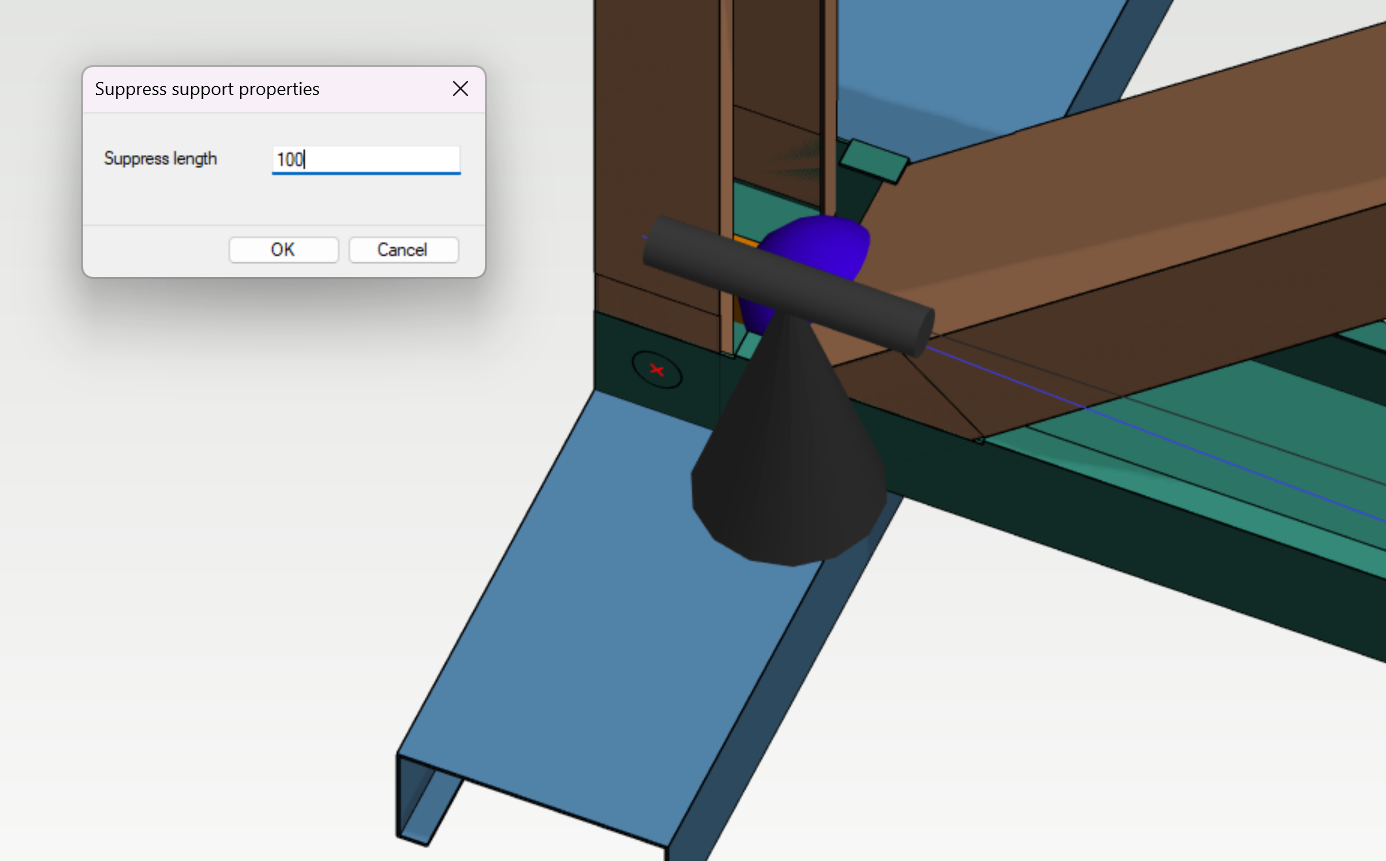
Suppress Support can be used when the user wants to ignore the support from a structure in the model or to change the support length of an existing support. When in effect, the Suppress Support block would be orange in colour. A macro is also added for Suppress Support.
If user wants to suppress the whole support at a location, make sure the suppress length equals or is larger than the support.
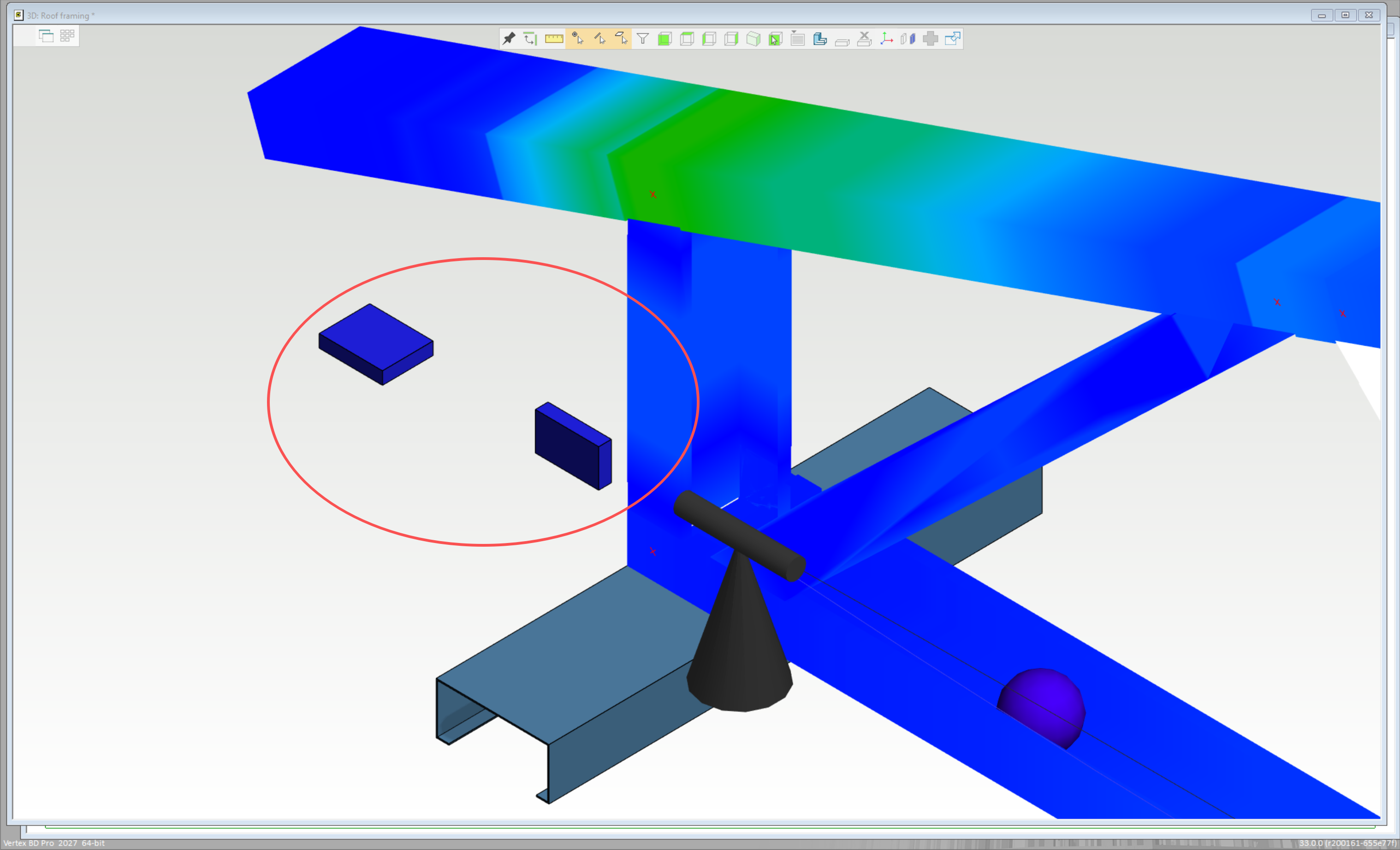
When the adding and/or the suppressing support tools are null, they will be blue in colour. They will need to be moved to a valid location to take effect.
The effect of the change of support can be reflected after truss engineering is run.
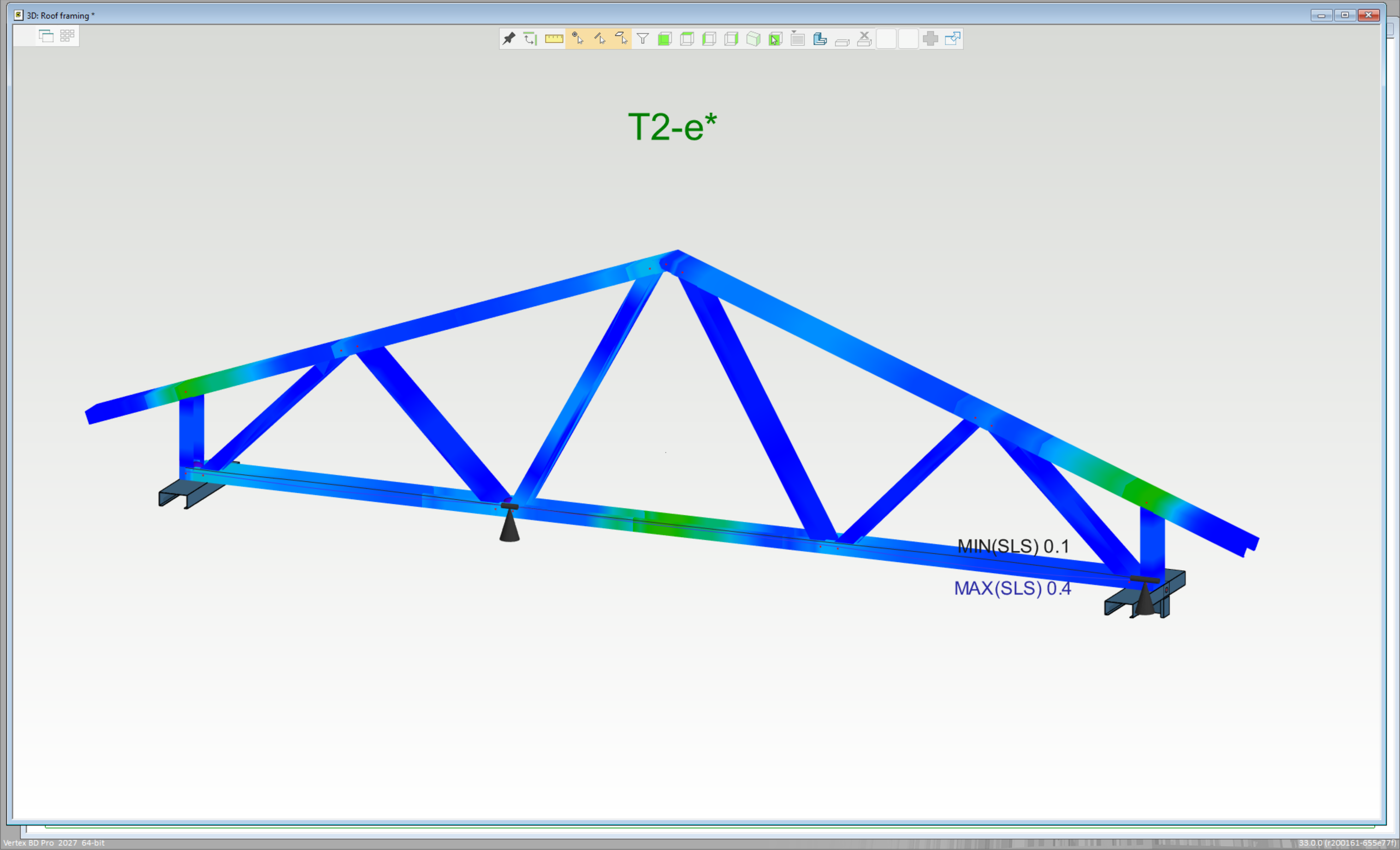
A warning message will be included in the calculation message if support was manipulated. An engineer must take those warning messages into consideration when reviewing the truss engineering results.
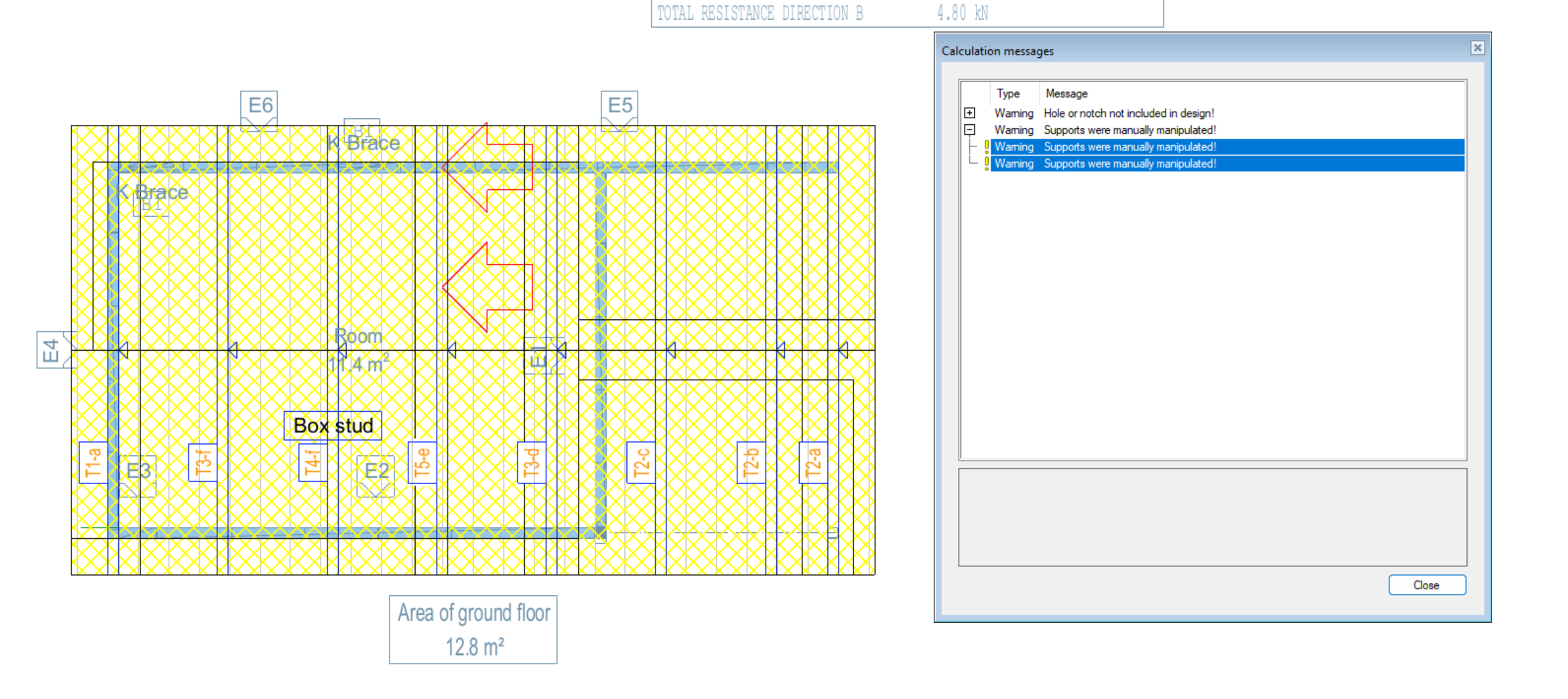
Adding and Suppressing support tools are for truss analysis only. Users must apply corresponding structural change to the model when the design is finalised.