

Log drawings
Metadata of log wall NC files
Why: Makes possible to use automatic labels and use them as filters to find documents easily. Without metadata document has not identity and viewer can’t know without viewing the thumbnail what this objects is. Metadata make possible to use properly search tools and find necessary documents easily.
VXBD-3227
Automatic labels to log walls
Why: Easier to find Log Work Drawings in Sync
VXBD-3229
Other
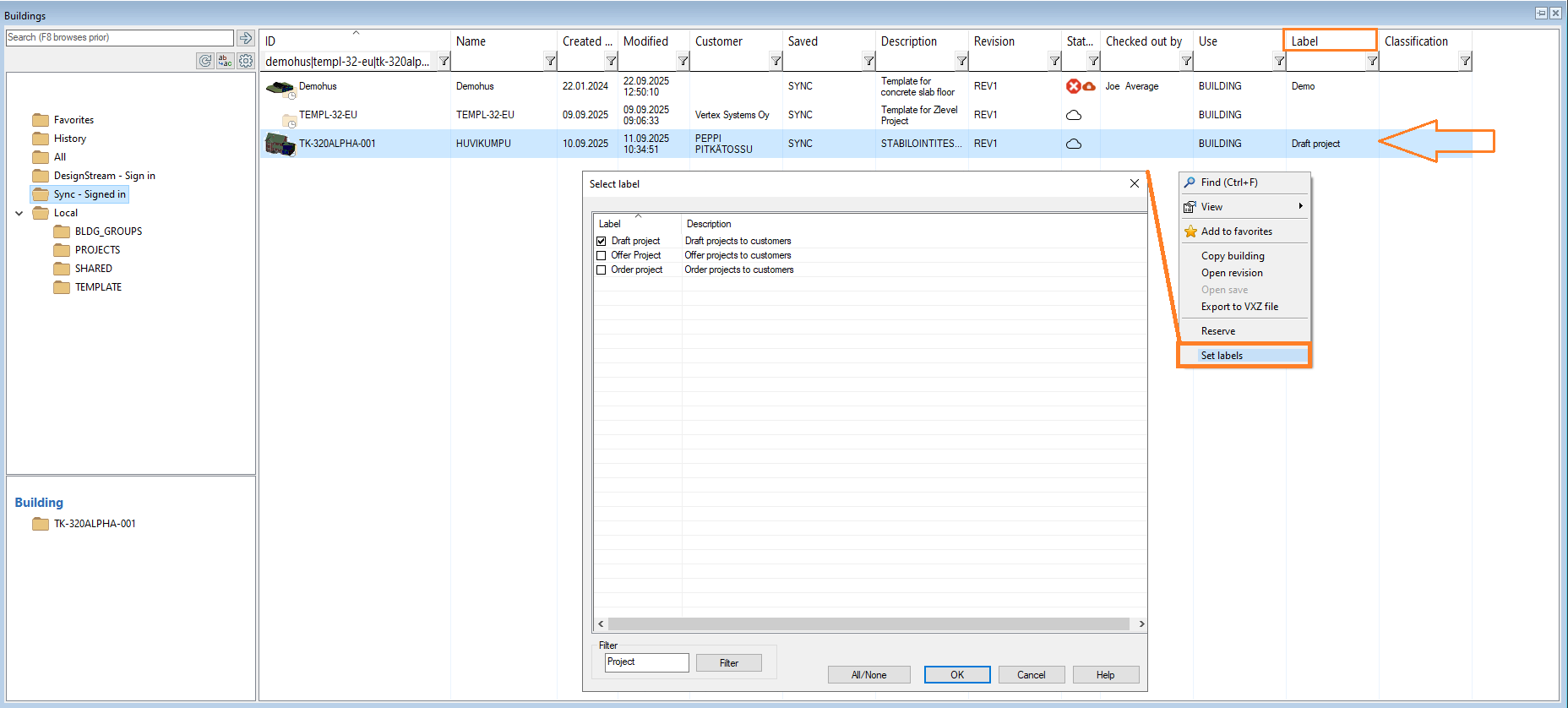
Classify and organize Sync buildings using labels in the building browser
Managing a large number of buildings in Sync can become challenging without a way to categorize or group them. With this feature, users can set labels and filter buildings by label directly in the CAD side of the building browser. The master list of labels is managed in Vertex Sync, and only labels defined there are available for use. This ensures consistency across projects and makes it much easier to organize, locate, and manage buildings within the browser.
VXBD-4254
Filtering fields with multiple values
This feature allows users to easily filter Sync buildings using fields that can contain multiple values (such as labels). This capability is making it much simpler to narrow down search results and find relevant buildings based on several criteria at once.
Benefits:
-
Enhanced Search Flexibility: Users can apply filters that match any combination of values, making it easier to locate buildings that meet multiple requirements.
-
Improved Efficiency: Reduces the time spent searching for specific buildings, especially in large projects with many entries.
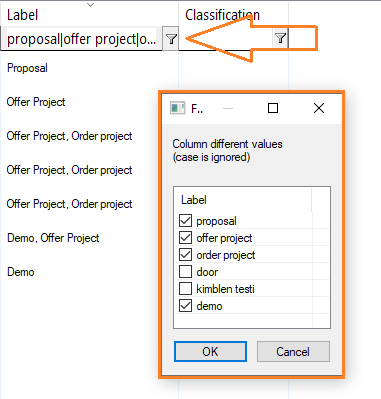
Example from Label field
VXBD-4434
DWG files for Sync Viewer (2D)
Sync Viewer needs DWG files to enable 2D viewing and measuring for stakeholders who do not have CAD software, such as shop floor workers. Supporting DWG files ensures that drawings can be easily viewed and measured directly in Sync, making collaboration and information sharing more accessible for all project participants.
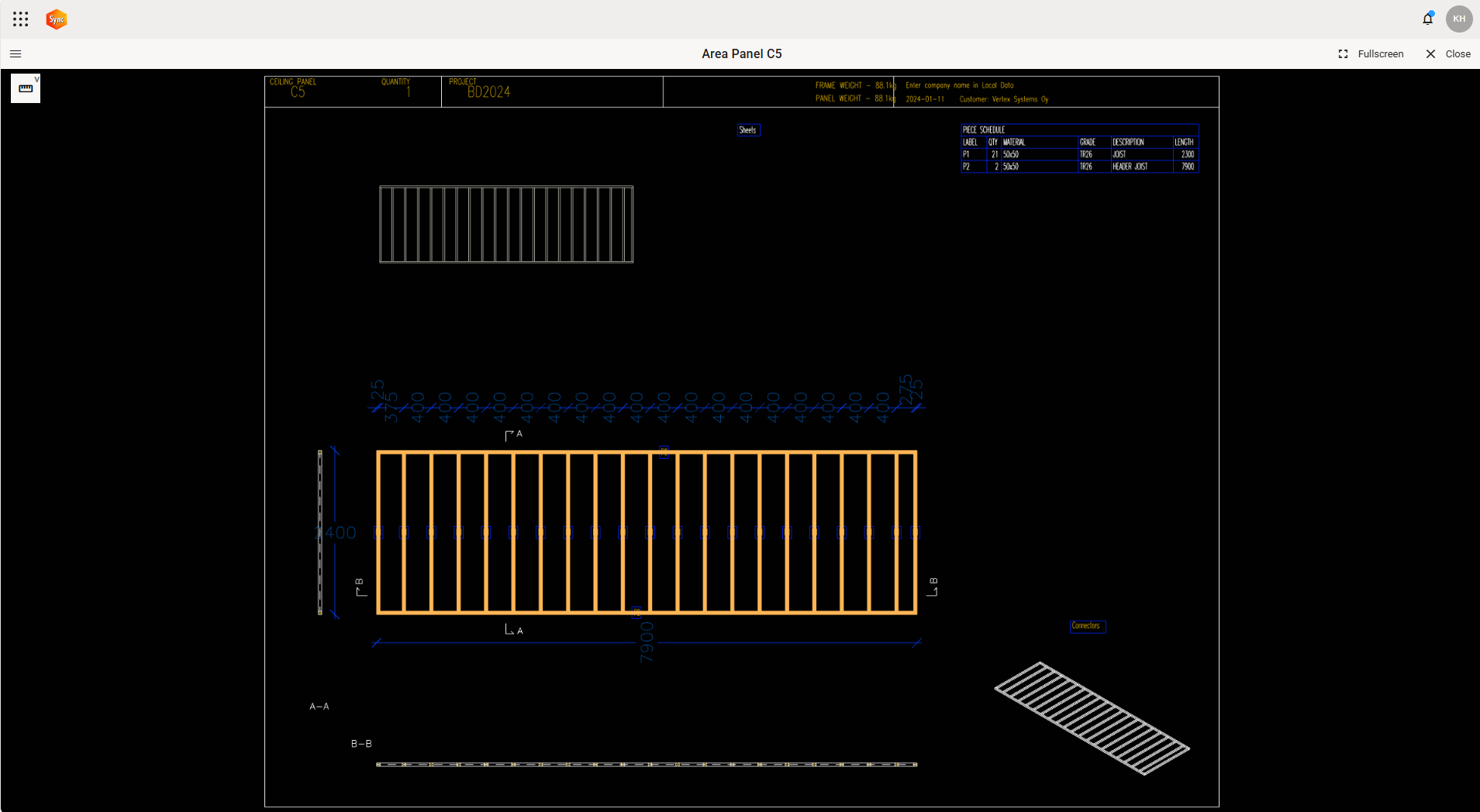
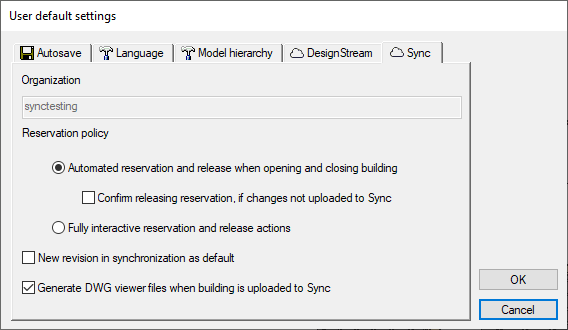
Because DWG conversion can slow down the syncing process, users can now choose whether or not DWG files are generated.
VXBD-4191
Organization's customised building data to Sync and manage the data BD sends in Sync
Why: Customized metadata is critical. It’s possible to add and manage custom metadata now by editing configuration files. This is one step forward. In future master will be Sync and there will be tools to modify the data templates.
Add you custom fields to \custom\setup\SyncMetaDataConfig.json. After that you will have Additional building data group in Sync user interface
VXBD-3492
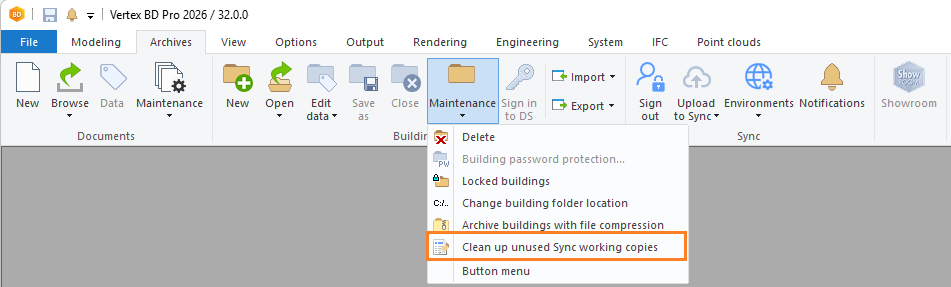
Clean up unused Sync working copies
Release disk space from not needed buildings. It’s unnecessary to have the whole history in the local cache because the original data is available in the cloud.
The “Clean up unused Sync working copies” feature helps users manage local storage by identifying and removing working copies of buildings that are no longer needed, ensuring that only relevant data occupies disk space.
VXBD-2409
In the clean up dialog, users can:
-
Enable automatic clean up of unused working copies.
-
Choose to receive notifications and ask to run clean up action.
-
No automatic clean-up or reminders.
These options provide flexibility, allowing users to automate maintenance or control it manually according to their workflow needs.
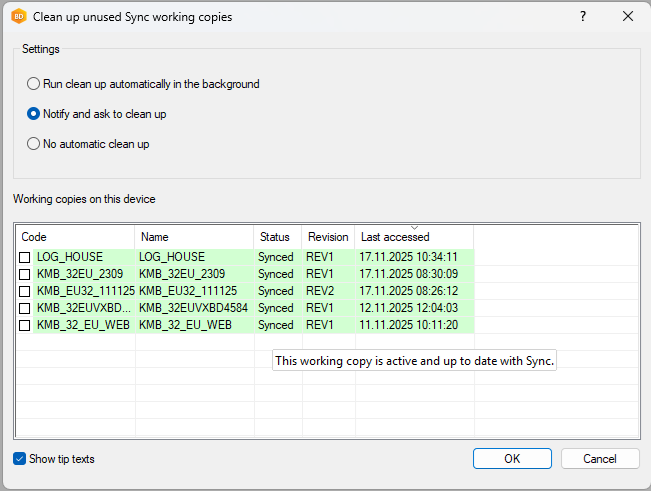
Note: You can see tips of what is meaning of colors
VXBD-4133 + VXBD-4573
Reimplement close building flow
Why: To improve Sync building workflow more simple, also made same kind of improvements to local building. The Close Building feature has been improved to be more straightforward and easier to understand. This update simplifies workflows and improves clarity for users working with building data across platforms. Important to inside of the Vertex: The integration with DS is no longer being developed, so the changes only affect local and Sync buildings.
What’s New:
-
The workflow for closing buildings has been simplified for better clarity and usability.
-
Improvements apply to both local and Sync buildings.
VXBD-3538