

Library improvements
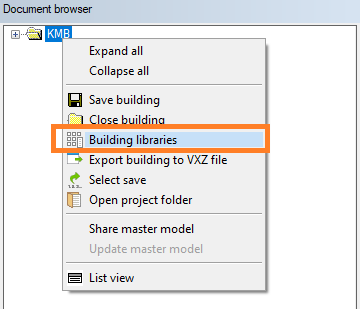
Building libraries
Why: Users can now create building-specific libraries without overwriting customer-specific ones—even when the administrator has generally restricted library editing. This enables smoother design workflows, as each user can build tailored libraries to speed up project-specific design. Instead of modifying each component individually after adding it, users can simply select the appropriate component from the building-specific library.
Solution: User can manage building libraries without set.system.menu= 1 keyword, all users can manage building libraries.
VXBD-2933
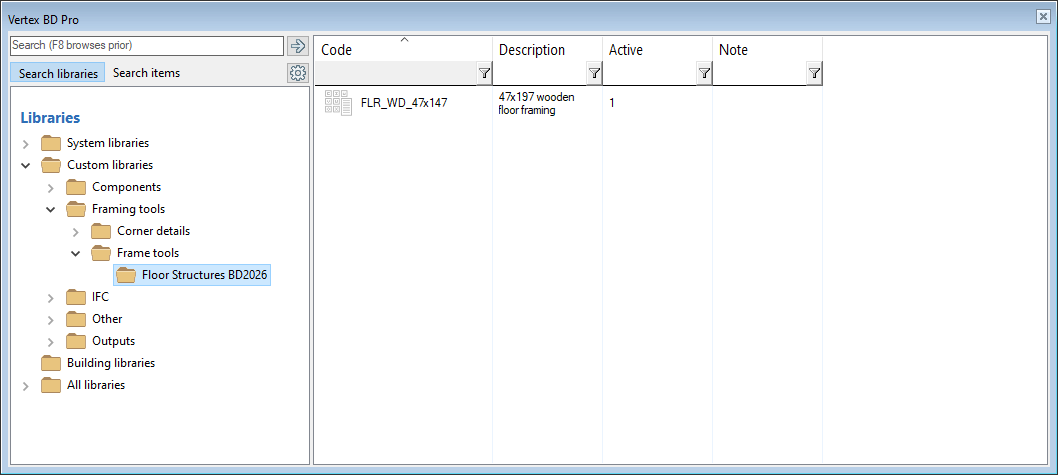
Keep the latest active expand path of active session of library browser
Why: This feature improve user efficiency and continuity when editing the library. By automatically returning to the last visited location in the library, users can seamlessly continue their work without needing to manually navigate back, reducing friction and saving time."
(SIBB)
For example user has created new tool and comes back to library
VXBD-3513
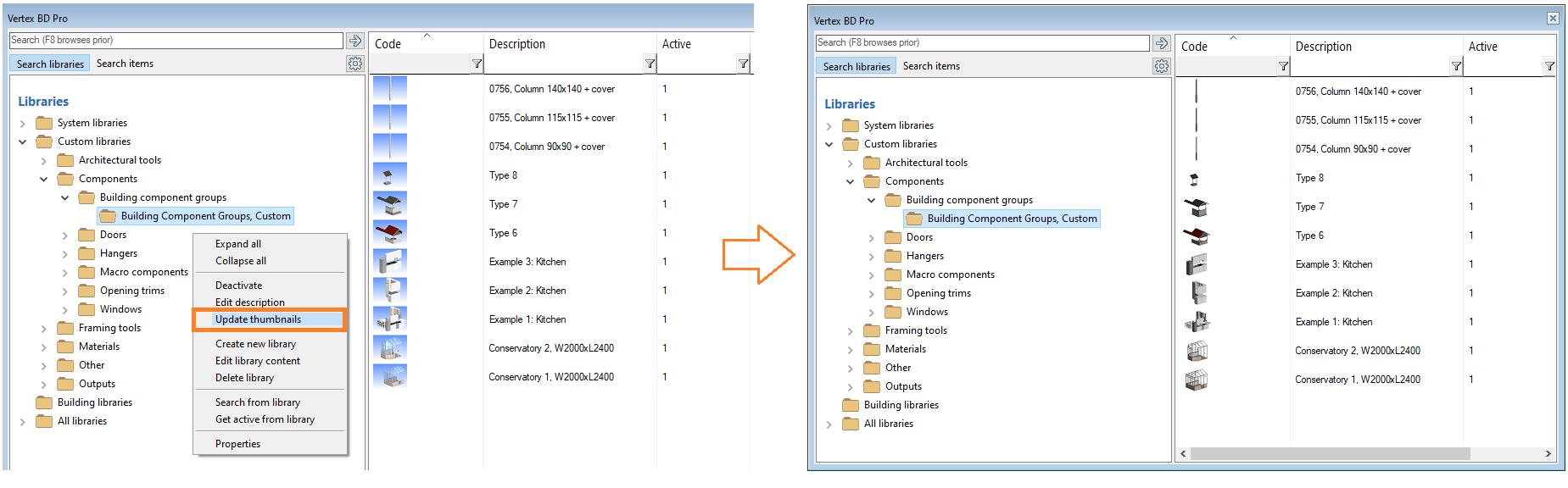
Better tools for updating thumbnails in component libraries
Why: This functionality was introduced to ensure visual consistency across bitmap representations. component preview images are now always generated with a white background to maintain a uniform appearance. By allowing users to regenerate bitmaps, the viewing / browsing experience becomes more coherent and aesthetically pleasing. (SIBB)
VXBD-3362
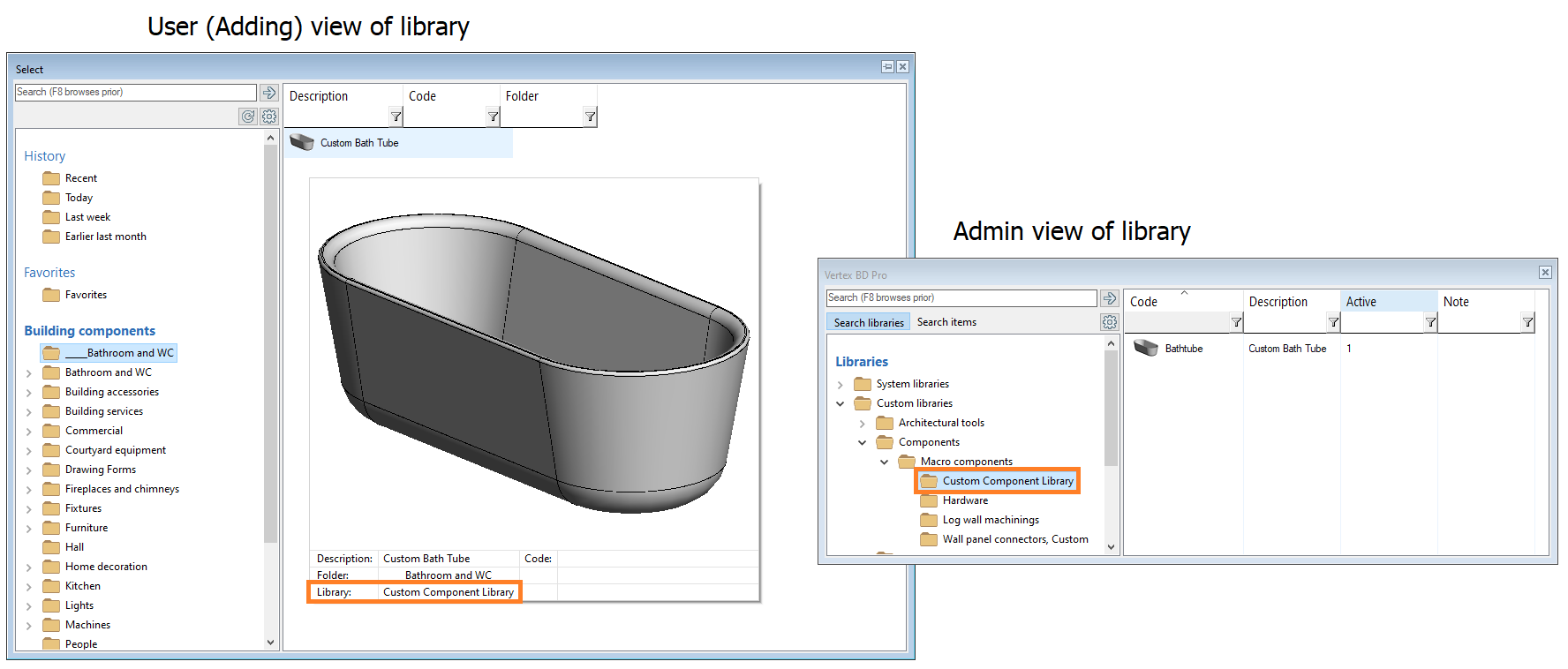
Show library in adding view to help user to find component from library
Why: The component details now also display the component's library. This helps, for example, in locating the library for potential modifications. (SIBB)
VXBD-3514
Document browser
Delete multiple files
Why: Multi-file deletion support – You can now select and delete multiple files at once, making file management faster and more efficient. (SIBB)
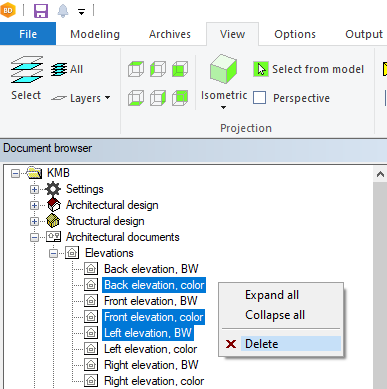
Support added to:
-
Sections
-
Elevations
-
Interior views
-
Perspective views
-
Horizontal sections
-
Structural drawings
-
IFC exports
-
Reports
-
Connected documents
-
"Other documents"
VXBD-2726
Also stack drawings
VXBD-3683
Also Part drawings
VXBD-3822
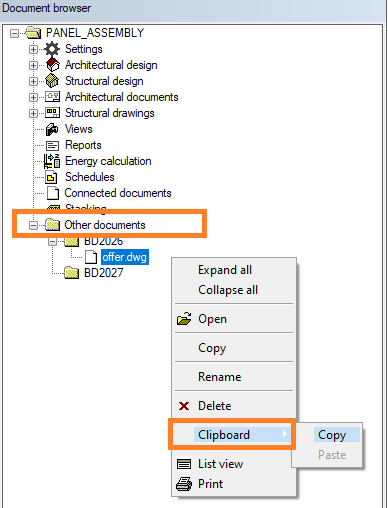
Clipboard copy and paste for other documents
Why: You can now copy an imported file from one building to another using the clipboard. This provides a quick and efficient way to complement other buildings with already collected documents, saving time when similar materials are needed across buildings. (SIBB)
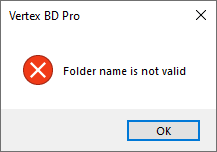
Sheets-folder name not supported
VXBD-3461
Add drawing to sheet missing from Other Documents
Why: This improvement aligns the behavior of the Other Documents section with the rest of the system. You can now add drawings from there to a sheet in the same way as from other sources, making the process faster and more consistent. (SIBB)
VXBD-3716
Building browser
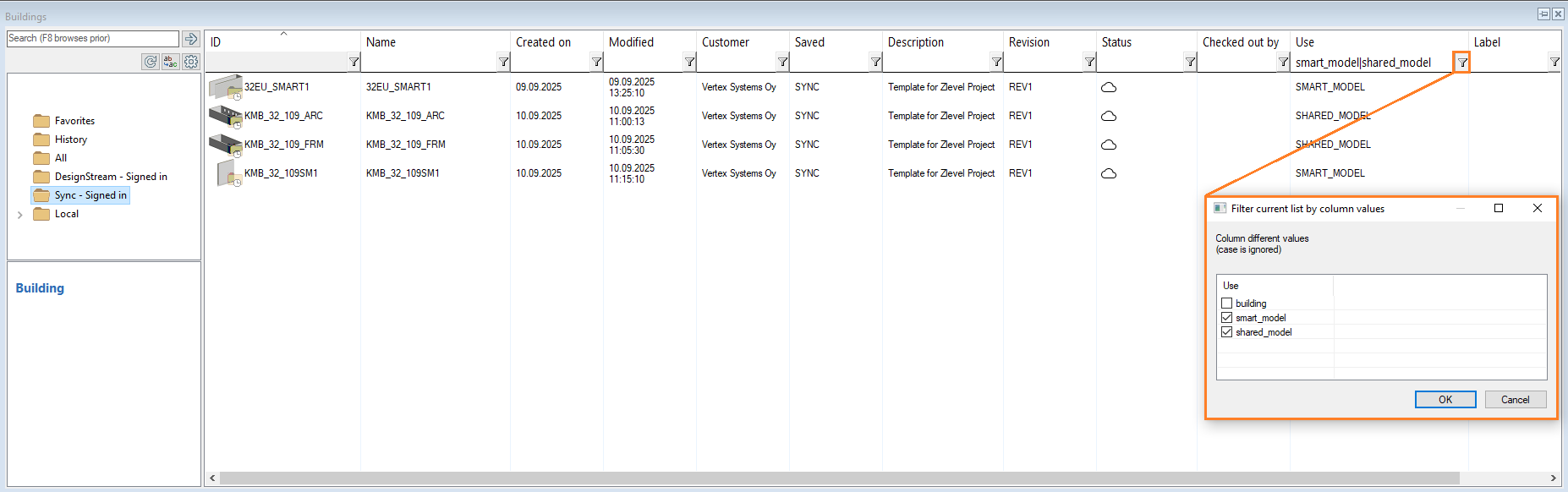
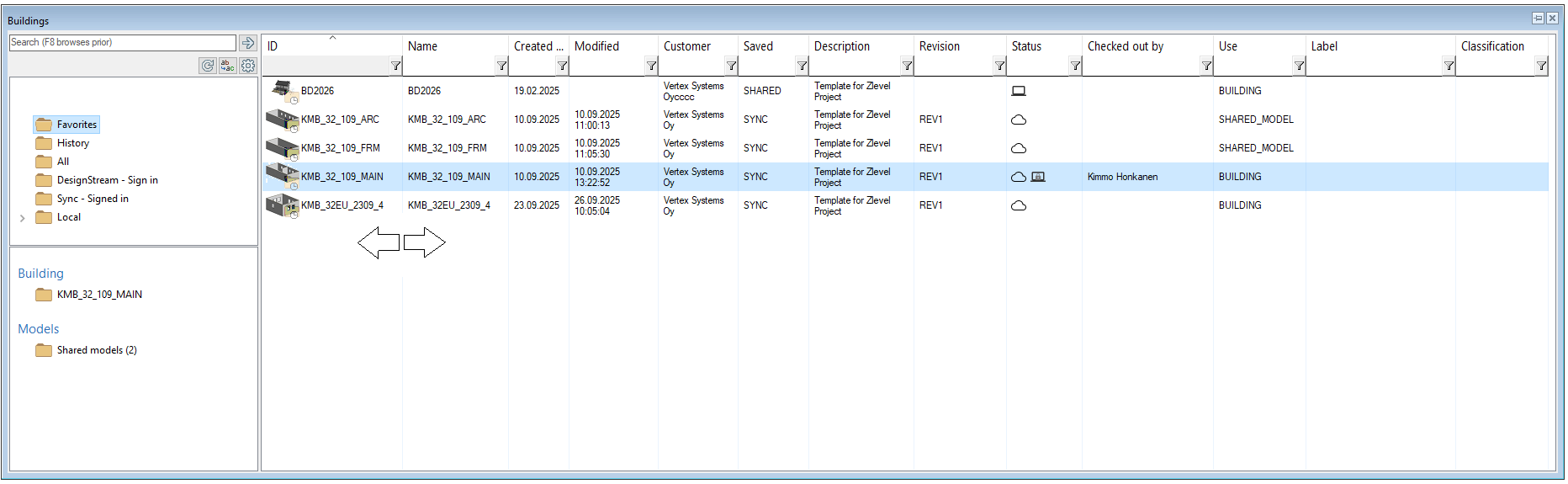
Multi selection support to filtering
Why: Allowing users to select multiple filter values at once significantly improves the usability of the building browser. When dealing with large data/amount of buildings, this feature makes it much easier and faster to narrow down the search and find the desired buildings. It supports more flexible workflows and reduces the need for repetitive filtering actions, ultimately saving time and enhancing user experience.
Saving of column widths
Why: User-defined column width adjustments in the building browser are now saved and automatically restored when the application is restarted. This improves usability by preserving personalized layout preferences, reducing the need for repetitive manual adjustments.
VXBD-4338
Scrolling behaviour
Why: UX experience now better
-
If one item selected and list is sorted → same item remains selected and visible
-
If zero or more than one items are selected and list is sorted → selection is cleared and list is scrolled to the top
-
Selection is remembered when browser is closed and opened - agreed that this wouldn’t be changed
VXBD-3815
Architectural improvements
Line length
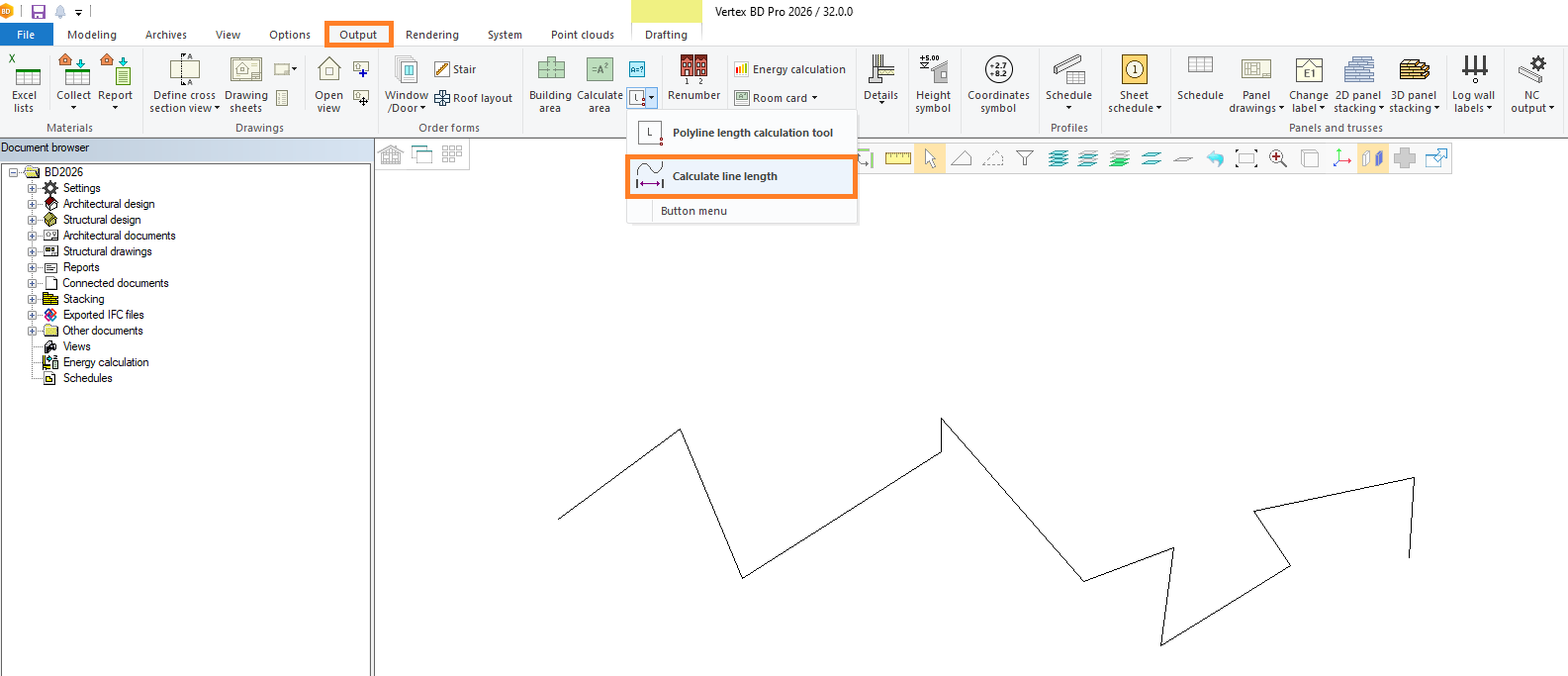
Why: Sometimes it’s very useful to know length of the drawn polyline. The length of a drawn polyline can now be checked using a tool available in the Output menu.
Added to Output tab
VXBD-3611
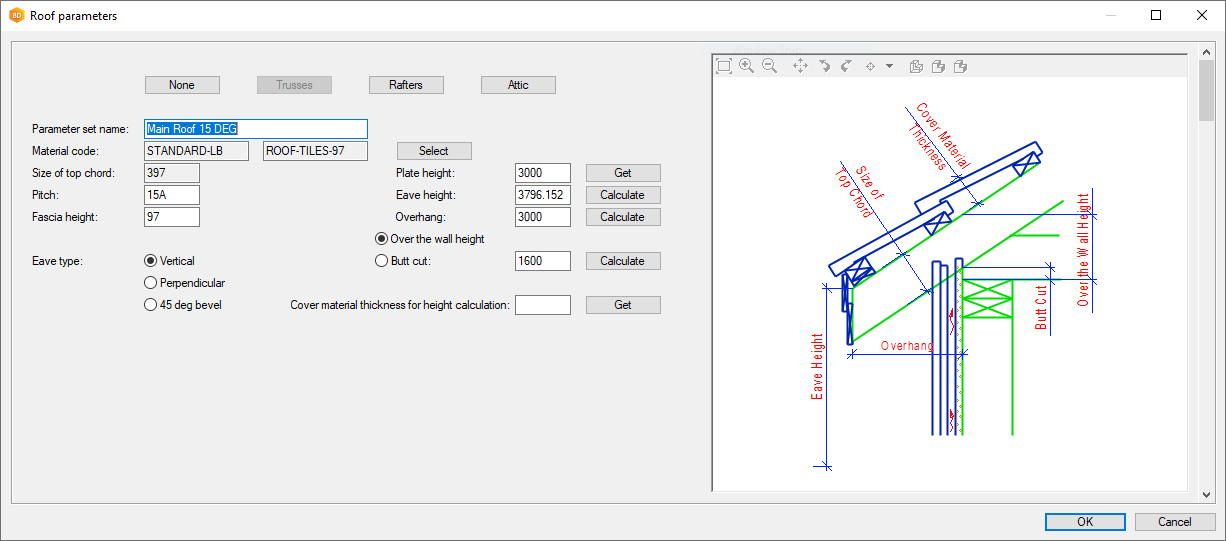
Roof parameters dialog view "preview"
Why: Asked feature SIBB
VXBD-3609
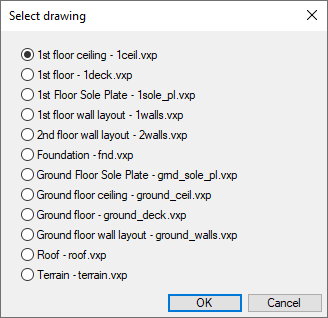
Add drawing to sheet function to be more clear for user
Why: Asked feature SIBB
VXBD-3511
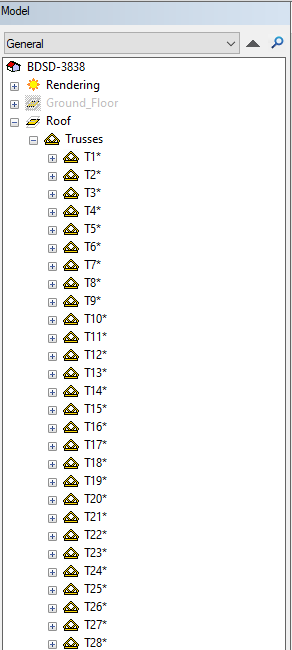
Model tree truss number order into alpha numeric
Why: Asked feature SIBB
VXBD-3780
Enable the use of DWGs as reference drawings without repeatedly encountering the conversion setup dialogue
Why: Asked feature SIBB
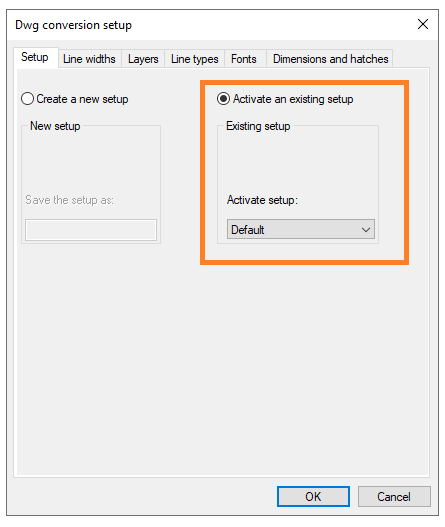
Asks only once
VXBD-3515
Export view sheets to library improvement
Why: Asked feature SIBB
When Plan Type field is empty, export to library asks user to add wanted type
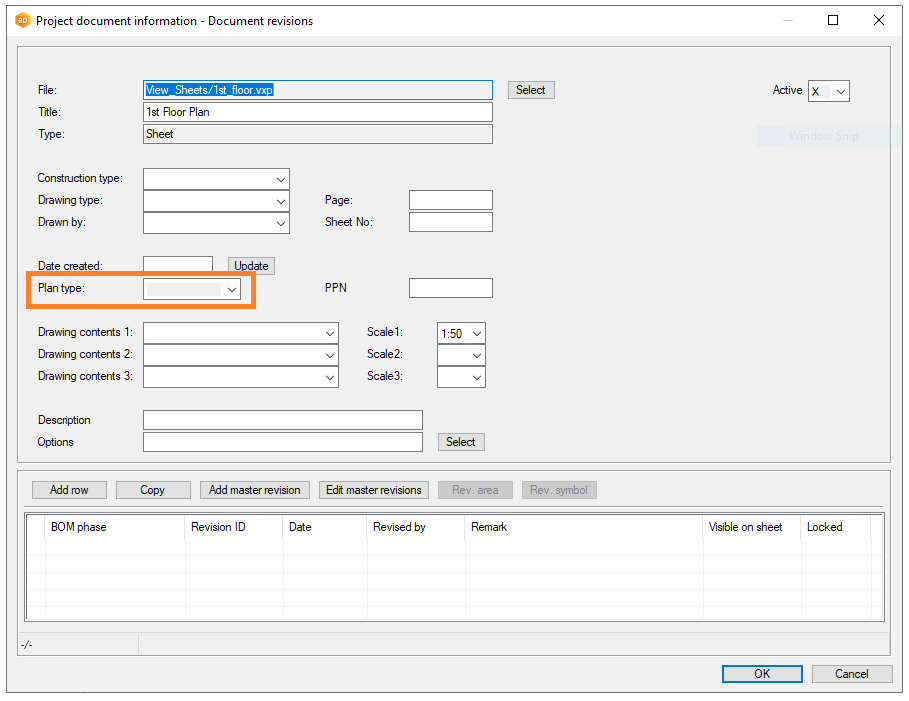
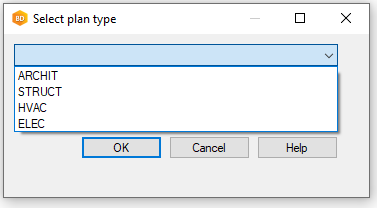
You can setup defaults
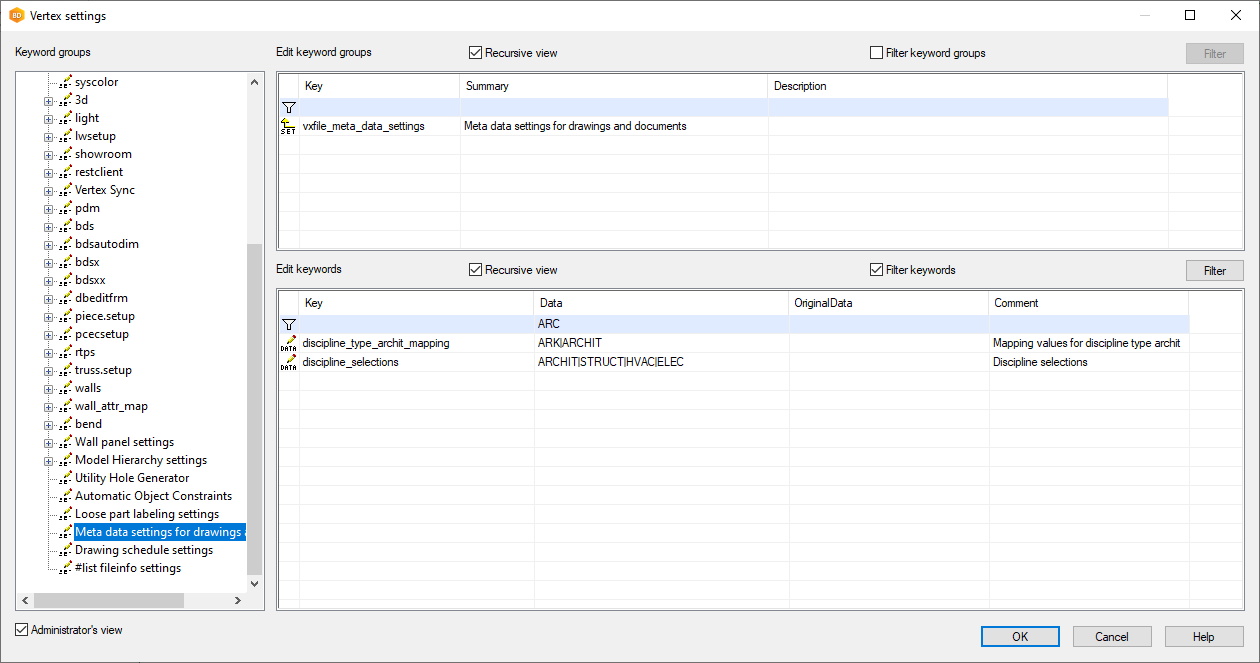
VXBD-3725
Change component to another or from library support to G4P=2 macros
Why: Asked feature SIBB, before we have support for other macro components
For example railings
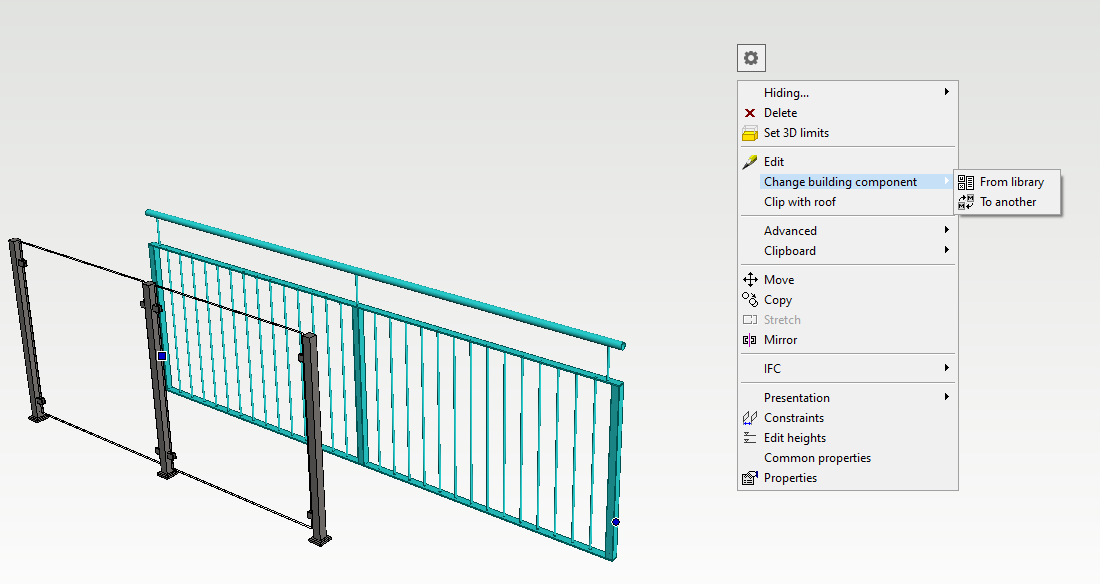
VXBD-3046
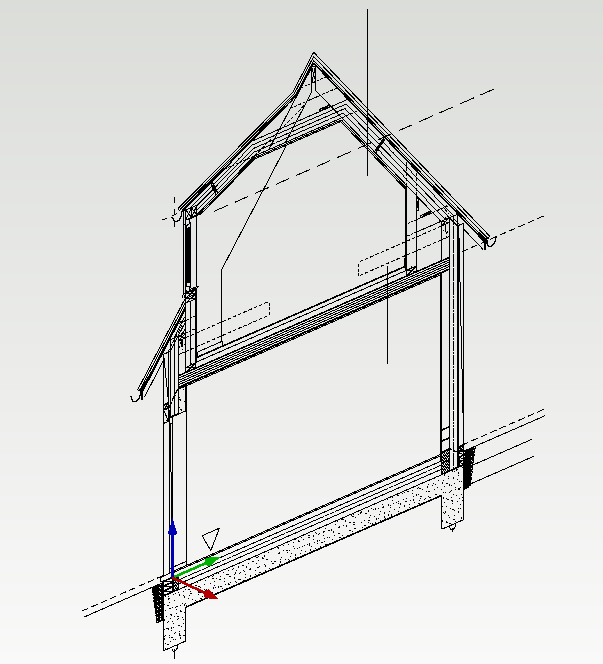
Support for converting 2d drawings to .vxm format so that they can be used as reference models in 3d
Why: Workaround has been that you need to add 2d drawing as a macro to building component library before you could add 2D drawing to 3d
Now you can add .vxp straight to model (excluding texts)
If you want include texts save .vxp first to .vxm model and use after that as a reference
NOTE!
-
3d window needs to be active
-
not supported to add straight from SYNC
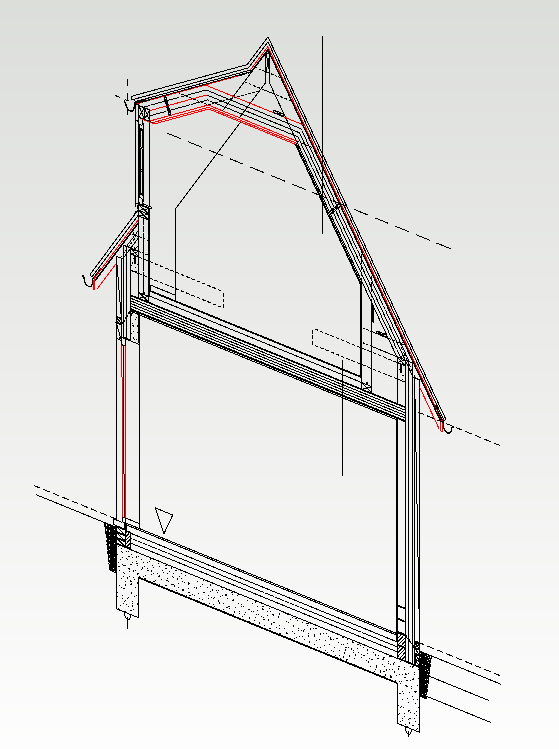
Added .vxp as a reference to model
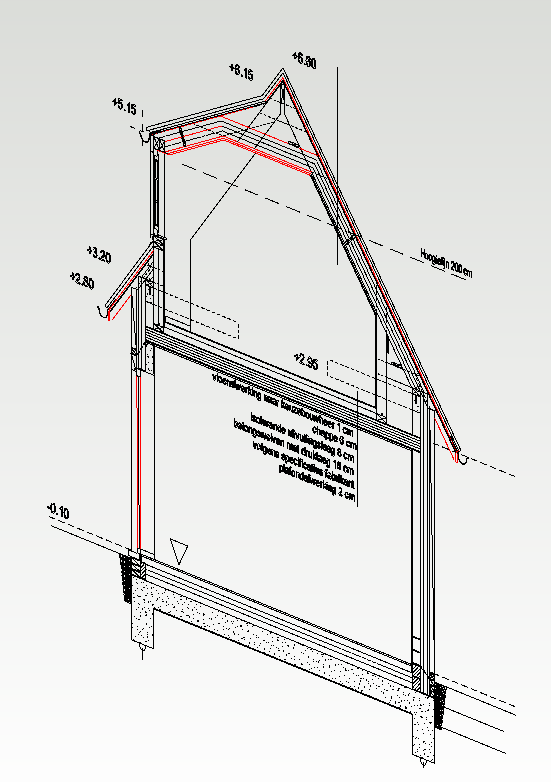
Added .vxm as a reference to model
VXBD-3540
Moving a reference to right position model supported
VXBD-3867
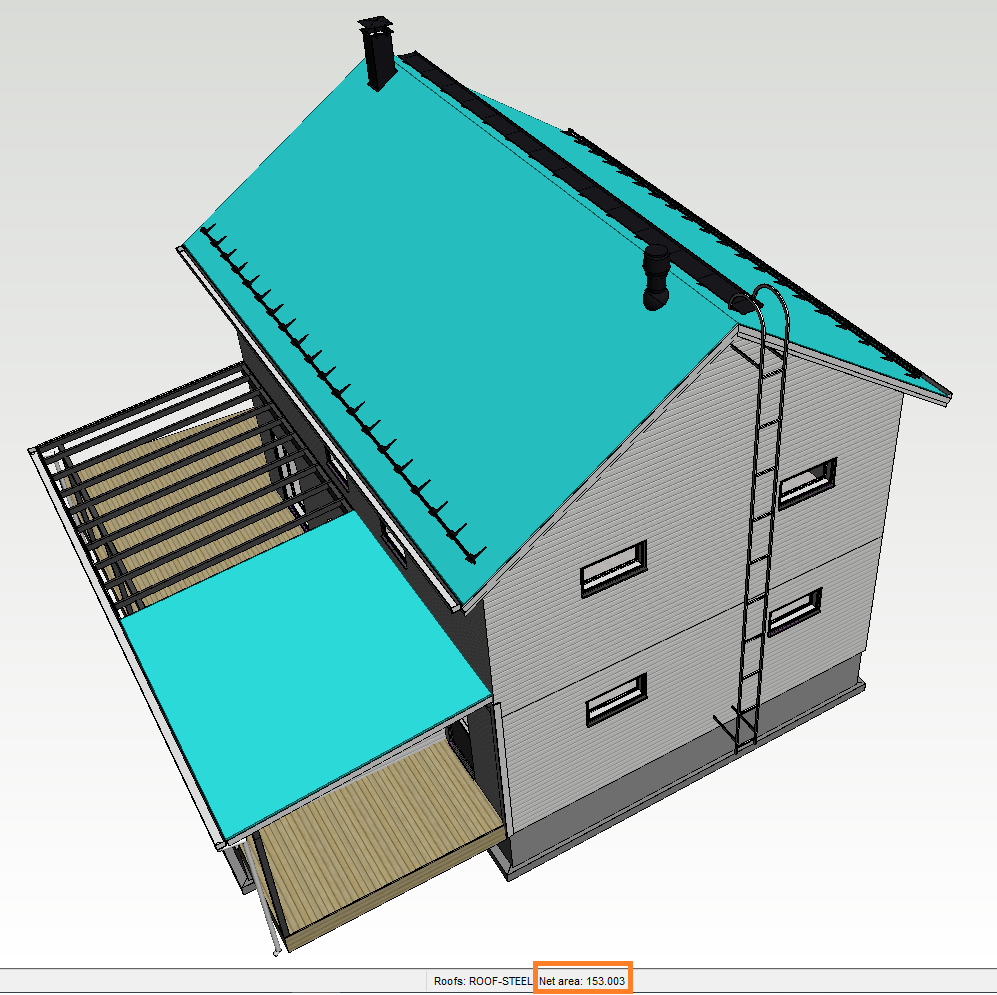
Area selection now displays area information
Why: Asked feature SIBB
Now you have a quick look to areas and you do not need to collect materials to see areas
Supported: Walls, floors, ceilings, roof, single or multi selection of similar objects
Note: Not supported to separate layers
VXBD-3610
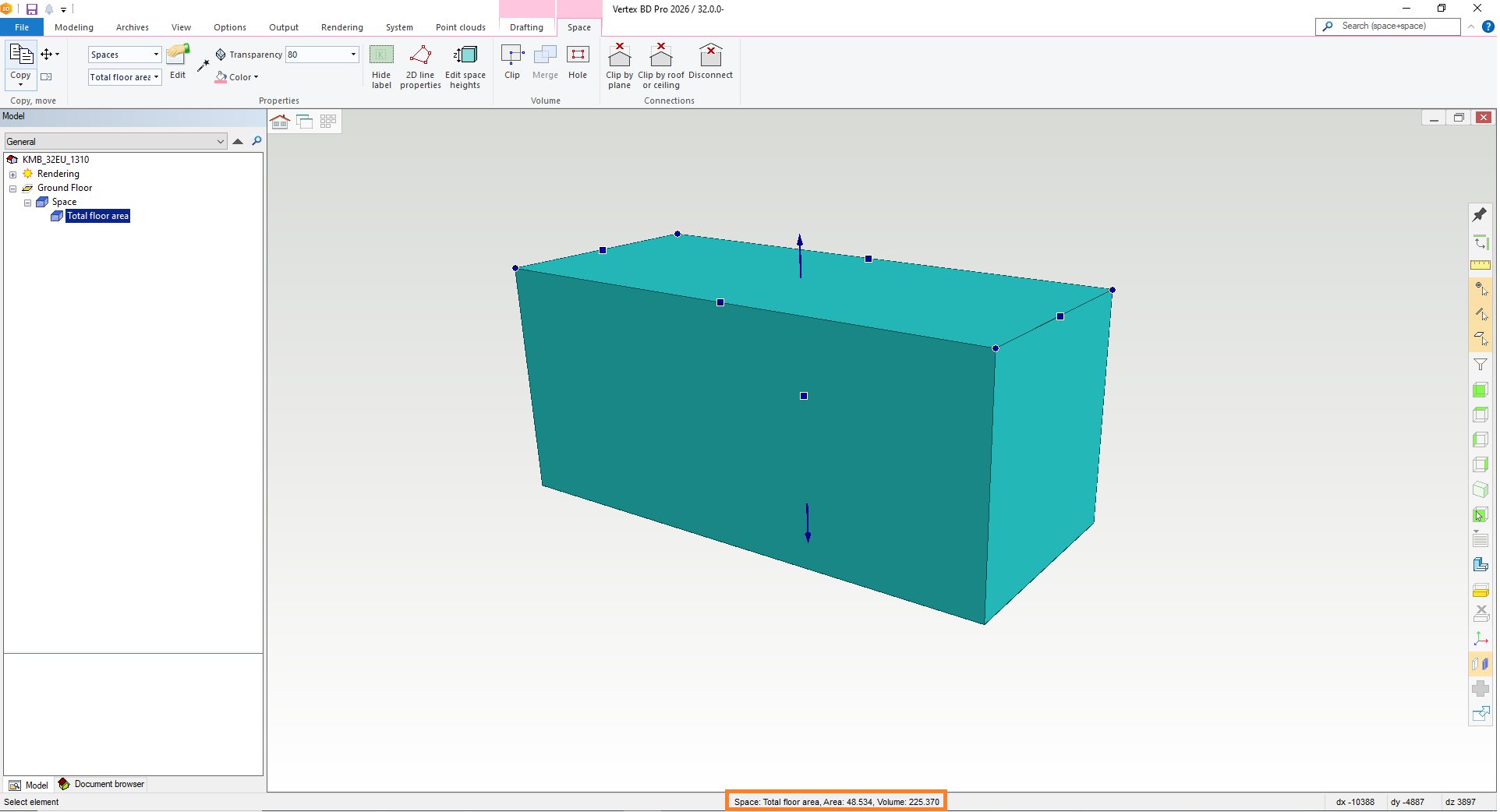
Area / Volume selection improvements, displays now area and volume information of space objects
Why: Asked feature SIBB
Now you have a quick look to areas and volumes
SYM parameter to components.xml and to BOM Reports (Excel)
Why: SYM is label which is shown in layout drawings to openings
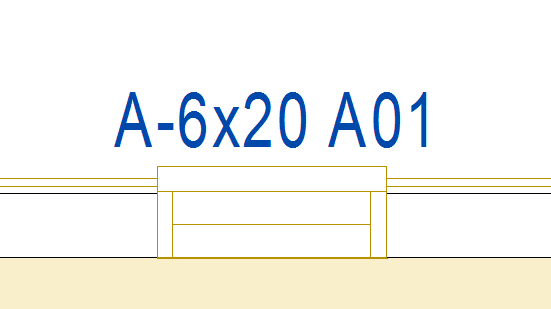
Note: Check that SYM parameter is implemented to your Excel report
VXBD-4163
Truss shape descriptions to BOM
Why: Pending need
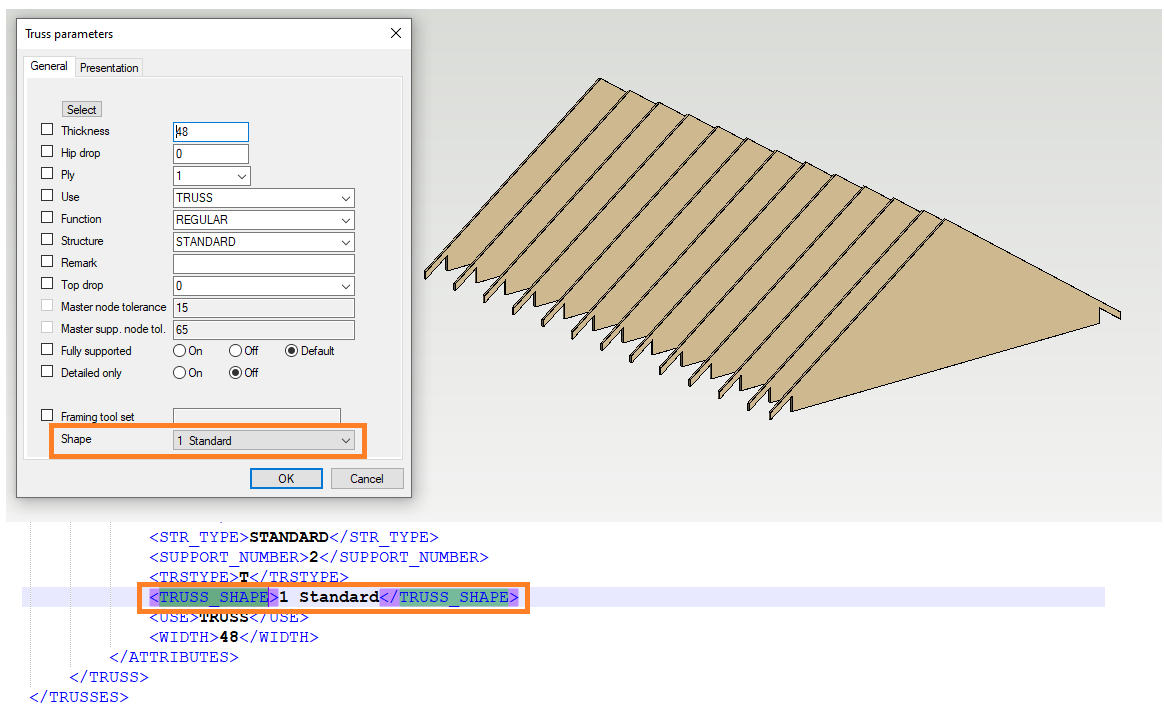
VXBD-4218
List and renaming of selection group
Why: Selection group is for user can make grouping to different objects. There has not been possibility to see what kind of selection group user have created.
Now you can see those and rename those, and also selected is marked in the model (not multi selection support for marking) drawings to openings
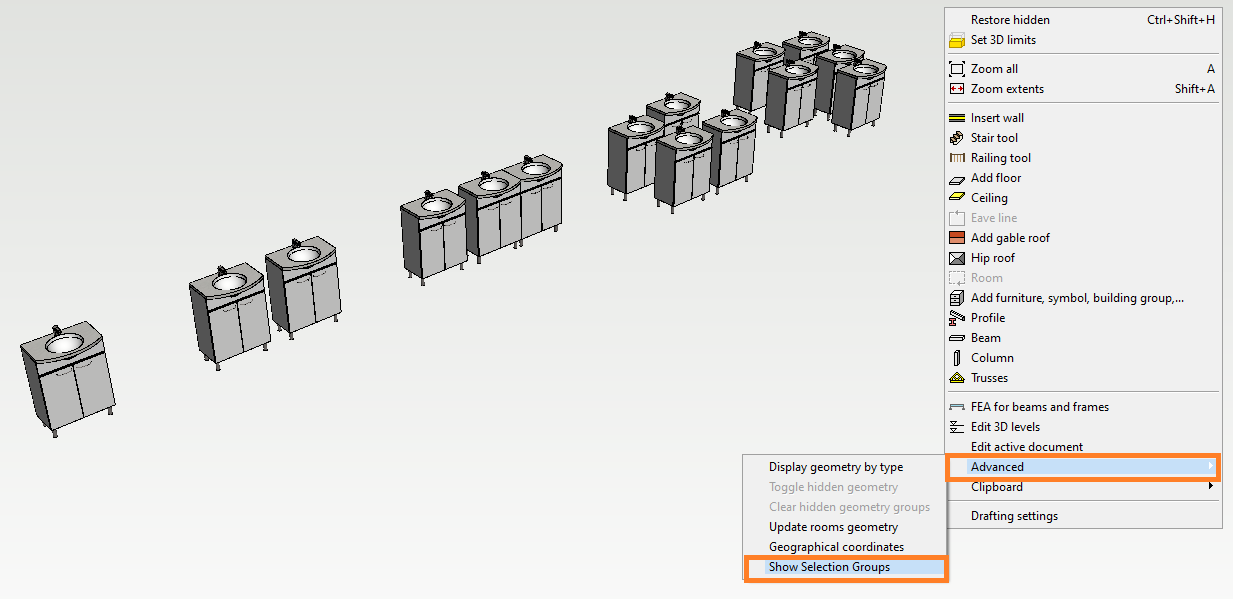
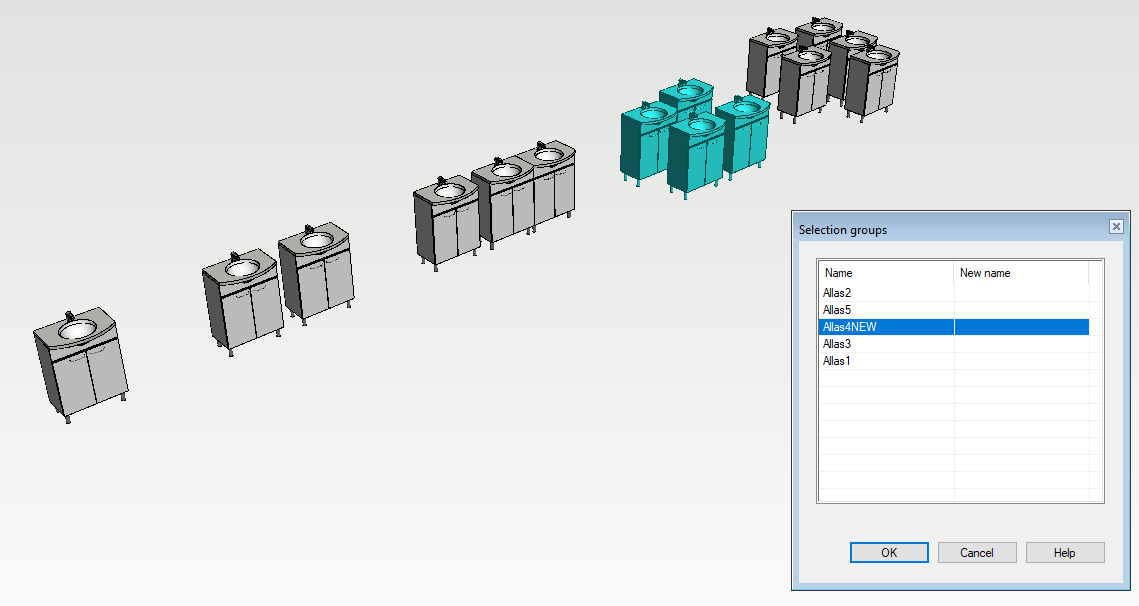
VXBD-3900
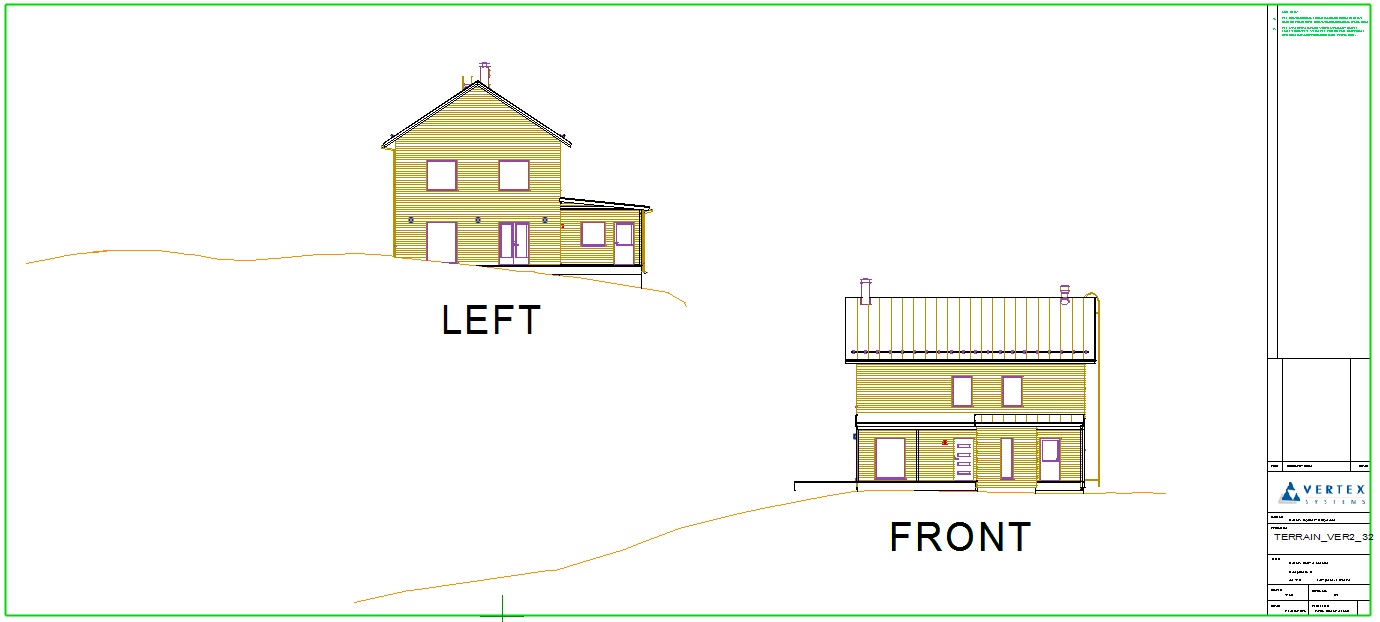
Merge terrain cross section view to elevation view
Why: We improved it to be easier than never before
Now you have possibility to have full elevation with terrain cross section view easily
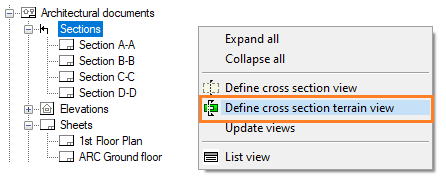
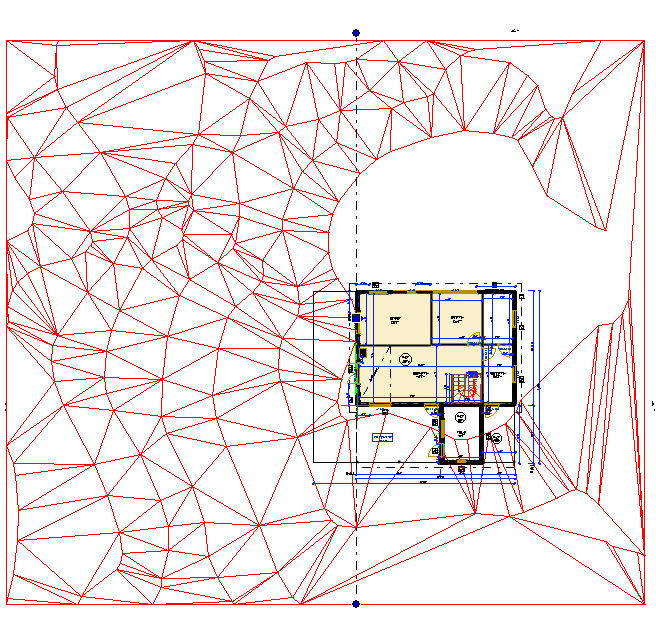
Picture above: Cross Section Terrain View (Left)
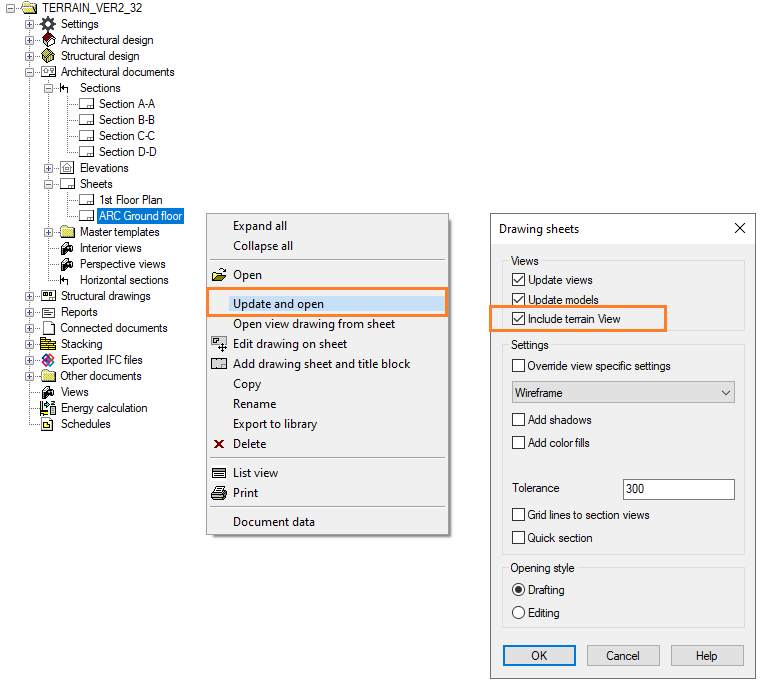
New feature “Include terrain view”, it merges elevation view (Left) + Cross section terrain view
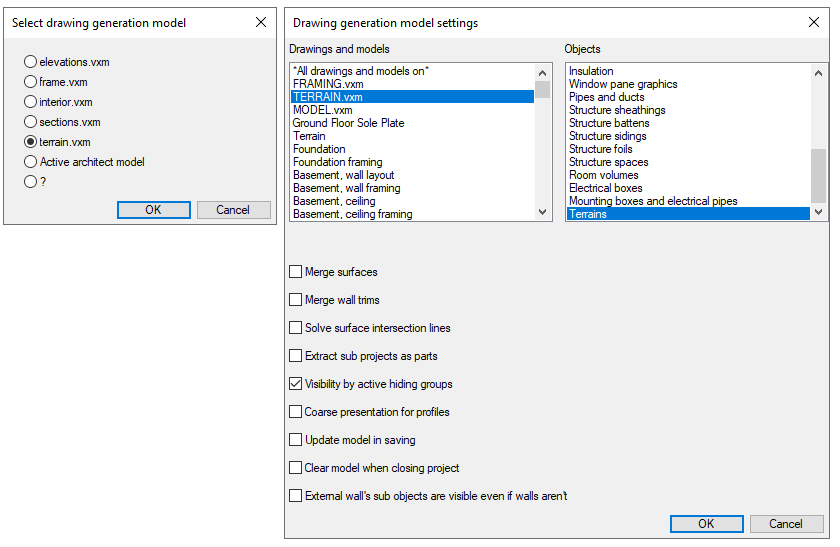
Note: This needs to be on your building to get this work
VXBD-3988
Structural improvements
Panel numbering setting added to wall panelizing settings
Previously, the option to configure panel numbering for wall panelizing was difficult to locate, as it was only accessible through the vxsettings menu. This improvement introduces the panel numbering configuration directly into the wall panelizing settings, making it much easier for users to find and adjust this feature as part of their regular workflow.
The change was made to improve usability and accessibility. By moving the panel numbering setting into the wall panelizing settings, users no longer need to search through vxsettings, streamlining the process and reducing confusion. This enhancement supports a more intuitive and efficient workflow for users working with wall panels.
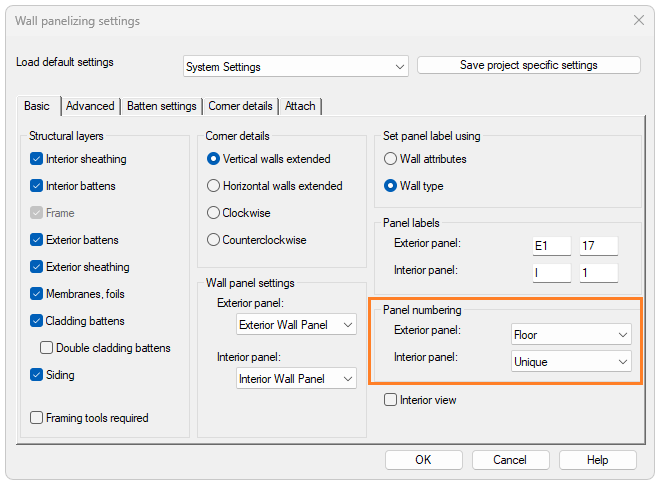
Also can be found from here
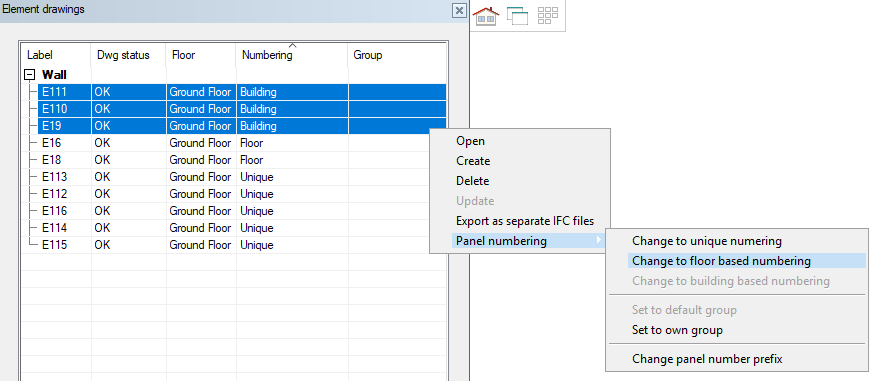
VXBD-4423
Write protect to edited panel
Why: Asked feature SIBB
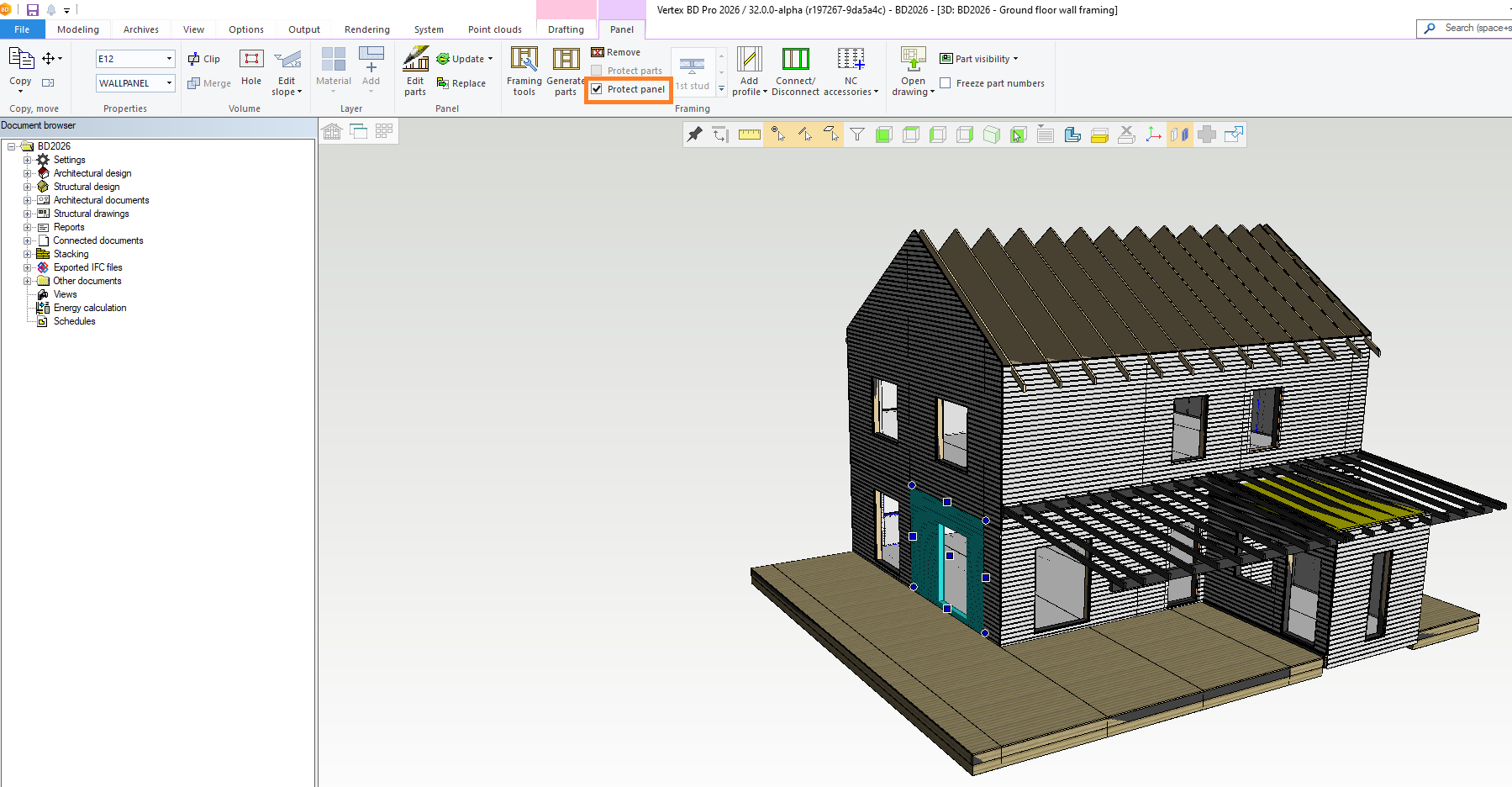
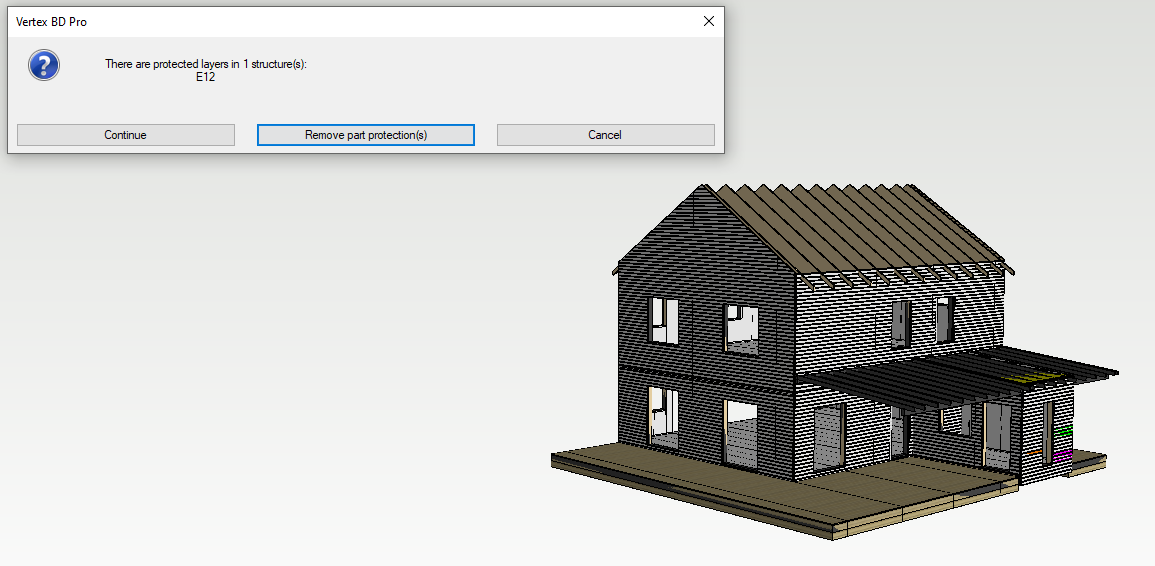
NOTE! If you try to generate parts to panels (or layers which are protected) you will get a message about protection(s)
VXBD-2053
Protect multiple layers at the same time
Why: Asked feature SIBB
When you select multiple layer, you can now add protection to those layer parts
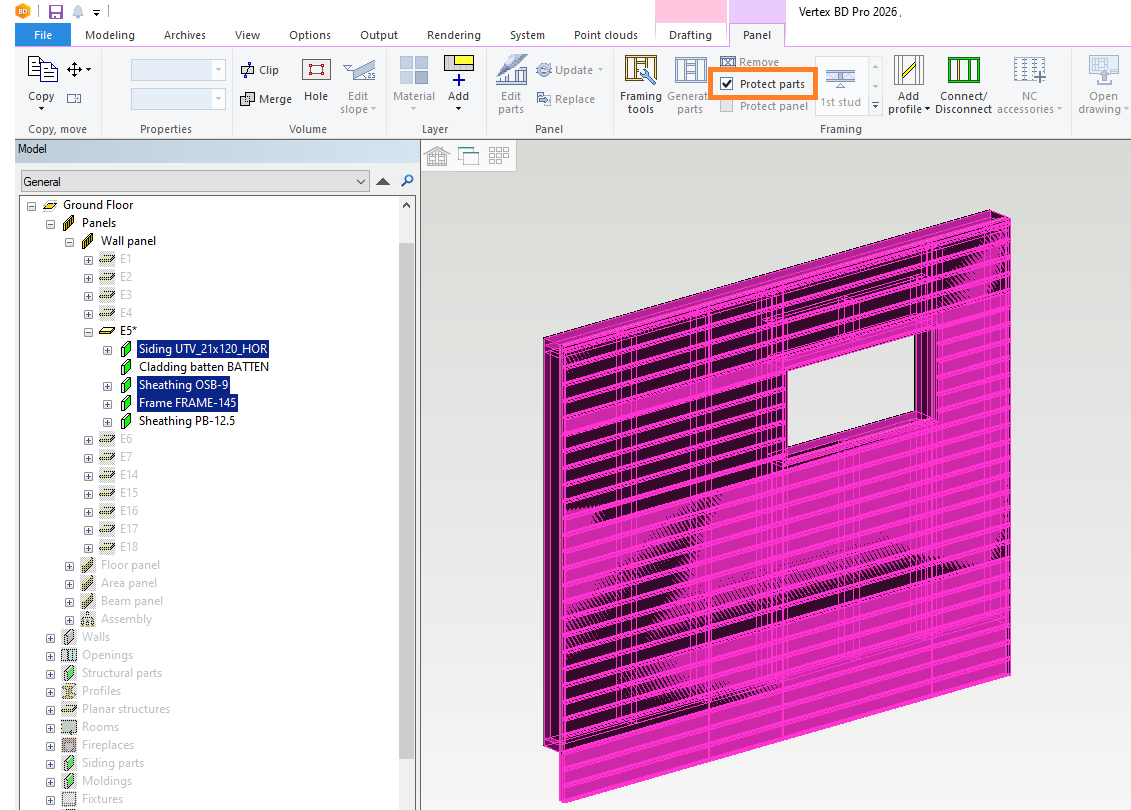
If you are generating parts to protected layers you will get the message
Note! Protect parts command cannot be used when using wall sheathing method where the wall framing tool generates both studs and sheets.
Supported only for framing tools of type “Sheathing”.
VXBD-3862
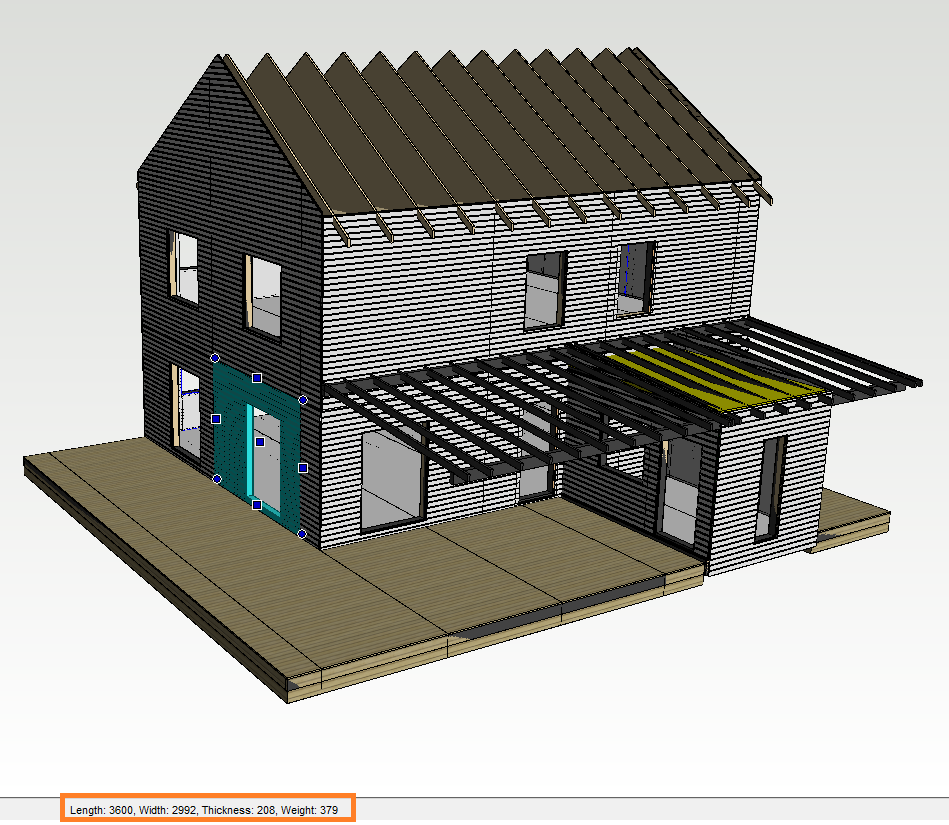
Panel dimensions to status bar
Why: Asked feature SIBB
When you select panel, you can see dimensions of panel in the status bar
VXBD-2445
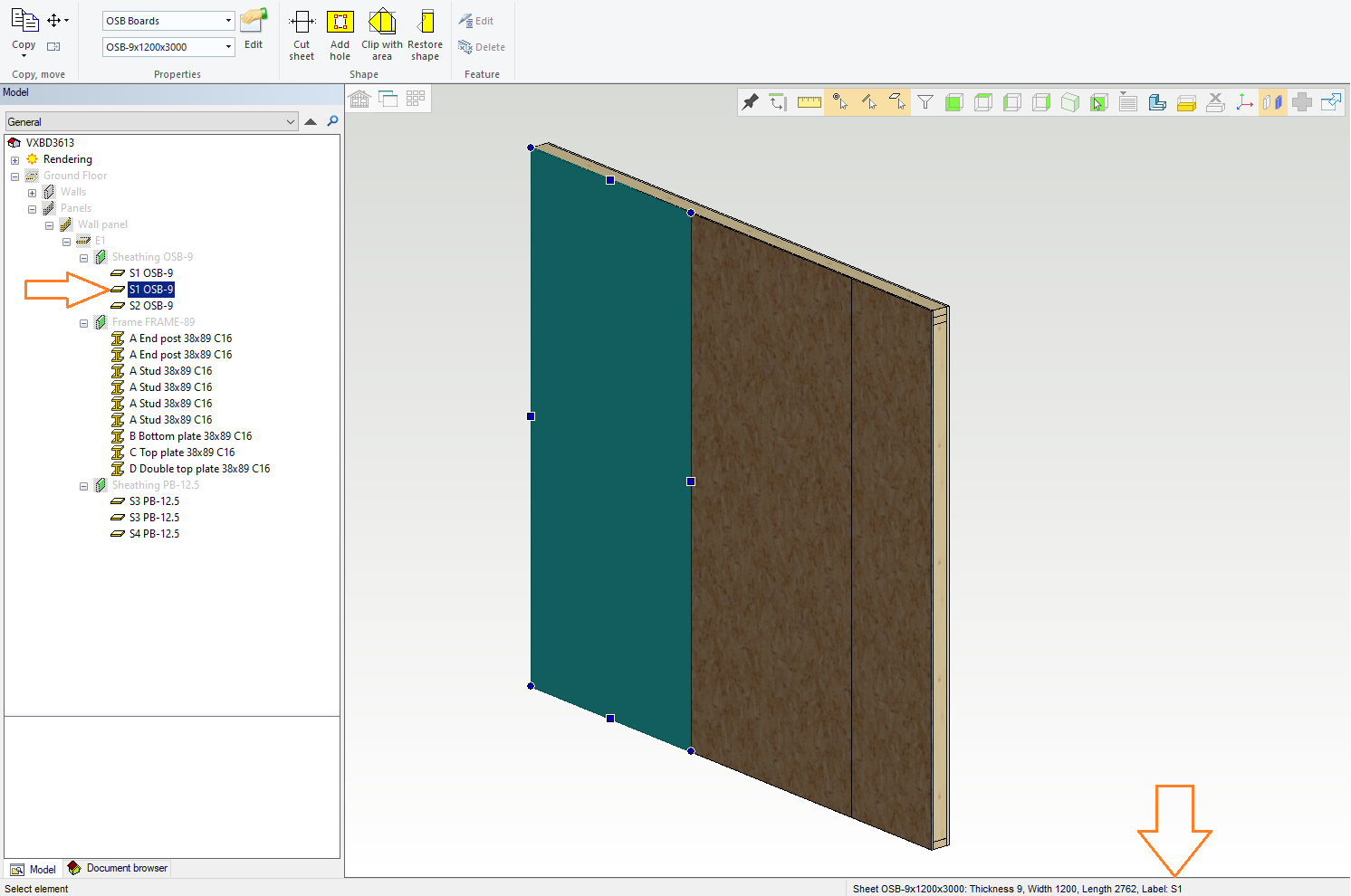
Show the part number of profiles and sheets
Why: Asked feature SIBB
Was pending from sheets in model tree
Added to status bar when selected
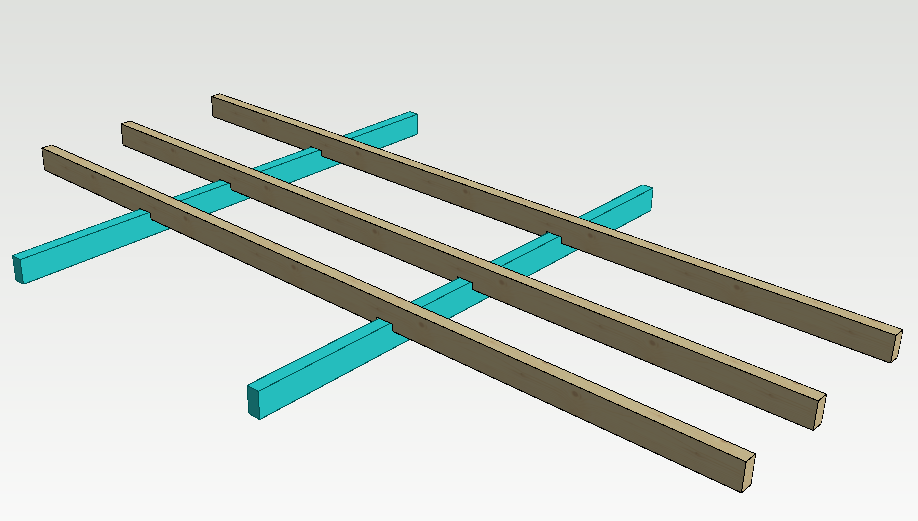
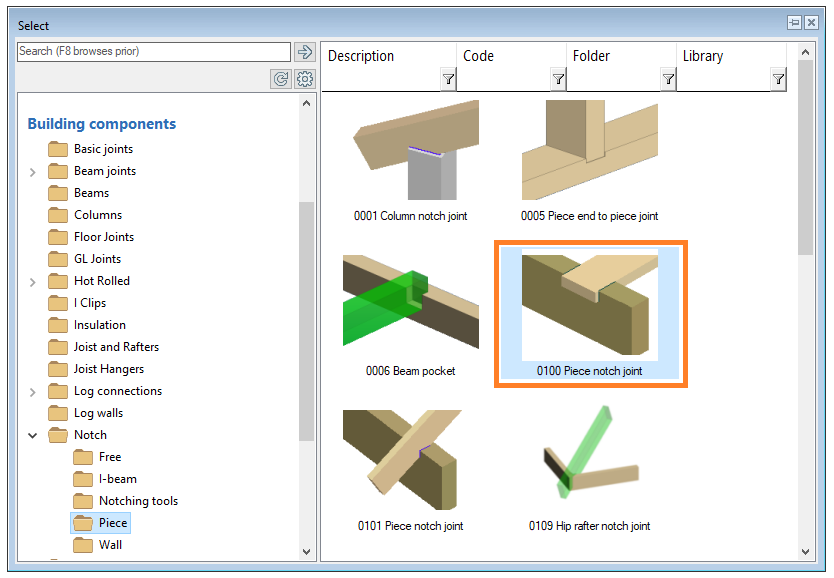
Notching profiles by multiple profiles
Why: You can now apply several different notching profiles instead of being limited to just one.
VXBD-3158
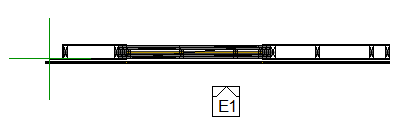
Support to hide others when selecting a panel label
Why: Asked feature SIBB
VXBD-1264
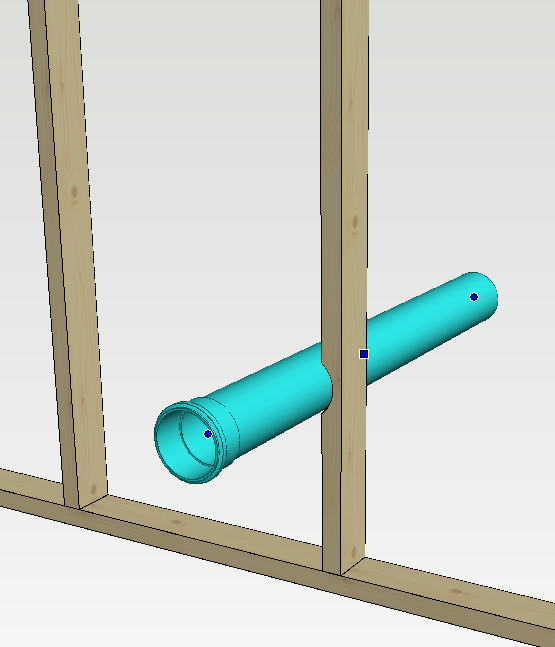
Utility hole generator / Cutting of profiles
Why: Asked feature SIBB
Cutting now better than ever before
Note! Adjustments were only done for circular holes, rectangular hole lines work in the same way as before
VXBD-3164
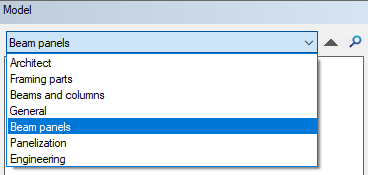
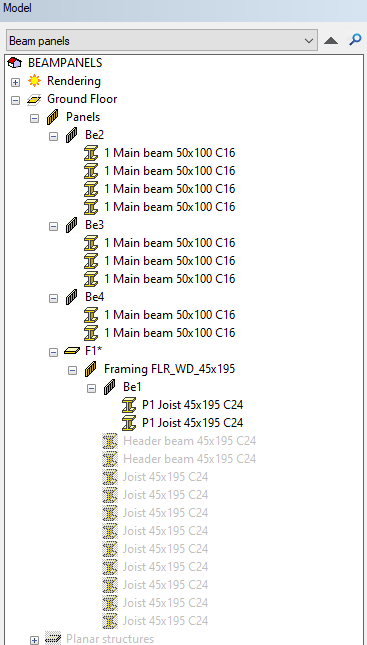
New model tree filtering tools and a beam panel filter
Why: To give user better possibility to find beam panels from big models
VXBD-1660
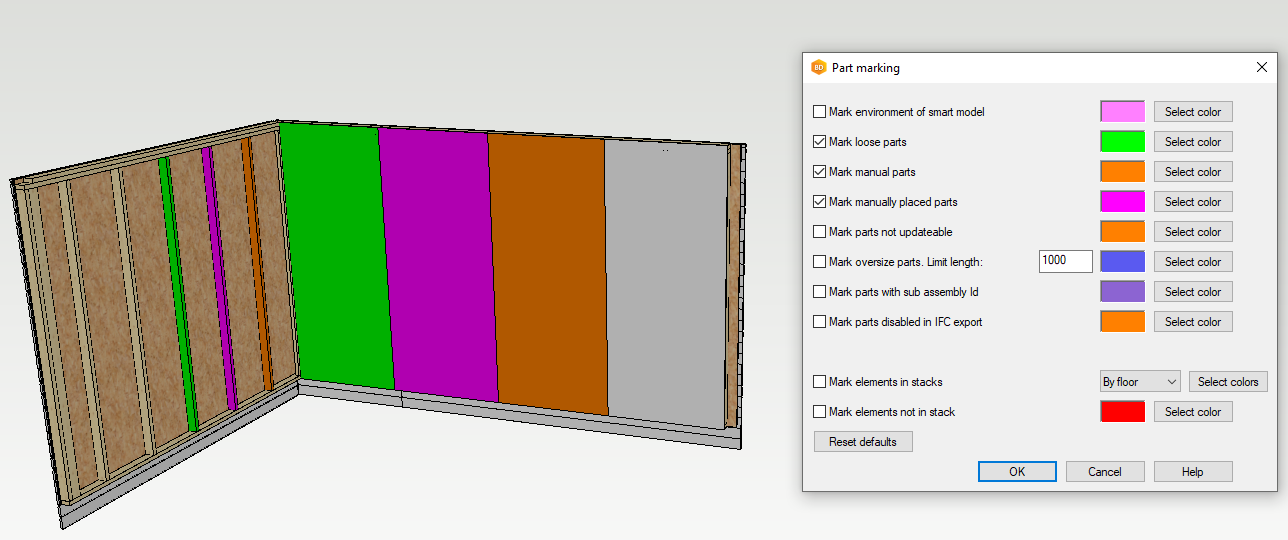
Manually placed parts to Part marking function
Why: To give user better UI for part marking
VXBD-3842
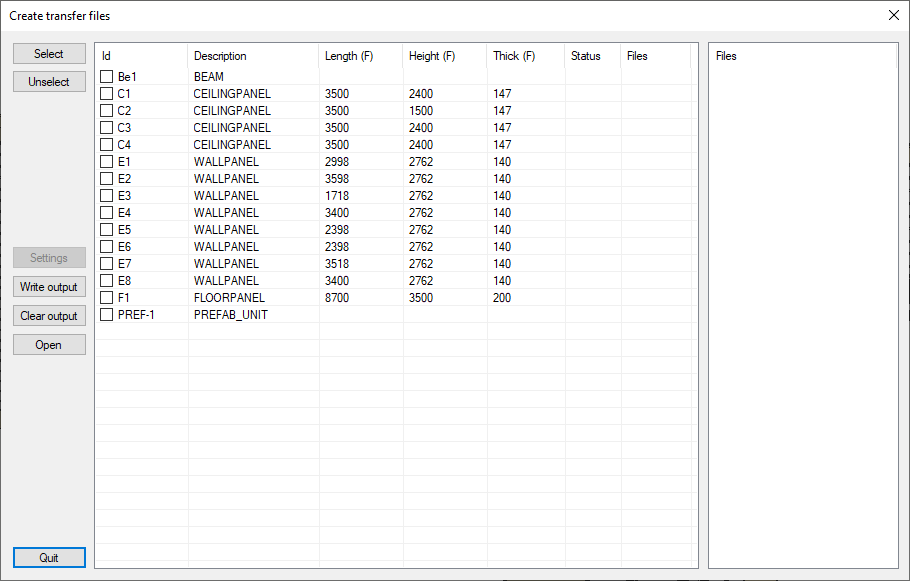
NC output window improvement
Why: Asked “How do we expand the NC output?”
Improvements
-
Column widths are increased as needed so that label text fits (only widened if necessary)
-
The "files" column is adjusted so that the longest value fits
-
The list view and dialog are resized so that all columns are visible, with a maximum width limited by the screen width
VXBD-4308