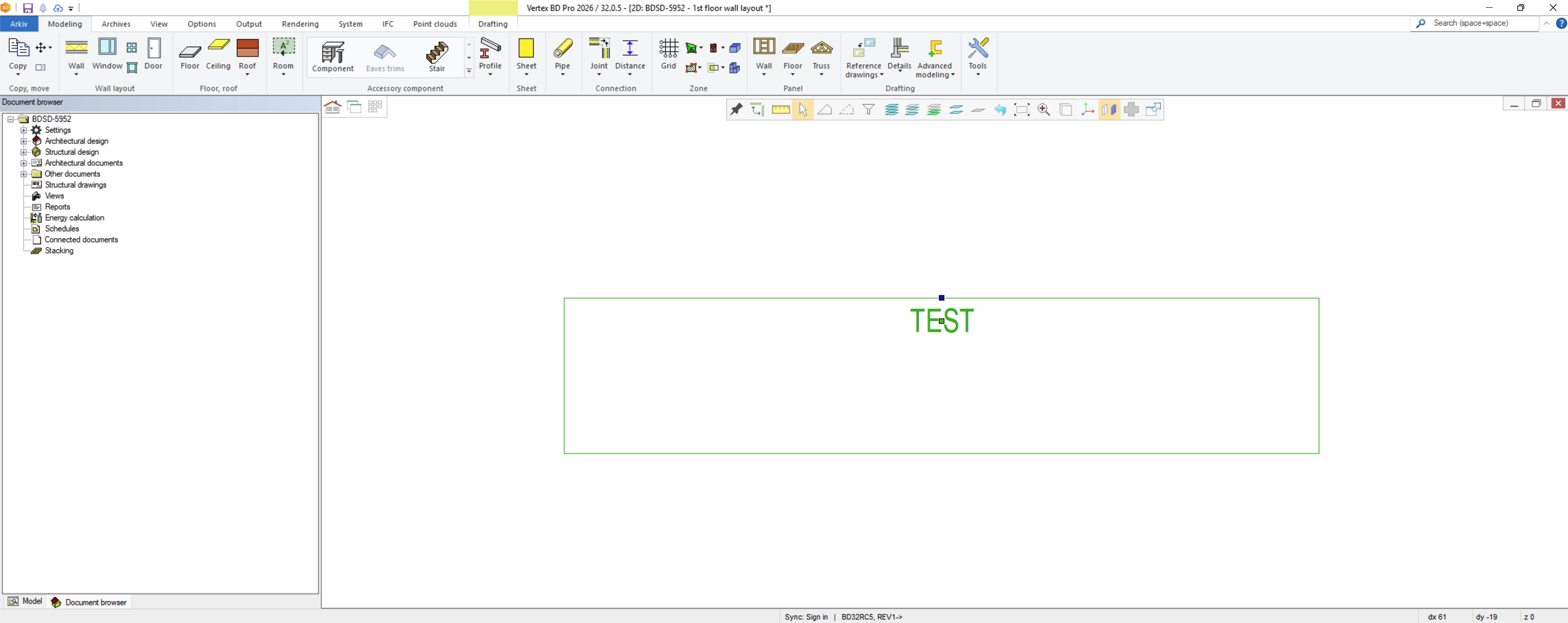
This article explains how to add a free, movable text label to a macro component. The label can be positioned independently of the macro component.
Overview
To enable a movable label on a macro component, complete these tasks:
-
Assign the macro component to an unused macro type number.
-
Create a
macro_labelentry invxsettings. -
Add matching text properties in
geomprop. -
Add the required parameter to the component.
-
Restart or update Vertex BD, and then insert the component.
When you complete these steps, the component displays a movable text label.
Steps
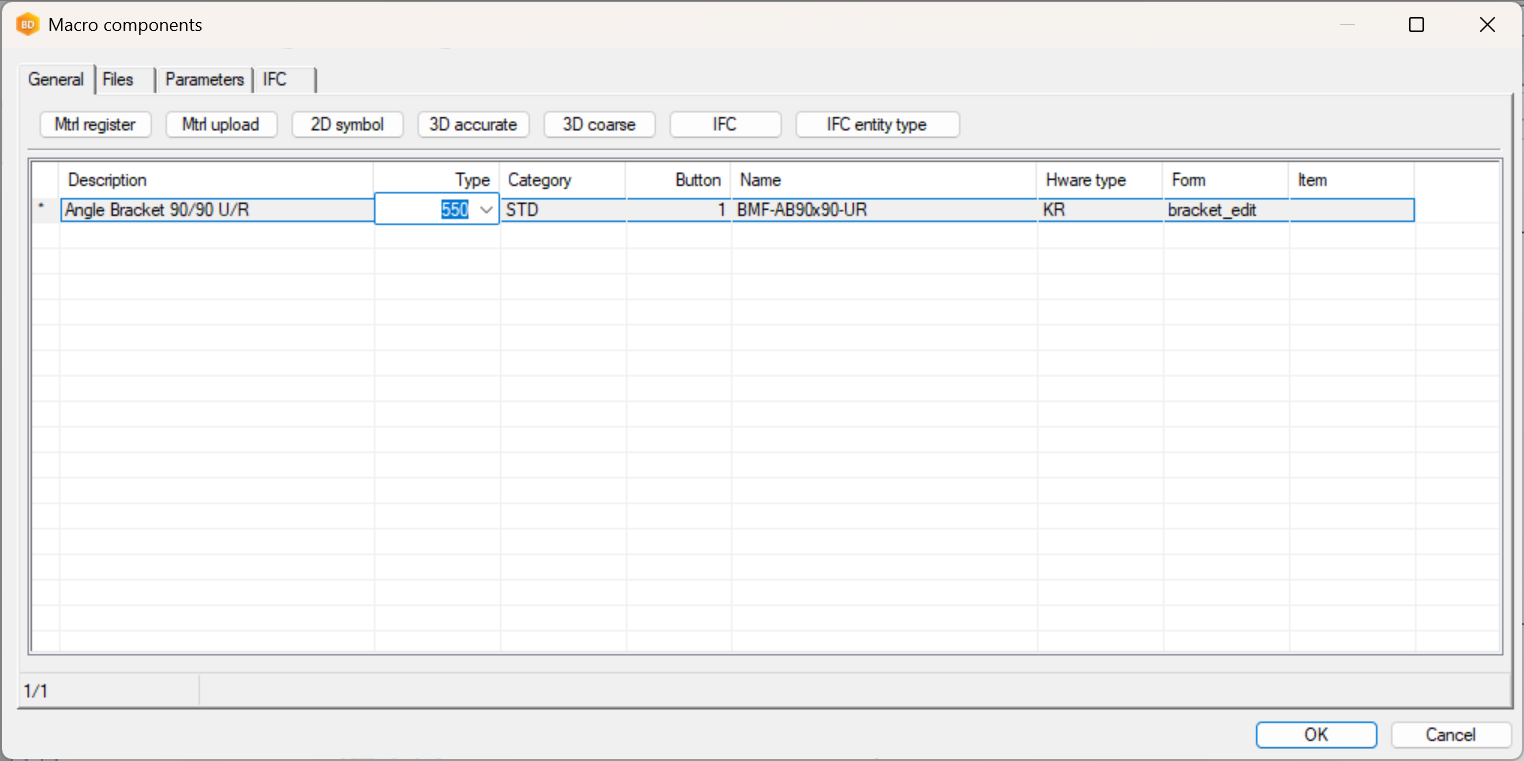
1. Assign an unused macro type
Set the macro component to an unused macro type number.
2. Add a new macro_label row
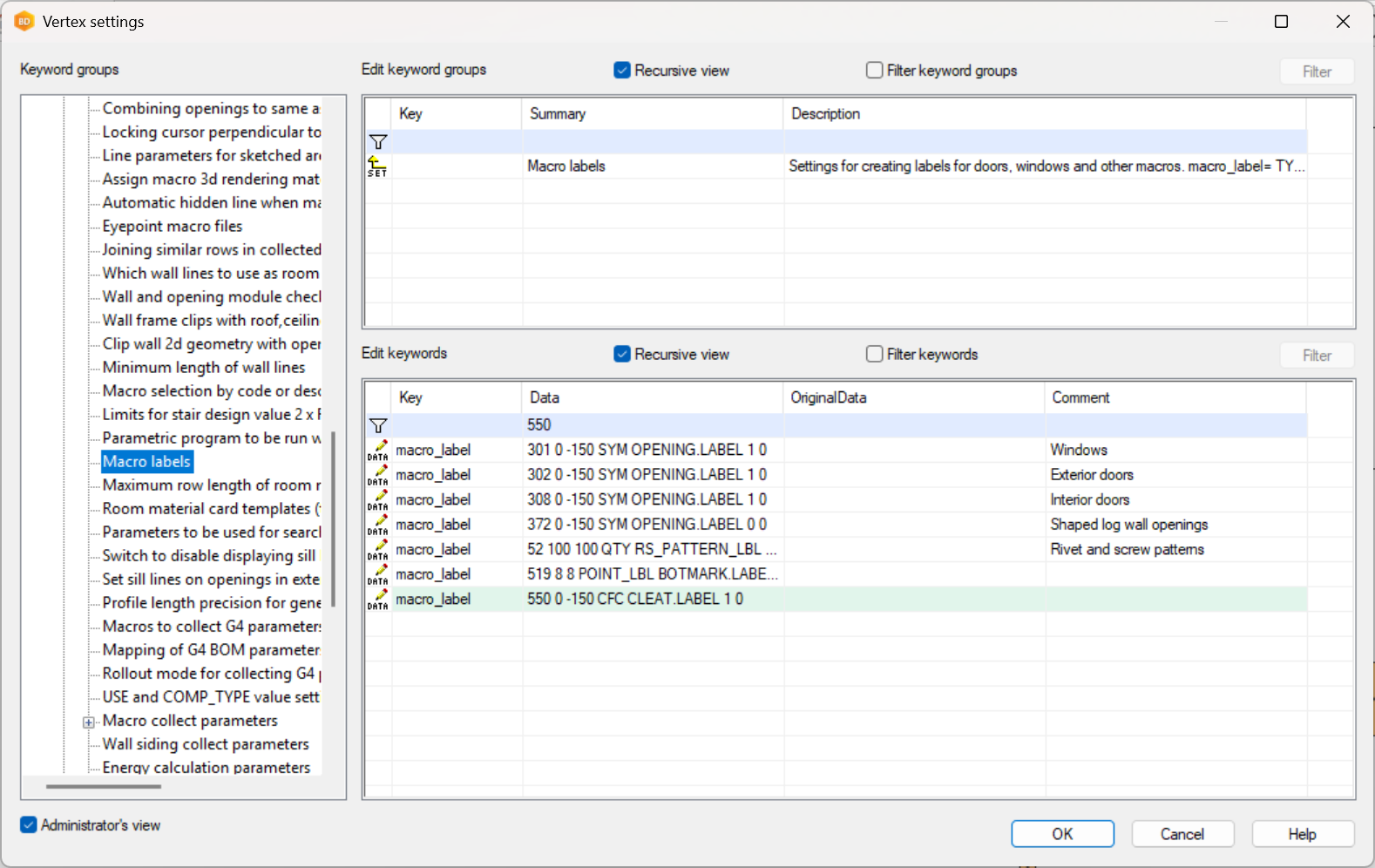
In vxsettings, open the following keyword group:
vxsettings > bdsx
Add a new macro_label keyword. The keyword value has following options:
TYPE X Y PARAM PROP UPD TXT TTYPE XOFF YOFF
Use the same unused TYPE number that you assigned to the macro component.
The X and Y coordinates are relative to the macro origin.
PARAM is the name of the parameter used as the label. For example, the label of a window or a door is SYM. But you can also create your own parameter, which can be any string (CFC in this example). You will later specify the value of the parameter in the additional parameters of the component.
PROP is the name of the text used to define the label text properties in the system settings.
For more information about the keyword options, see the keyword summary documentation or the user manual:
https://docs.vertex.fi/bden/html/bd/architectural/buildingcomponents/macrolabelsettings.html
3. Create matching text properties
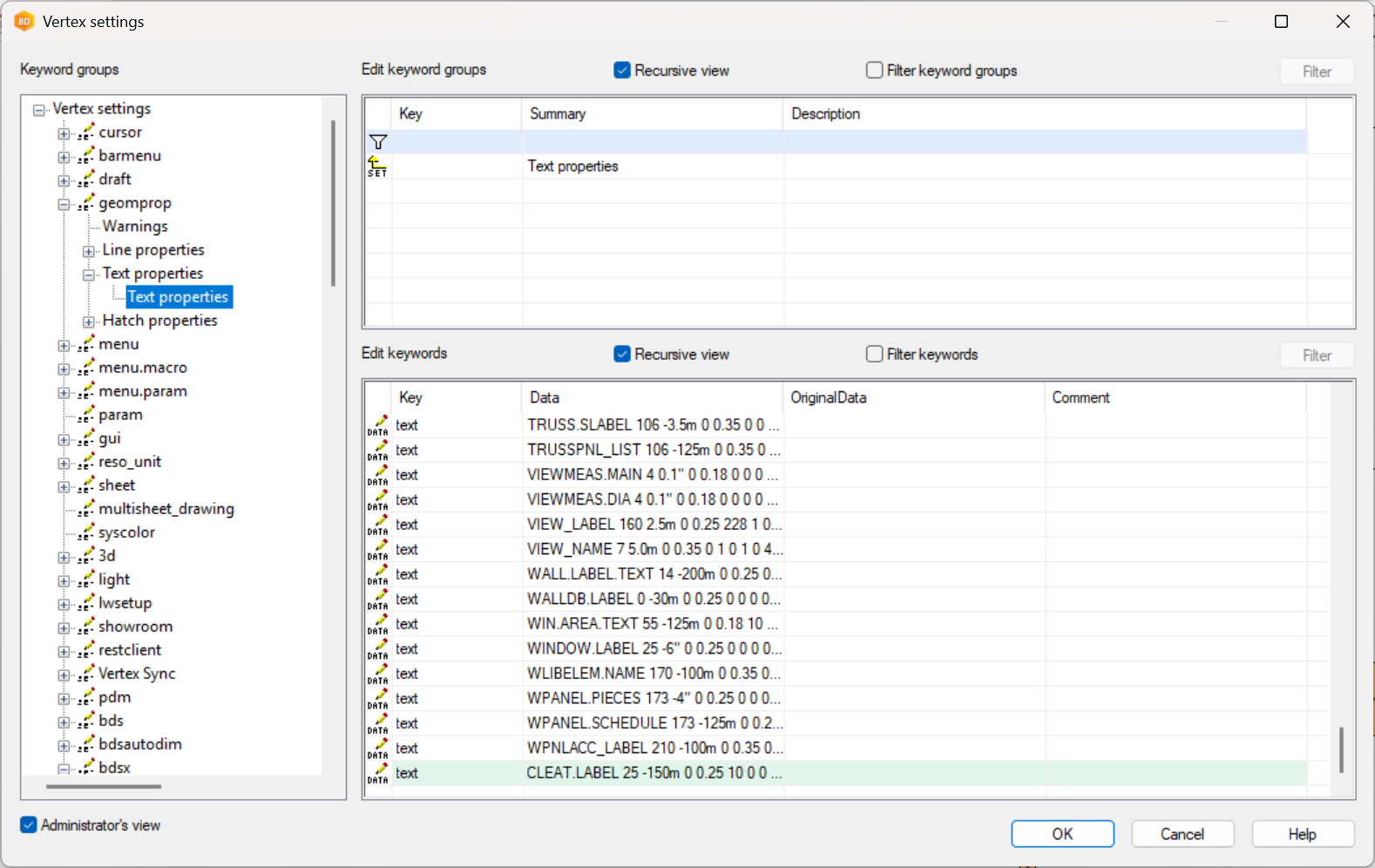
Navigate to:
geomprop → Text properties
Create a new text property under text using the same property name defined in macro_label.
4. Add the required parameter to the component
Add the corresponding parameter to the components additional parameter.
(If the parameter already exists within the model, e.g. such as CODE, DESCR, SYM this step is not needed)
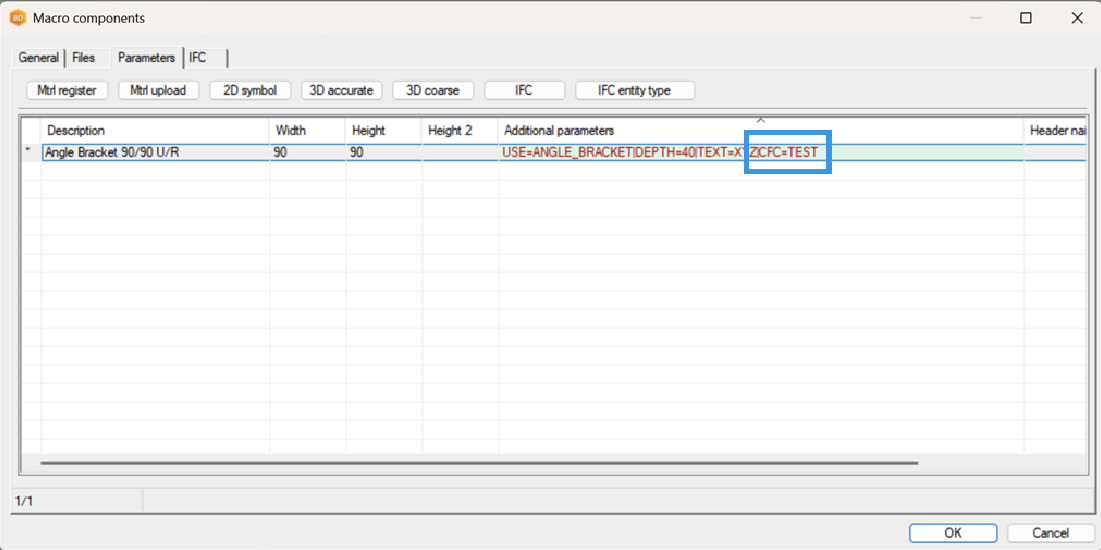
The component will now include a free/movable text label that can be positioned independently from the macro itself.