

We presented these reforms after the major version 32.0.0 (2026) release
Updates after main version release
We have automated the update of attribute data for pipe components
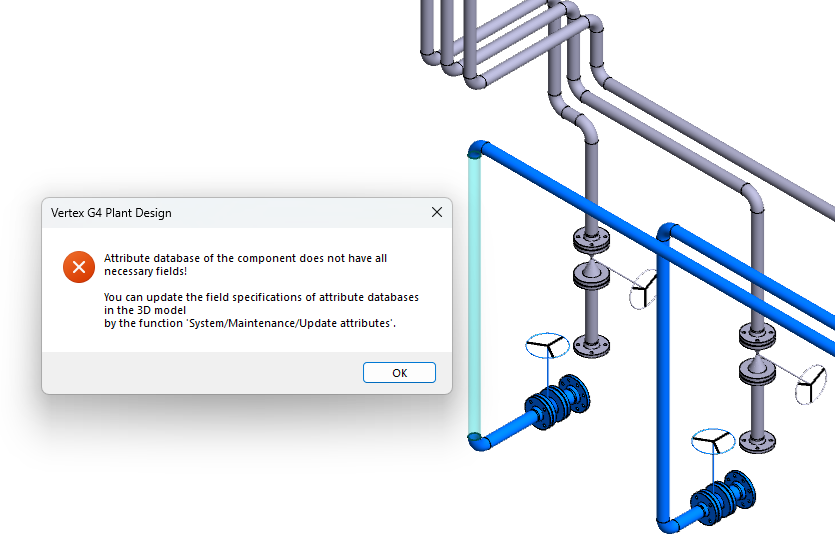
We added a new field, Lifecycle phase, to the item data of pipe components in the main release 32.0.0 (2026). For this reason, models created with earlier versions do not contain this newly added field in the attribute data of their pipe components. Previously, the software prompted you to run an update process (see image below) whenever you edited the item data of such piping lines.
We have now automated this update process. The update is triggered automatically when you open the item data of a pipe component. From now on, you can design and edit piping lines and their item data without disruptive interruptions.
This improvement is included in version 32.0.3. (Vertex ID: VXPLANT-1349)
Welding neck flange wall thicknesses corrected
We updated the wall thickness values of pipe items associated with the welding neck flange model fl_wnrf in the pipe component library. The corrections will be included in the general distribution as part of the maintenance package 32.0.3. We compiled a list of flanges for which dimensional changes were made. (Vertex ID: VXPLANT-1272)
You can download the summary list of the changes here: VXPLANT-1272-INFO.xlsx
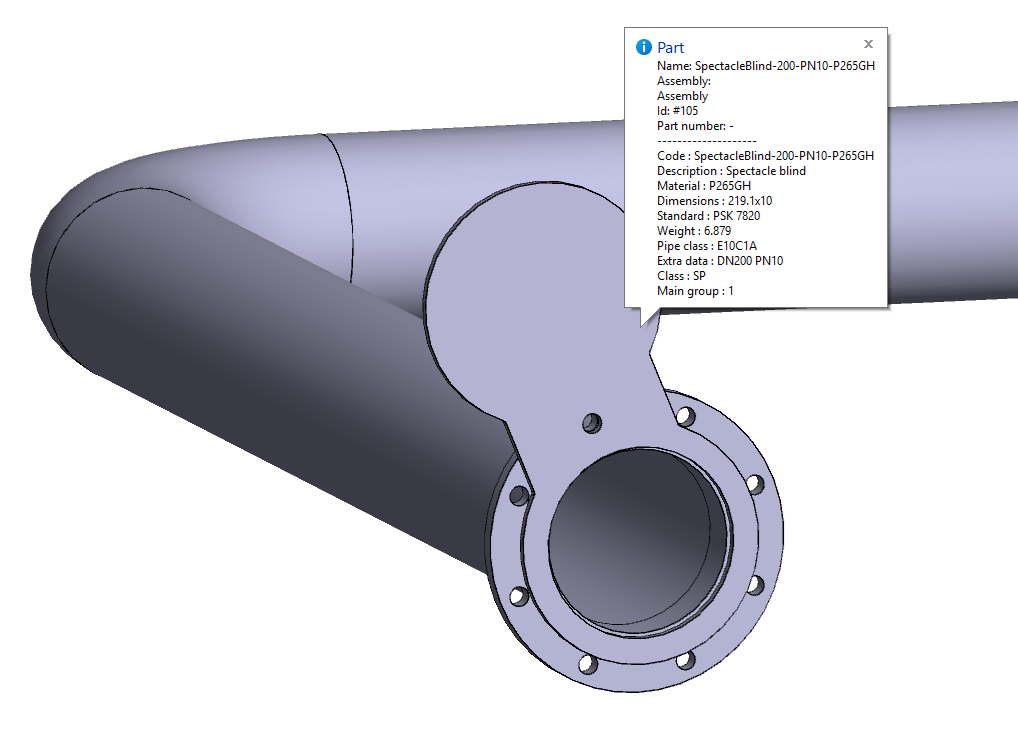
We have added spectacle blinds according to standard PSK 7820 to the piping component library
You can now find the spectacle blinds in the piping component library under the Standard folder, Valves hen you are using the local archives of Vertex G4Plant. The model names are SpectacleBlindDiscDN10-125 and SpectacleBlindDiscDN150-1200. In Flow, the corresponding spectacle blinds are located in the classification MISC-COMPONENT and its subclassification SP. NOTE: Adding the classification and the items to Flow requires actions from a system administrator. A total of 721 spectacle blinds were added to the library.
You can define whether the plate is in the open or closed position through the piping component’s dimension table either during insertion or afterwards. The line is open when the variable Blanked in the dimension table has the value 0. Correspondingly, with the value 1 the line is closed.
This library update has been implemented in program version 32.0.3. Remember to update your custom-side piping component database to access these new piping components. You can find the update instructions here. (Vertex ID: VXPLANT-1350)
Update: Dimensional drawings for profile joints
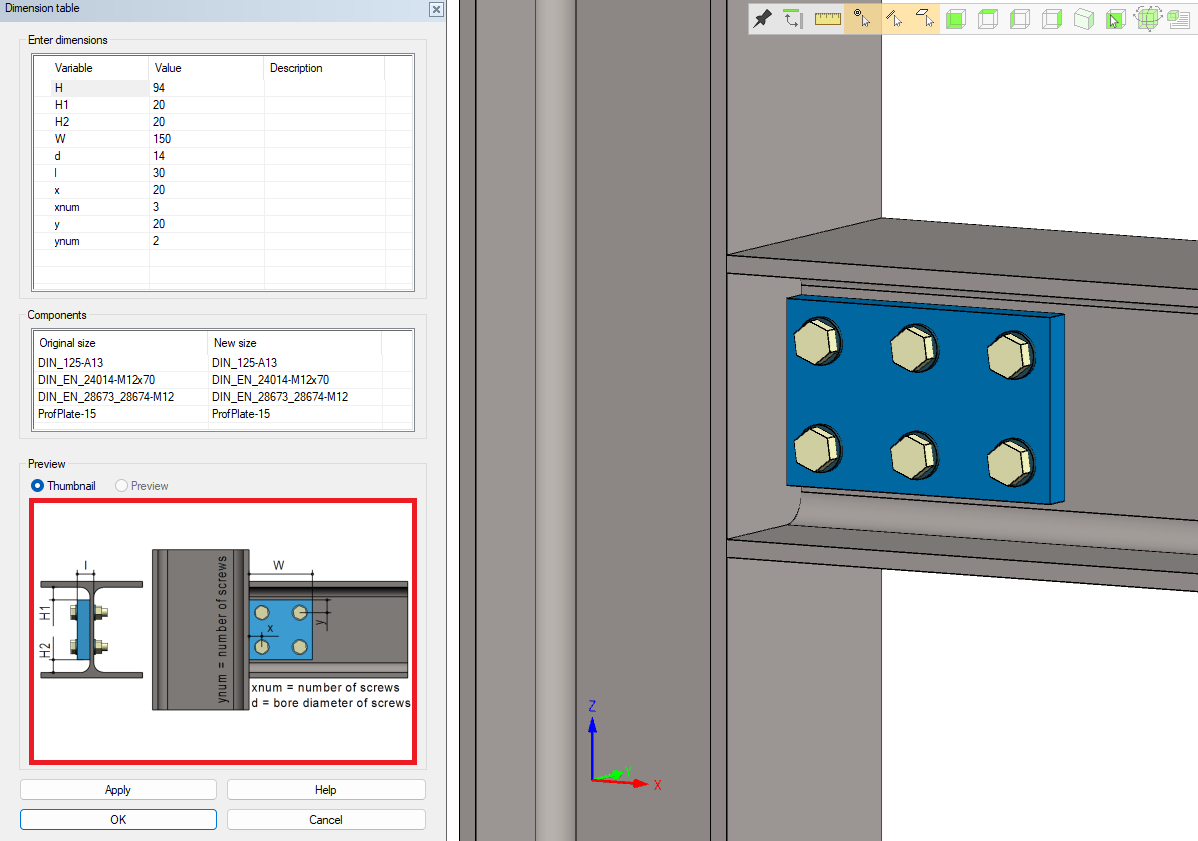
The dimensional drawings of profile joints have been updated to color-enhanced and more visually clear versions. The drawings are displayed both in the dimension table during joint creation and editing, as well as in the browser.
The updated visuals make it significantly easier for users to understand which variable influences each dimension. Variables shown with a grey background cannot be edited directly in the dimension table; their values are determined automatically by the system (e.g., variable H in the example image).
This improvement is included in software version 32.0.3. (Vertex ID: VXPLANT-1356)
Improvements in handling reference grids
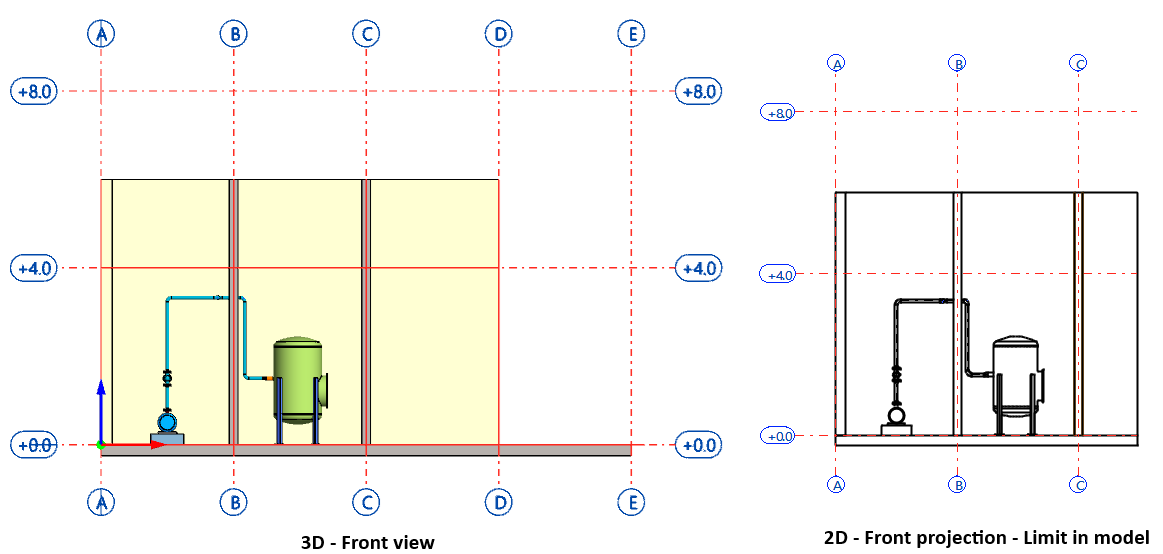
We have improved the visibility control of reference grid labels in drawing projection. If the projection is limited by partial cut functions, Limit in model or Cut view, reference grid labels outside the clipping area will no longer be drawn in the projection. This change reduces the need for manual corrections and enhances the overall appearance of drawings. This improvement is included in software version 32.0.4. (Vertex ID: VXPLANT-1375)
We moved the reference grid labels to the ends of the grid lines. Previously, they were further away from the ends of the lines, which caused the distances in the drawings to appear unnecessarily large. Now, in the drawings, the labels appear as they did in the era of annotations made with the old technique. With this change, the overall appearance of the drawings improves, and there is no longer a need to use old annotations. This improvement is included in software version 32.0.4. (Vertex ID: VXPLANT-1392)
You can now also enter formulas and units in the Reference grid properties dialog fields that handle numerical values. For example, you can type Spacing field as 6m (six meters) and the program will automatically recognize and convert the measurement to 6000 millimeters. This improvement is included in software version 32.0.4. (Vertex ID: VXPLANT-1387)
Wall thicknesses of t-pipes corrected in pipe classes E160C1/2/3/4B
We corrected the wall thicknesses of t-pipes in the pipe component library for pipe classes E160C1/2/3/4B. This correction is included in software version 32.0.6. We compiled a list of items that had dimension changes. (Vertex ID: VXPLANT-1429)
You can download the summary list of changes here: VXPLANT-1429-INFO.xlsx