We presented these reforms in the major version 32.0.0 (2026)
New features and improvements for primary support handling
We have significantly expanded the options for controlling primary supports during the insertion phase.
We have noticeably improved the post‑processing of primary support add‑on components.
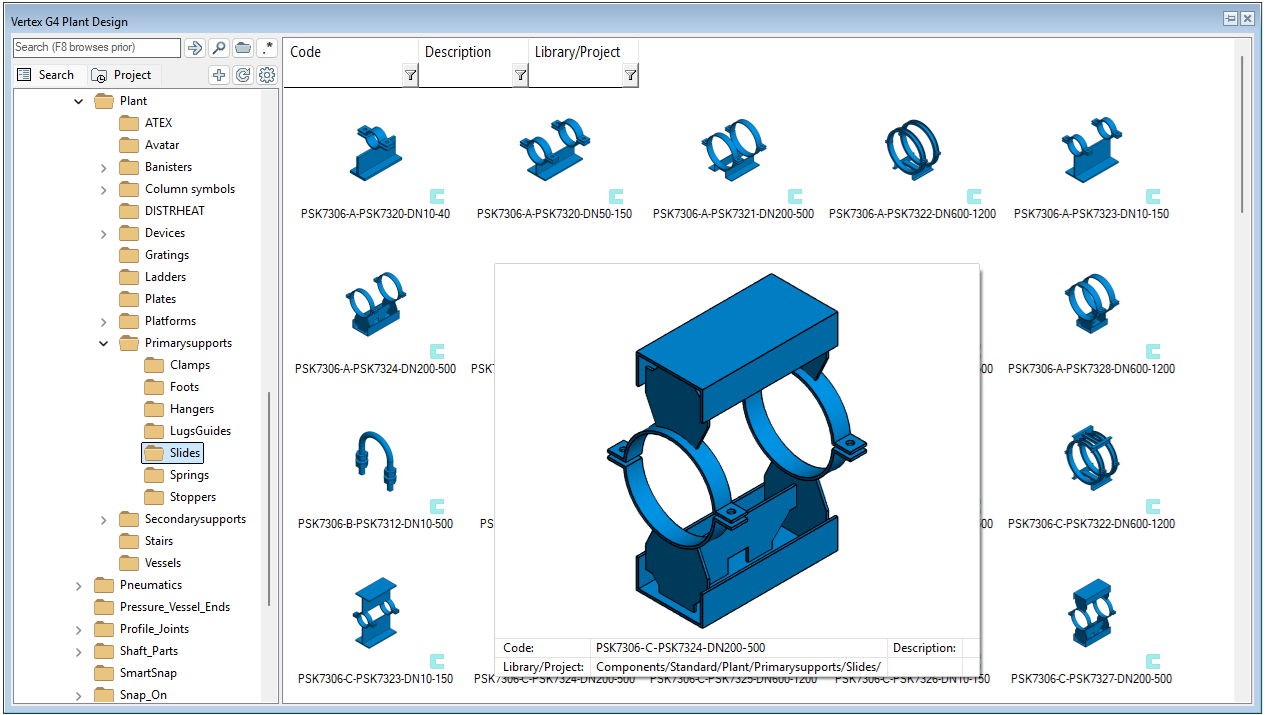
We have added new primary support assemblies to the library and updated the support preview images.
Improvements to primary support handling
We have redesigned the user interface used during primary support insertion to make it easier to manage support properties.

We have moved the fields used for defining the type of a hanging support to a new location 1). The material of the primary support has also been relocated to a new position 2).
We have added new fields for selecting the number of lug guides (applies to guides as well) and stoppers 3) and 4). First select the type of the (lug) guide or stopper, and then define how many units will be added. You can select either two or four (lug) guides. For stoppers, we have placed the values two, four, and six in the drop-down menu, but you can now enter a freely chosen quantity by typing the appropriate value directly into the field. Due to clarifications in standard PSK 7362, the number of stoppers is now clamp-specific. These changes make the management of primary support add‑on components considerably easier and faster than before. (Vertex ID: VXPLANT-1087)
We have added new fields for selecting the material of lug guides (applies to guides as well) and stoppers 5) and 6). Guides inherit the material of the primary support if it is defined in the database. You can freely change the material of a guide when needed. The material of a stopper is automatically inherited from the pipe, which also complies with the PSK 7362 specification for stopper materials. You can freely change the material of a stopper when needed. These changes streamline the material management of primary support add‑on components significantly. (Vertex ID: VXPLANT-1145)
We have added a new checkbox To inside, which allows you to define whether the stoppers are placed on the inside of the clamps 7). When the checkbox is left empty, the stoppers are placed normally on the outside of the clamps. Previously, this operation was entirely manual, but now defining the orientation of the stoppers is extremely easy and fast. (Vertex ID: VXPLANT-1168)
The selections for lugs and stoppers now follow the chosen slide support type more accurately, which reduces the possibility of errors. (Vertex ID: VXPLANT-1149)
-
If the slide support type is changed from Pipe slide > 1‑sided anchor, a suitable stopper type is now automatically selected. At the same time, the selection for lug guides changes to No lugs, and the field becomes non‑editable because, according to the standard, a fixed‑point clamp must be welded, and lug guides are not required.
-
If the selection is made in the opposite direction, 1‑sided anchor > Pipe slide, the stopper type selection is now reset, and the value changes to No stoppers. At the same time, the lug guide selection becomes editable again.
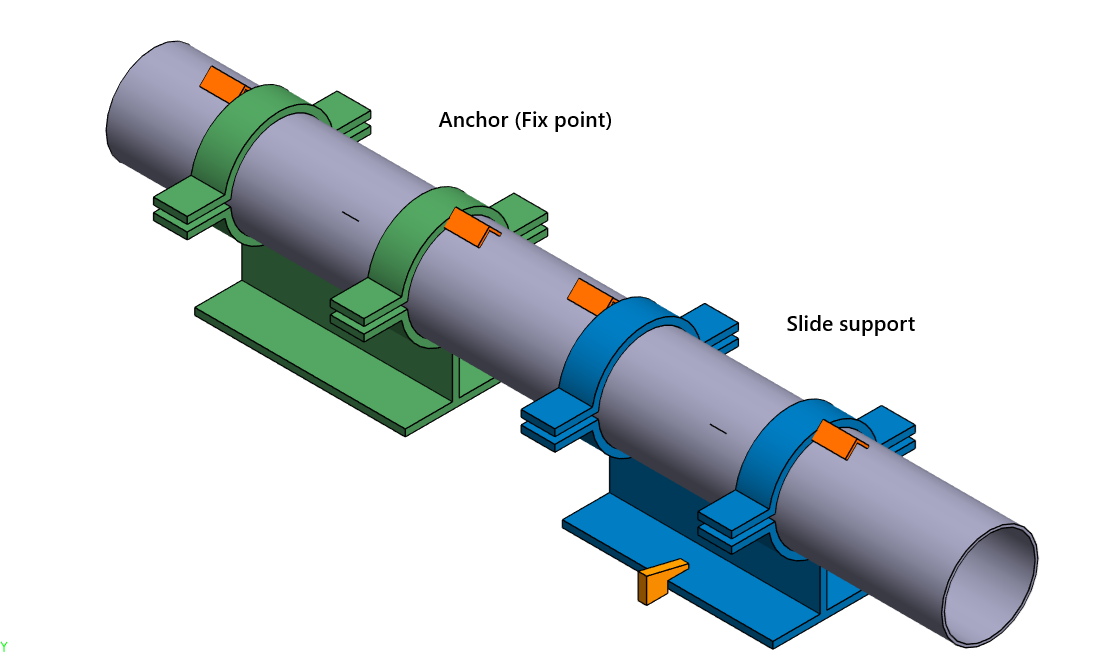
We have also made it easier to mark fix points (anchors) in the model. A slide support now receives a color according to its type. A fix point (ANCH) is shown in green, and a slide support (SKID and GUID) is shown in blue. This significantly improves the visibility and discoverability of fixed points in the model. (Vertex ID: VXPLANT-1153)
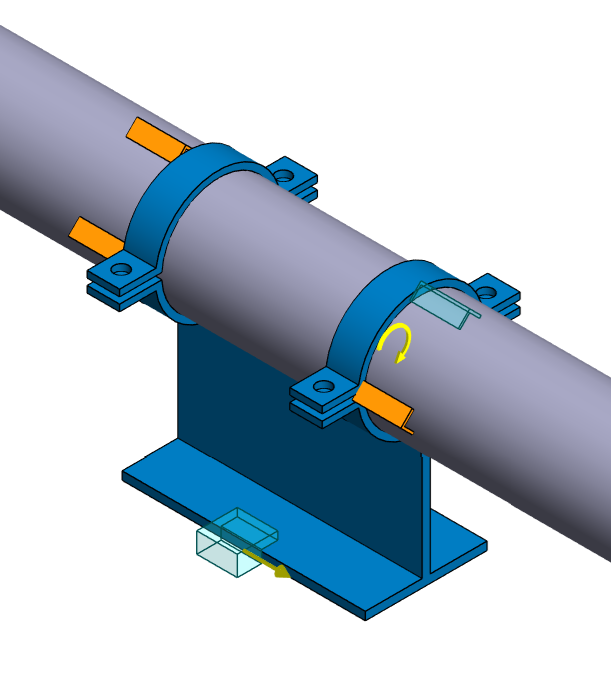
Moving and rotating primary support add‑on components is now easy and straightforward. Lug guides and lugs can now be moved using the move arrow after selecting the component. Similarly, stoppers can be rotated using the rotate arrow. Previously, relocating add‑on components required special knowledge and multiple work steps. (Vertex ID: VXPLANT-1164)
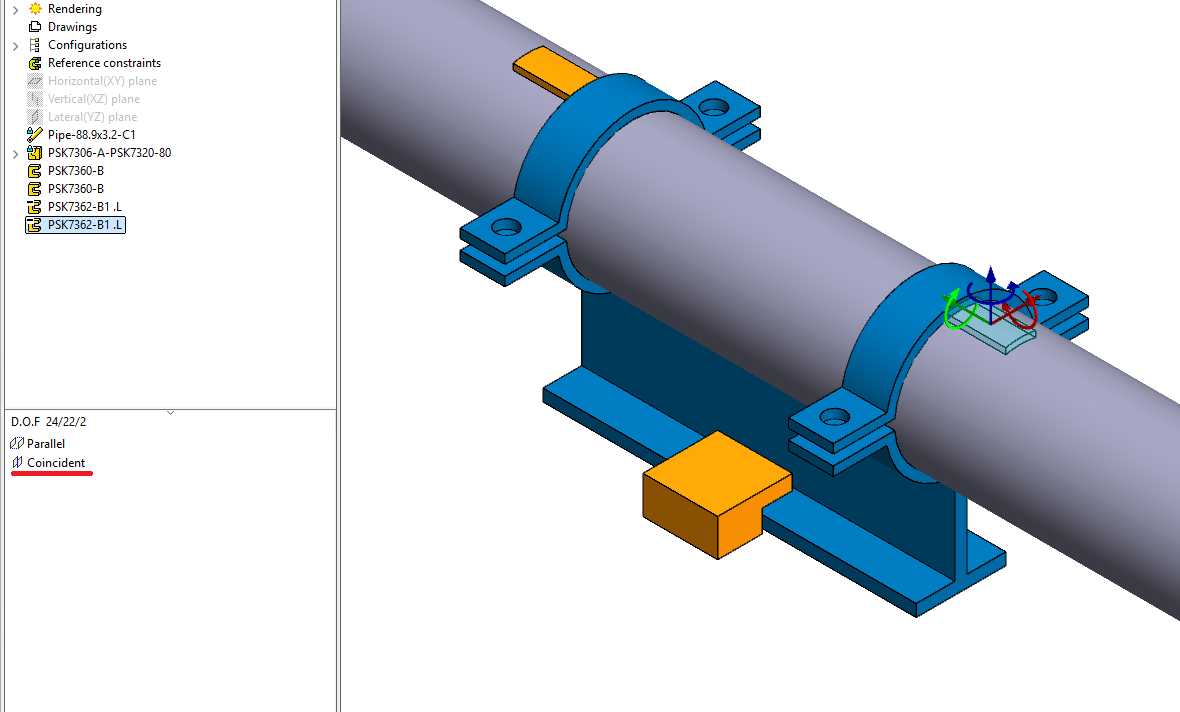
Stoppers and lugs can also be added to primary supports directly from the component library. When a component added this way receives a matching condition, for example with a clamp, it behaves the same as a component added during the primary insertion phase: it can be positioned, it appears in the isometric view, and it is included in the parts list. This allows special cases to be handled effortlessly. The functionality has been added in version 31.0.3. (Vertex ID: VXPLANT-882)
Updates to the Listing of Primary Supports in the Isometric Parts List
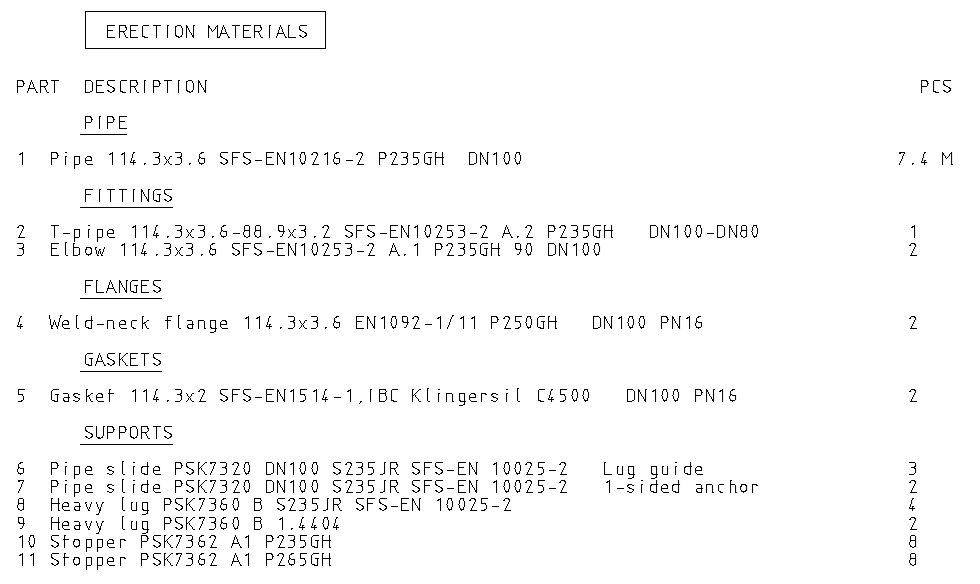
Primary supports and their add‑on components are now separated in the isometric parts list based on both material and type (fixing/guiding). With this change, the management of different primary supports on the same pipeline becomes clearer, and incorrect interpretations can no longer occur. We have updated the isometric parts list format IsoMatLstS (Isometrics tab → Formats → Supports) and added the field DESCR2 to the listed attributes. (Vertex ID: VXPLANT-1224)
New clamp types added to the library
We have added new turnbuckle‑equipped hanger support variations compliant with the PSK 7340 standard to our support library. This ensures that our maintenance customers receive the updated libraries with the new major version. (Vertex ID: VXPLANT-1174)
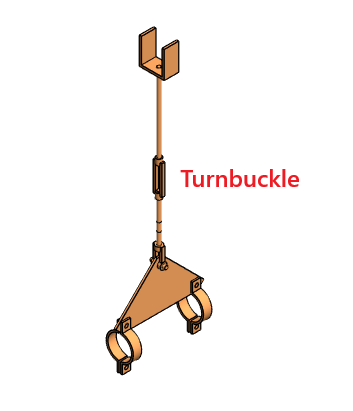
For hanher supports with bottom mounting types AK/AR2, AK/AR3, and AK/AR5, a new configuration including a turnbuckle (PSK 7349) has been added. These new assemblies can be identified by the letter V at the end of the assembly designation. For example, the hanger support shown in the image below has the designation PSK7340‑YK1‑AK3V. In total, we have added 32 new primary support assemblies to the library.
Primary support model thumbnails updated
We have updated the thumbnails related to primary support models in both the component library and the complibs library. Some of the original images occasionally had missing surfaces and sometimes displayed unnecessary auxiliary geometry. The updated thumbnails now provide a consistent and high‑quality visual appearance. (Vertex ID: VXPLANT-959)