
Overview
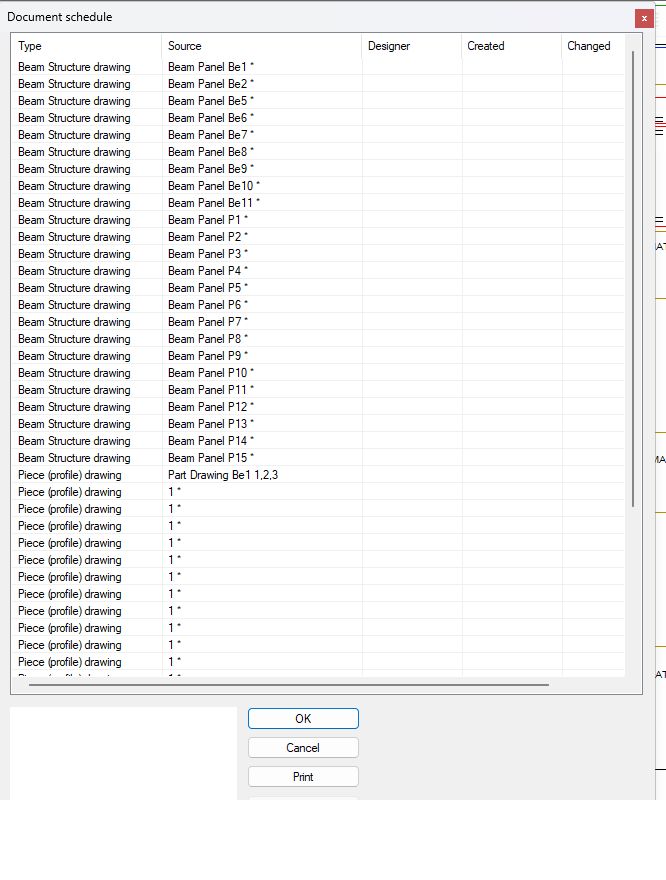
By default in Vertex BD, panel drawing labels and part drawing labels are handled separately. As a result, part drawings often share identical names, making them difficult to distinguish.
However, you can modify system settings so that panel labels are automatically included within part drawing labels.
This guide walks you through the required configuration change.
Step-by-step to change the keyword in vxsetting
-
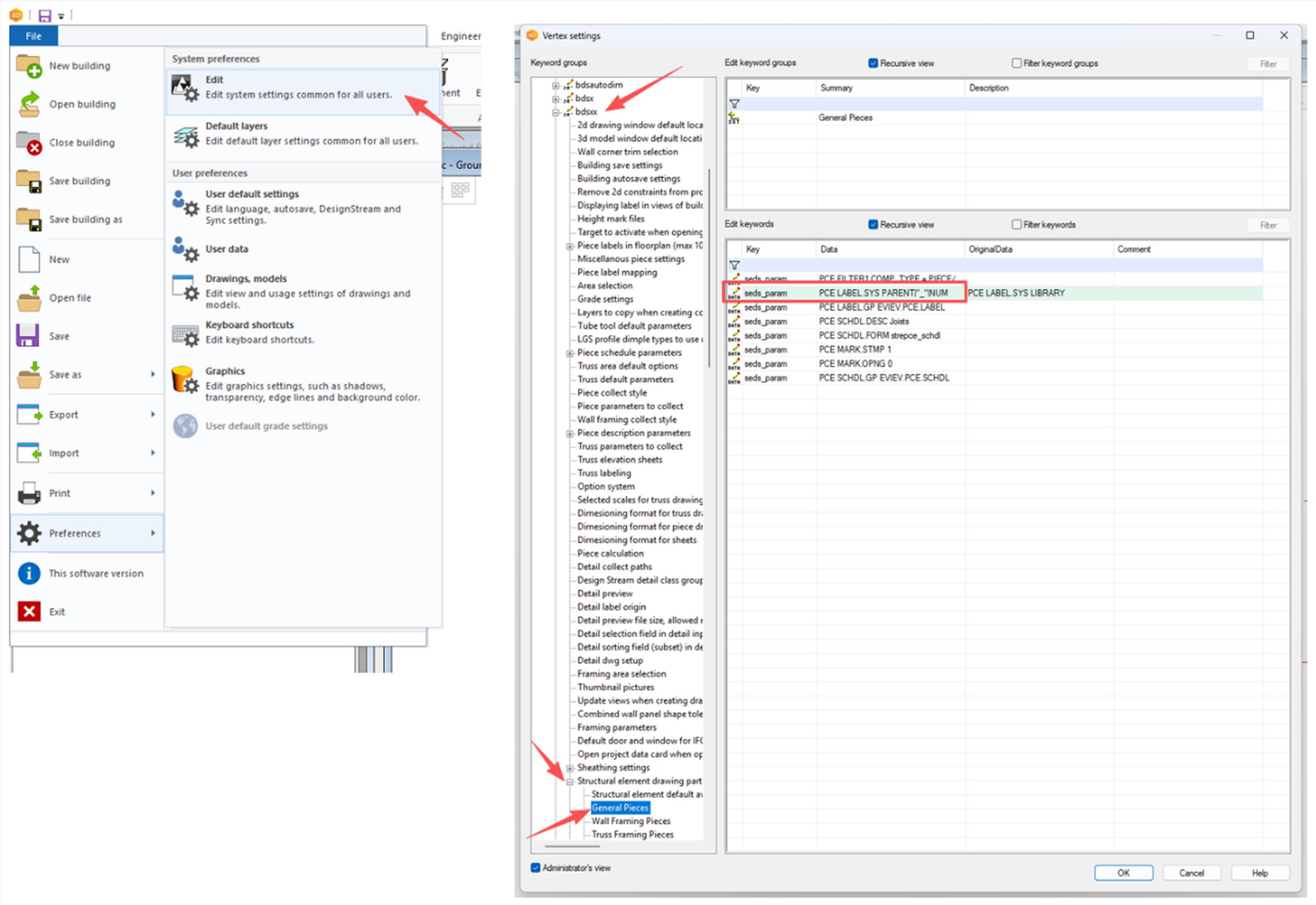
Go to: File → Preferences → Edit
-
Turn on Administrator’s View
-
Navigate to: bdsxx → Structural element drawing partlists → General Pieces
-
Replace PCE LABEL.SYS LIBRARY with PCE LABEL.SYS PARENT|"_"|NUM.
What this change does:
-
PARENT → Retrieves the panel drawing label
-
"_"→ Adds a separator -
NUM → Appends the part number
This ensures each part drawing label becomes unique and traceable to its parent panel.
-
Restart Vertex BD
Applying the changes
Now the part drawing labels will have the panel drawing labels as prefixes.
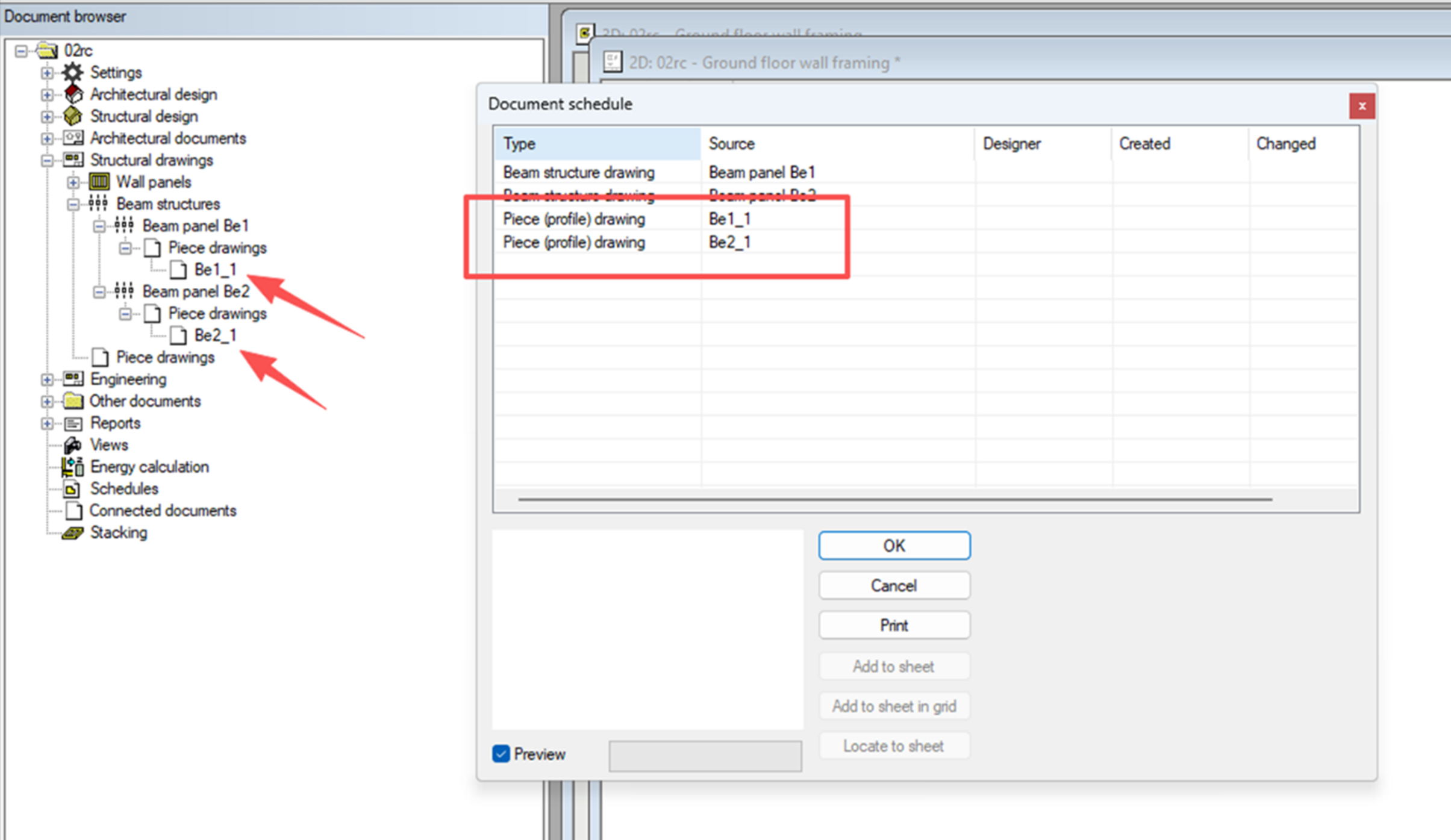
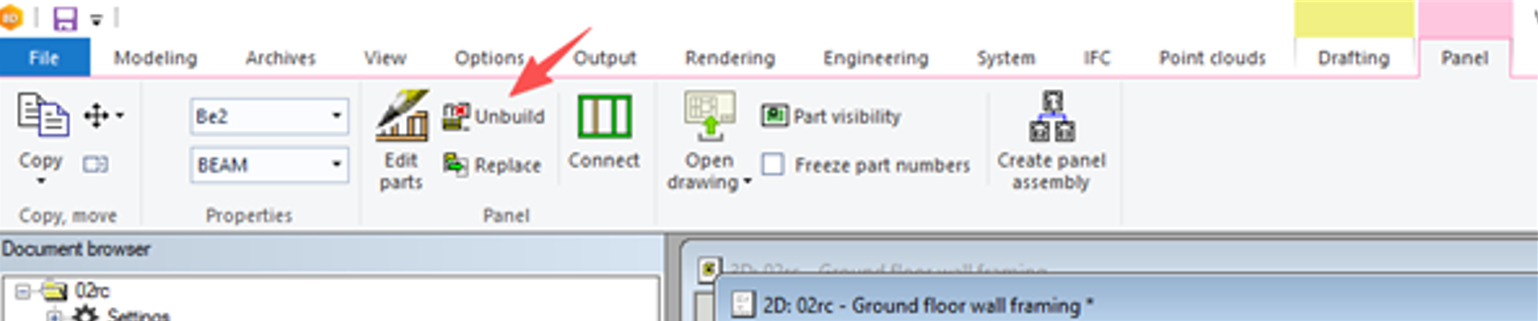
For existing projects, you will need to re-create both the panel and part drawings for the change to take effect. For example, for beams, user will need to unbuild and build beams again for the label to work.
The change is stored in the custom folder. Please share it with your peers so that the same configuration can be used.