We presented these reforms in the major version 32.0.0 (2026)
Delivery limit - New object to PI diagram design
The new delivery limit object and its functions allow responsibility limits to be marked and managed directly in the PI diagram. This makes the responsibilities of different parties clearer.
The user can define the boundaries easily using symbols, and the information updates automatically when changes are made. No manual work is required.
The delivery limits can also be listed as a clear report, which helps share the information with project stakeholders.
Delivery limit
In PI diagrams, a delivery limit is an interface point that separates the responsibilities of different parties or systems. It is a defined physical or functional point in the process up to which one supplier, contractor, or system is responsible for pipelines, equipment, and functions. From that point onward, the responsibility shifts to another party. The delivery limit can be, for example, a valve, a flange connection, a measurement point, or any other clearly identifiable point. The purpose of a delivery limit is to clarify design, installation, and operational responsibilities and to ensure that these interface points are documented.
An example of a delivery limit: If an equipment supplier delivers a chemical tank and the related piping up to a valve, and the piping beyond that valve belongs to the plant’s own network, the valve is the delivery limit.
The concept of a delivery limit has not existed in the G4PI diagram design software until this version. We have developed functions for marking, defining, handling, and listing delivery limits, giving the user the tools needed to meet the goals mentioned above when sharing information between project parties. Previously, users had to create these lists manually outside the software by extracting information from the diagram into, for example, a separate Excel file without any automation.
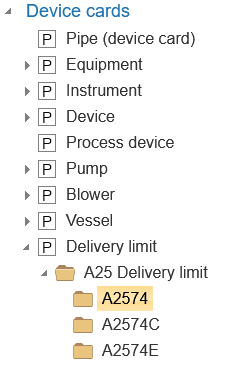
We have added a new object to PI diagram design called Delivery limit. Any PI diagram symbol can now be defined to function as a delivery limit (the term in the object list is Limit). We have assigned this definition to symbol A2574 Delivery limit in the PSK 3605 library. In addition, we created two new variations of the same symbol: A2574C Delivery limit and A2574E Delivery limit. (Vertex ID: VXPLANT-1007, VXPLANT-1054)

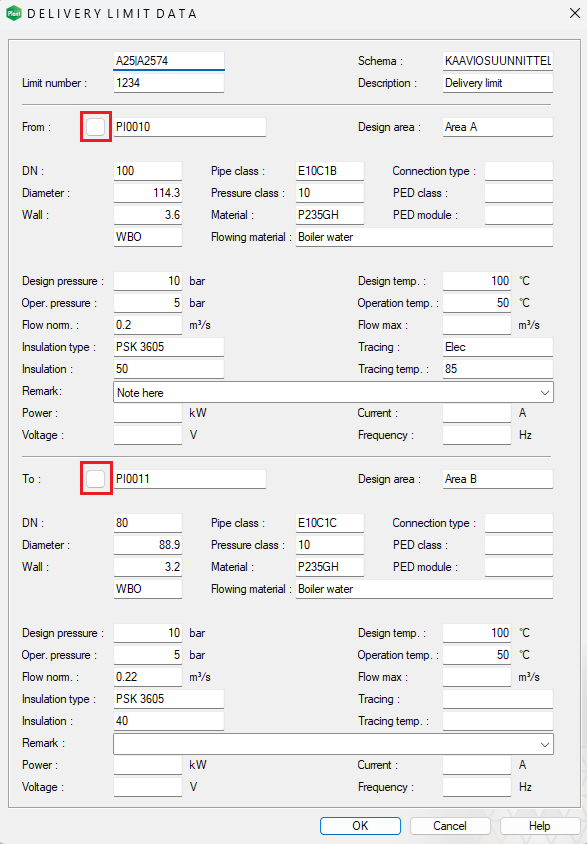
You can define the delivery limit on the attribute data card by entering the basic information and the “from–to” information either manually or by selecting the corresponding objects directly from the diagram. (Vertex ID: VXPLANT-1015)
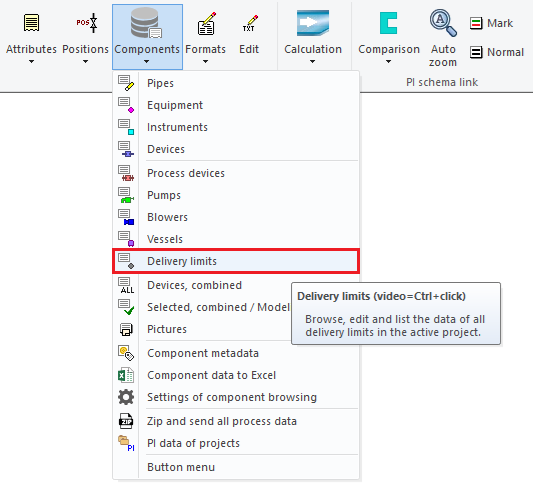
You can find the Delivery limits section in the Components group. From there, you can browse, edit, and list delivery limit information using the database view. (Vertex ID: VXPLANT-1019)
If the “from” or “to” positions defined for the delivery limit change or new positions are added, the delivery limit information updates automatically along with the changes. (Vertex ID: VXPLANT-1027)
The information can be listed to Excel, allowing it to be shared with project parties in a clear format. (Vertex ID: VXPLANT-1023)

The new object also works seamlessly with Flow. A new device card named Delivery limit has been added to Flow, and it functions in the same way as the familiar existing device cards. (Vertex ID: VXPLANT-1011, VXFLOW-1556)