
Use this procedure when you need to remove a building from Sync service and convert it into a building stored only in the local archive.
-
Export the building to VXZ in Vertex BD.
Open the building browser, right-click the building you want to move, and select Export to VXZ file. Select the folder where you want to save the compressed file.
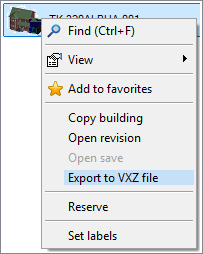
Please note: The function retrieves all the building files from Sync. Make sure you have uploaded the latest version of the building to Sync before exporting the building to VXZ file.
-
Delete the building from Sync.
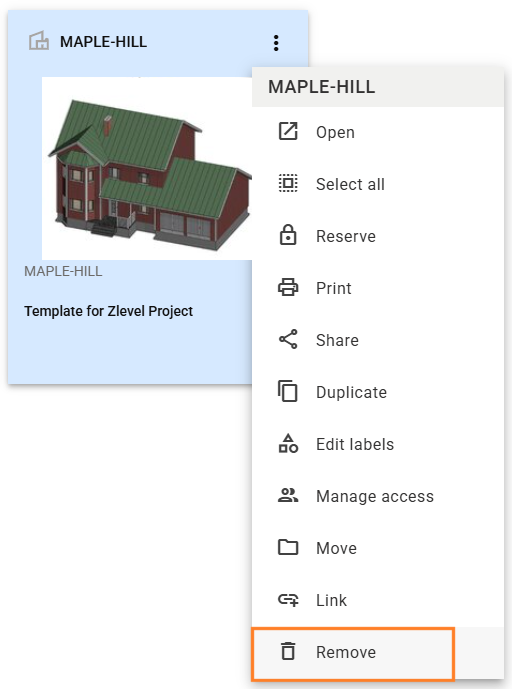
Log in to Sync in the browser interface. Use the search feature in Sync to find the building. Select Remove from the building object’s three-dot menu.
-
Empty the recycle bin or delete the building forever in Sync.
You must fully remove the building from Sync so the original building ID does not stay reserved. In the Sync browser interface, click your profile icon in the top right corner and select Recycle bin. Do either of the following:
-
Select Empty recycle bin. This deletes all objects in the recycle bin.
-
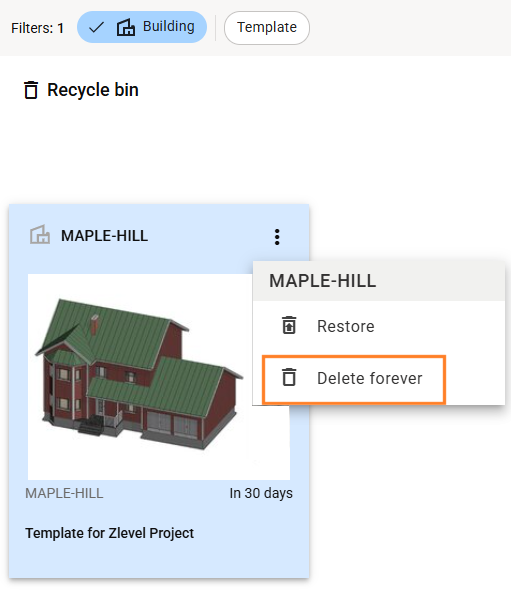
Find your building in the recycle bin, and select Delete forever from the three-dot menu.
-
-
Sign out of Sync in Vertex BD.
-
Import the VXZ into BD and store it locally.
Import the VXZ back into BD. The building can then be stored as a local building in the archive.

If you are not going to keep using Sync, you can skip deleting the building from Sync. However, if you later decide to use Sync again, there will be a conflict as the building ID exists both in the local archive and Sync.