
By default, only the following d_PROREG fields are pushed with the building when synced:
CUSTOMER
ADDRESS
ZIP
CITY
DATE_DELIVERY
CONTR_NUM
PHONE
PHONE_MOB
CUS_EMAIL
FAX
BLDG_NAME
BLDG_CITY2
BLDG_ADDRESS
BLDG_CITY
SQM
TOTALSQM
HELP_ROOMS
BEDROOM
GARAGE
You can include additional data card fields, including custom ones, by editing the SyncMetaDataConfig.json file located in the folder:
C:\vxbd\custom\setup\
If necessary, copy the file from the system\setup folder.
-
Open the file
SyncMetaDataConfig.jsonfrom the custom\setup folder in the Notepad++ application, for example.
-
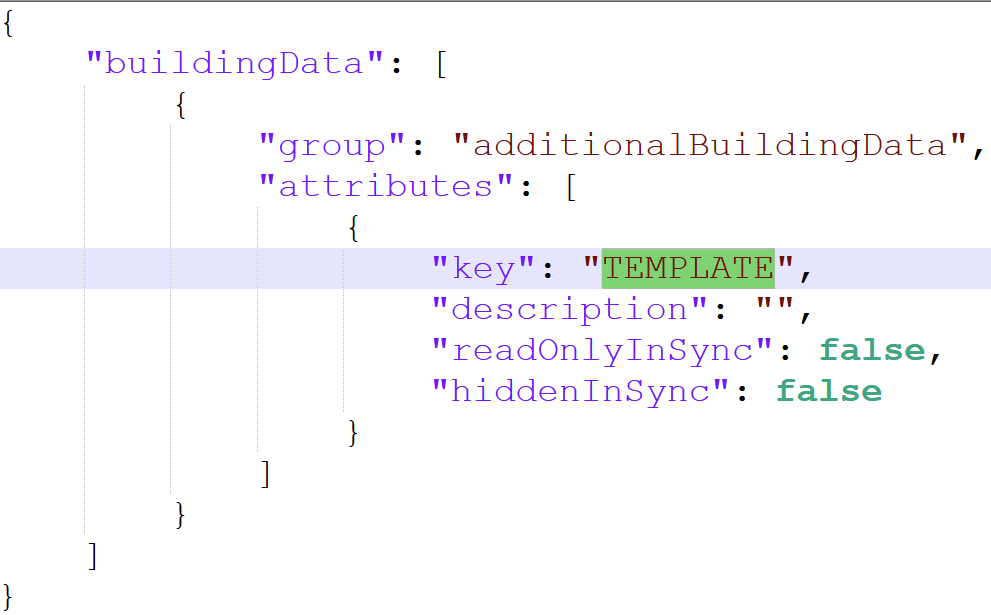
Add the desired fields to the JSON file, see example below:
-
Save the file and restart Vertex BD
-
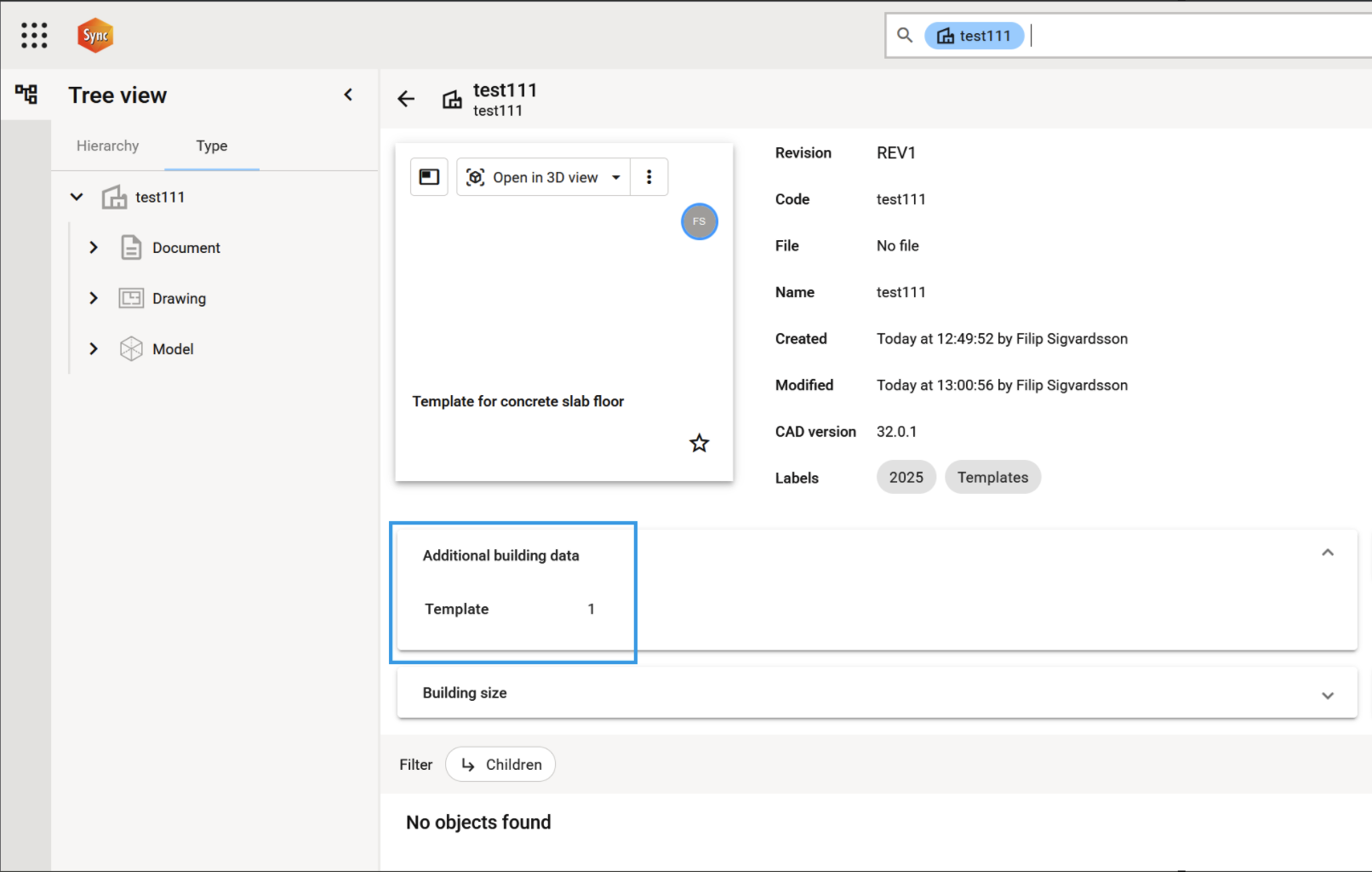
When you re-sync the building, the additional fields will now be included and can then be referenced in auto-labeling rules.
Please note:
All fields referenced must also be included/shown in the building data card format file (proj_form)!