
General
You can remove connections of an object from its object card.
-
Removing a connection requires the user to have read access to the object. This rule can be tightened with the system keyword permission.read.includes.conn.
Deleting a connection does not remove objects from Flow. It only removes the relationship between them.
Remove the connection
(1) Choose the action Tools > Connections > Delete.
-
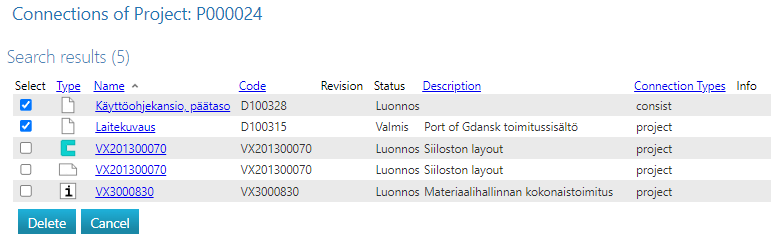
Flow opens the search results.
(2) Select the connections to be deleted.
(3) Remove the connections by selecting Delete, or
-
Select Cancel if you do not want to delete the connections of the selected objects.
Other connection handling methods