
Anonymous Share
The Share feature enables users to generate a unique web link for any document, facilitating easy sharing. This link allows recipients to access and download the document without requiring a license or authentication. The feature is designed to streamline the sharing process, ensuring that documents are readily accessible to anyone with the link.
While the Share feature simplifies access, ensure that sensitive documents are shared only with trusted recipients. The expiration date option adds an extra layer of security by limiting the link’s validity period.
Open Share dialog
-
Select the document you wish to share.
-
Select on the “Share” on context menu.
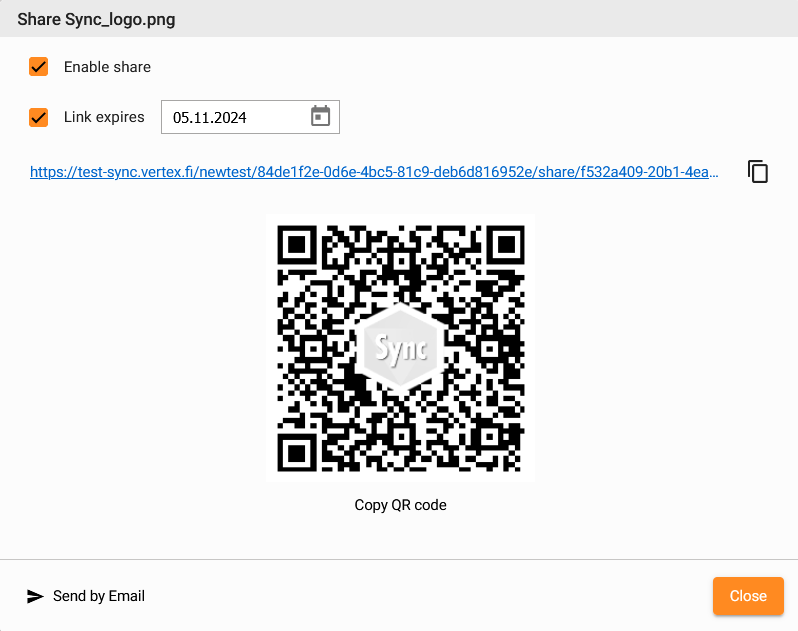
Enable share
Click ‘Enable share’ checkbox to activate the document share. System automatically creates a web link which allow to view the document without Sync license or authentication.
Set link expiration date
Set an expiration date for the link, ensuring it becomes invalid after a specified period.

Copy Link
Click copy button on the end of URL to copy the link to the system clipboard.

Copy QR code
Click to copy the QR code image to the system clipboard.
Send
Click ‘Send by Email’ button to open email application with the link copied into the message body.
Effortlessly share your documents with anyone using our new Share feature. This feature generates a unique web link, allowing recipients to read and download the document without the need for a license or authentication. Simplify your document sharing process and ensure seamless access for everyone.
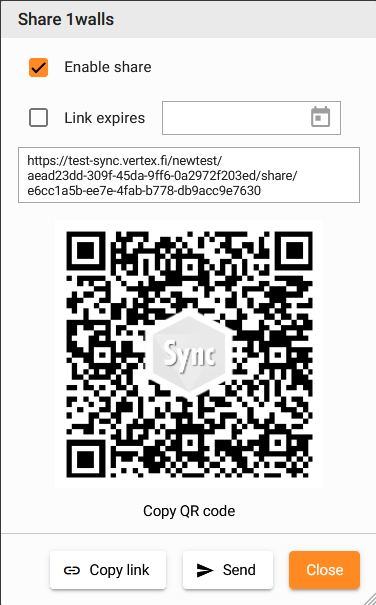
Read more about Share.
Released in version 1.0.0-beta.14