General
You can remove unnecessary words with their translations from the dictionary.
-
Unnecessary words may include synonyms of other words.
Remove the word from the dictionary
(1) Select the Archive tab.
(2) Select Tools > Dictionary.
-
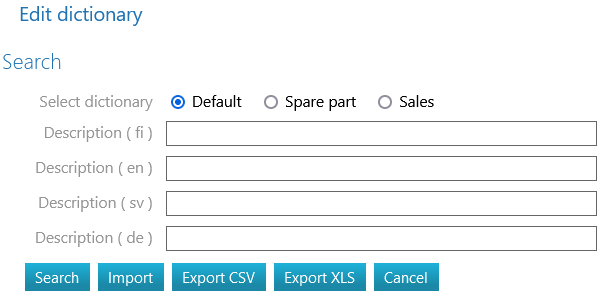
Flow opens the Edit Dictionary dialog box.
(3) Select the dictionary:
-
Default
-
Component
-
Sales
(4) Enter search criteria, if necessary, for the words to be removed.
-
Leave the Description fields blank if you want to browse the entire content of the dictionary.
(5) Select the Search action.
-
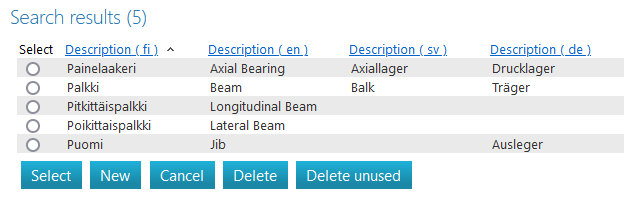
Flow lists the dictionary words that match your search.
(6) Select the Radiobutton next to the word to be removed.
-
If the word is in use, Flow will indicate: Cannot be deleted, translation is in use
-
and the Remove action button will be disabled.
(7) Select the Delete action.
-
Flow asks: Are you sure you want to remove unused translations?
(8) Choose OK if you want to delete the word or
-
Select Cancel if you do not want to remove the selected word.