General
Deleting the most recent revision of an object is intended for situations where you accidentally created a new revision instead of saving changes to the current one.
-
You can only delete the most recent revisions that you have created.
-
You cannot delete revisions created by other users. An admin user can also delete the most recent revisions made by others.
Delete the latest revision
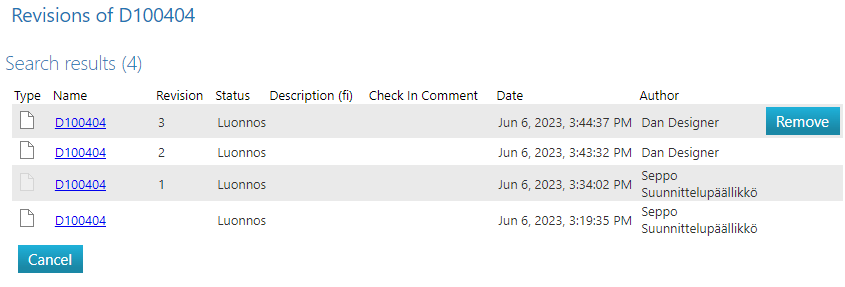
(1) Select the option Item/Model/Drawing/Document/... > Revisions.
-
Flow will open the revision history of the object.
-
The most recent revision row will have a "Delete" option.
(2) Select the "Delete" option.
-
Flow will prompt a confirmation question.
(3) Confirm the deletion by selecting "OK."